
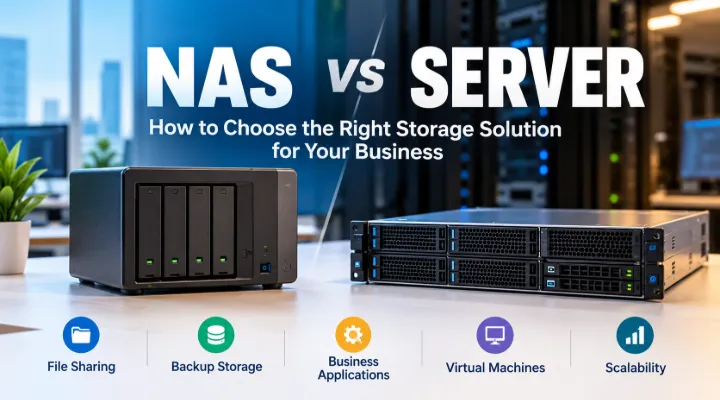
The choice between NAS and server storage starts with the services your business needs, not the number of drive bays in a product photograph. A NAS is often considered for shared files and storage services, while a server can provide a platform for business applications and broader infrastructure roles. Those descriptions overlap in some situations, so a useful purchase decision needs more detail. This guide explains how to compare the options using your actual users, applications, administration capabilities and recovery requirements. It helps you prepare a clear brief before asking for hardware, rather than treating either category as the automatic answer for every growing office.
List the jobs the system must perform
Write down whether you need shared folders, central backup storage, an application database, virtual machines or another service. Separate tasks that only need file access from tasks that require software to run on the system. Ask application vendors which platforms they support. A device that can store an application's files is not necessarily a supported host for the application itself. Identify the owner of each workload and the consequences if it becomes unavailable. This list provides the foundation for comparing NAS and server options without allowing a long feature list to obscure the services your business actually depends on.
Examine file sharing requirements
If the main requirement is shared documents, describe how staff organise and access them. Record departments, permission groups, file sizes and whether users work from one office or several locations. Identify applications that open files directly from shared storage. Ask how the proposed platform handles those access methods and permissions. Keep remote access requirements separate so your IT team can assess the management and security implications. A clear file sharing brief helps you decide whether a focused storage appliance meets the need or whether other services justify a server. It also prevents a storage purchase from becoming an unplanned substitute for a broader infrastructure project.
Check application support explicitly
For business software, obtain the vendor's platform requirements and supported deployment arrangements. Do not assume that an available NAS package or virtualisation feature makes every application suitable for that device. A server may be appropriate when the organisation needs a specific operating system, database or resource allocation. A NAS may still be part of the same environment as a file or backup destination. Request written compatibility information where the application is important to operations. The useful question is whether the proposed architecture is supported and manageable for your workload, rather than whether a product can theoretically perform a similar task.
Estimate capacity after redundancy
Calculate current data, expected growth and space for working files or other planned services. Then ask for usable capacity under the proposed drive arrangement. The sum of the drive labels is not the capacity your users necessarily receive after redundancy and system allocation. State whether the quotation should include drives and identify the required models. An enclosure price may not include storage media. Ask how future expansion works and whether it requires additional bays or drive replacement. This gives the purchasing team a realistic comparison and prevents a device with an attractive raw capacity figure from being approved without checking its intended configuration.
Match performance to the access pattern
Describe how many users will access the system simultaneously and what they will do. Small office documents create different demands from large media files or a busy application database. Consider the network path as well as the storage device. A fast drive arrangement cannot remove a bottleneck elsewhere in the connection. Ask your technical team to identify expected workloads and test a representative configuration where possible. Keep performance claims attached to specific conditions. A useful quotation explains the proposed processor, memory, drives and network interfaces in relation to your tasks rather than suggesting that one headline speed guarantees every user's experience.
Decide who will administer the platform
Identify the person or service provider responsible for setup, updates, access changes and troubleshooting. A NAS management interface may simplify some tasks, but the system still requires ownership. A server can provide more flexibility while requiring a different administration skill set. Compare the options against the support your business actually has. Document how new staff receive access and how access is removed when people leave. Clarify who reviews alerts and capacity usage. The right purchase should fit an operating model you can maintain, because a technically capable storage platform becomes less useful if routine management depends on a person who has not been appointed.
Build an independent backup plan
Define which data needs independent copies and where those copies will be held. Redundancy inside the main device is not a complete backup strategy. A mistaken deletion or other data problem can affect information that is present on multiple drives in the same system. Decide how often copies should be taken and how the team will restore them. Identify who tests recovery and records the results. Include backup software, destinations and any required capacity in the scope. Comparing NAS and server storage without backup planning produces an incomplete purchase decision, because both options need a process for recovering important information when normal access is disrupted.
Consider a combined architecture
The requirement may be better served by a server and a NAS with separate responsibilities. For example, the server might host a supported business application while the NAS provides shared folders or a backup destination. That arrangement needs clear integration and management, but it can keep tasks aligned with appropriate platforms. Ask your IT specialist to explain the reason for each component and avoid adding devices without a defined role. Include the connections and software required between them. A combined design should be assessed as one operating plan, with enough documentation that future administrators understand where data lives and which system provides each service.
Review the physical and support requirements
Describe the installation location, available space, power protection and network connections. A desktop NAS or tower server needs a suitable position, while rack equipment needs appropriate mounting and access. Ask about warranty and service arrangements for the exact models and destination. Identify how a failed drive or system will be assessed and who coordinates replacement. Keep any spare strategy linked to the business impact of interruption. The installation and support details should appear alongside the hardware specification, because a storage system serves the business over time and must be physically accessible to the people responsible for maintaining it.
Test the tasks that matter
Prepare an acceptance plan using normal files, representative users and the proposed permission structure. Test application access where relevant and verify that backups can be restored. Check that the network connections and user devices support the intended arrangement. Confirm alert delivery and record the final configuration. For a migration, retain the old data until the agreed checks are complete and a responsible person approves the handover. A practical test gives your organisation better evidence than relying on a generic demonstration. It also helps identify setup differences before the system becomes the main location for everyday business information.
Prepare a workload based quotation request
Send ICTECH your list of services, user numbers, data size, growth expectations, application requirements and installation details. Explain the backup plan and who will administer the system. Ask for NAS and server options only where they fit the workload, with usable storage, included drives and software scope shown clearly. Review the proposed arrangement with your technical team. The strongest choice is the one that supports your business tasks, has an owner and can be recovered when necessary. A careful comparison makes the purchase easier to approve and gives the implementation team a specification it can use after delivery.
Separate archives from active work
Ask departments which files are actively used for daily work and which exist mainly for reference. That distinction can affect the capacity and access requirements without changing the importance of the data. Do not remove information simply to fit a smaller system; agree an appropriate documented retention and access process with its owner. A documented archive plan can help your technical team design the storage arrangement and explain which tasks need responsive daily access and which require a reliable reference location.
Frequently asked questions
Can a NAS replace every business server?
No. Suitability depends on the applications and services required. Check supported platforms with your software vendors before deciding where a business application should run.
Does a NAS enclosure price include hard drives?
Only when the quotation specifies them. Ask for drive models, quantities and the proposed storage arrangement so you can compare usable capacity rather than enclosure prices alone.
Is drive redundancy the same as backup?
No. Independent copies and tested restoration remain necessary. Redundancy within one system does not cover every event that can make important data unavailable.
Can a server and NAS be used together?
Yes, when each has a defined role and the arrangement is supported. A server may host applications while a NAS provides shared storage or a backup destination.
What should I provide when requesting business storage options?
List workloads, users, current data, growth, application requirements, backup plans and administrator responsibilities. Include the installation location and any network limitations your team has identified.
Request a quotation from ICTECH with your product requirements, quantity and delivery country.
