
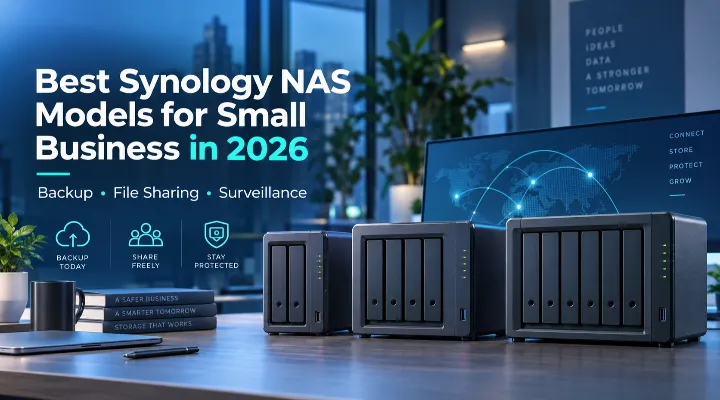
For a small business, data is no longer limited to a few documents stored on office computers. Companies now manage customer files, accounting data, project folders, CCTV recordings, employee backups, media files, and cloud applications every day.
As this data grows, relying only on individual PCs, external hard drives, or public cloud storage can become difficult to manage. A Network Attached Storage, or NAS, system provides a more organised way to store, protect, share, and access business data.
Synology is one of the most widely used NAS platforms for small and medium-sized businesses because its DiskStation systems combine storage hardware with the Synology DiskStation Manager, or DSM, operating system.
For businesses searching for the best Synology NAS for small business in 2026, five models stand out: DS225+, DS425+, DS725+, DS925+, and DS1525+.
Each is designed for a different type of workload. The right choice depends on how much storage you need today, how quickly your data is growing, how many employees need access, and whether the NAS will also handle backup or surveillance.
Quick Comparison of Synology NAS Models
| Model | Drive Bays | Memory | Networking | Expansion | Best For |
|---|---|---|---|---|---|
| DS225+ | 2 | 2GB DDR4 | 1GbE + 2.5GbE | No external expansion | Small offices and basic backup |
| DS425+ | 4 | 2GB DDR4 | 1GbE + 2.5GbE | 4 internal bays | Small businesses needing more storage |
| DS725+ | 2 | 4GB ECC DDR4 | 1GbE + 2.5GbE | Up to 7 bays with DX525 | Compact systems with future expansion |
| DS925+ | 4 | 4GB ECC DDR4 | Dual 2.5GbE | Up to 9 bays with DX525 | Growing businesses and heavier workloads |
| DS1525+ | 5 | 8GB ECC DDR4 | Dual 2.5GbE, optional 10GbE | Up to 15 bays with two DX525 units | Growing SMBs and demanding environments |
Synology lists the DS725+, DS925+, and DS1525+ with expandable ECC memory, while the DS925+ and DS1525+ also offer dual built-in 2.5GbE networking. The DS1525+ can additionally be upgraded for 10GbE networking.
1. Synology DS225+: A Practical NAS for Small Offices
The DS225+ is a straightforward 2-bay NAS designed for smaller businesses that want centralised storage without unnecessary complexity.
It uses an Intel Celeron J4125 processor with 2GB of DDR4 memory and provides both 1GbE and 2.5GbE network ports. It supports two 3.5-inch or 2.5-inch SATA drives.
Where the DS225+ Works Best
The DS225+ is suitable for:
- Small offices
- Accounting and consulting firms
- Startups
- Small retail businesses
- Centralised document storage
- PC and laptop backup
- Basic CCTV recording
A practical example would be a five-person accounting office in Dubai that currently saves files on individual computers. The DS225+ could provide one central location for client documents while automatically backing up employee systems.
It supports Synology Active Backup for Business, allowing compatible PCs, Macs, physical servers, file servers, and virtualised environments to be managed through a central backup platform.
Main Limitation
Its biggest limitation is the two-bay design. Businesses expecting rapid storage growth may find a four-bay or expandable model more economical over the long term.
2. Synology DS425+: Best for Businesses Needing More Storage Bays
The DS425+ is an attractive step up when storage capacity is more important.
It provides four SATA drive bays, 2GB DDR4 memory, an Intel Celeron J4125 processor, and both 1GbE and 2.5GbE connectivity. It also includes two M.2 NVMe slots.
Why Four Bays Matter
A four-bay NAS provides more flexibility when configuring RAID.
For example, a business could install four drives and use RAID 5 or Synology Hybrid RAID, depending on the configuration. This allows the company to balance usable storage with protection against a drive failure.
The DS425+ is well suited to:
- Design and marketing agencies
- Small trading companies
- Clinics and professional offices
- Retail stores
- Teams sharing larger project folders
- Businesses running file storage and surveillance together
Synology rates the DS425+ for up to 40 IP cameras at 1080p under specified Surveillance Station test conditions, although actual performance depends on camera settings, codecs, drives, and other workloads. Surveillance Station includes two device licences, with additional licences required for more cameras.
3. Synology DS725+: Compact Size with Better Scalability
At first glance, the DS725+ may look similar to other two-bay systems, but its expansion capability makes it very different.
It features an AMD Ryzen R1600 processor, 4GB of ECC DDR4 memory, two M.2 NVMe slots, one 2.5GbE port, one 1GbE port, and two main SATA drive bays. Memory can be expanded up to 32GB.
The Major Advantage: Expansion
The DS725+ can connect to a Synology DX525 expansion unit, increasing the system from two main drive bays to a maximum of seven drives.
This makes it useful when a business wants to start small but expects storage requirements to increase.
For example, a small architecture company might initially install two large-capacity drives for project files and backups. As the company takes on larger projects, additional storage can later be added through the expansion unit instead of replacing the NAS completely.
The DS725+ is a strong choice for:
- Small businesses expecting growth
- Branch offices
- Backup servers
- Businesses with heavier applications
- Organisations that want ECC memory
- Surveillance environments requiring future storage expansion
4. Synology DS925+: The Best All-Round Choice for Growing SMBs
For many growing businesses, the DS925+ offers one of the best combinations of performance, storage capacity, networking, and expandability.
It comes with four SATA bays, two M.2 NVMe slots, 4GB of ECC DDR4 memory, and an AMD Ryzen V1500B processor. Memory can be expanded to 32GB. It also includes two 2.5GbE network ports.
Built for Business Growth
The DS925+ supports a DX525 expansion unit, allowing the total number of drive bays to increase from four to nine.
This makes it especially useful for businesses where data growth is difficult to predict.
Typical uses include:
- Central business file servers
- Automated workstation backups
- Multi-user Synology Drive deployments
- Surveillance recording
- Departmental storage
- Multi-site file synchronisation
- Backup repositories
Synology states that the DS925+ supports backup of multiple endpoints and can handle up to 40 IP cameras under its recommended 1080p surveillance configuration.
For a company with 15 or 20 employees sharing documents every day while also backing up workstations, the DS925+ provides much more headroom than an entry-level two-bay system.
5. Synology DS1525+: Best for Demanding Small and Medium Businesses
The DS1525+ is the most powerful and expandable option among these five models.
It has five SATA drive bays, 8GB ECC DDR4 memory, an AMD Ryzen V1500B processor, dual 2.5GbE networking, two M.2 NVMe slots, and a network upgrade slot that can provide optional 10GbE connectivity.
Excellent Expansion Potential
One of its biggest advantages is scalability.
The DS1525+ can connect to two DX525 expansion units, increasing the system to a maximum of 15 drive bays.
This can be particularly valuable for:
- Media and creative businesses
- Engineering companies
- Growing IT departments
- Multi-department offices
- Businesses managing large backup repositories
- Companies with significant CCTV retention requirements
The optional 10GbE capability can also make the DS1525+ more suitable for environments where multiple users frequently transfer large files.
Synology specifies support for up to 40 IP cameras at 1080p in its Surveillance Station performance testing, with two camera licences included by default.
Backup and Data Protection for Small Businesses
A NAS should not simply become another place to store files. A good deployment should form part of a complete backup strategy.
Synology's Active Backup for Business can centrally protect supported PCs, Macs, physical servers, virtual machines, and file servers. It also supports incremental backups and data deduplication to improve storage efficiency.
A practical business setup could include:
- Employee computers backed up automatically to the Synology NAS.
- Important NAS folders protected with snapshots.
- NAS data copied to another Synology system, external storage, or cloud destination.
- Critical backups stored offsite.
This follows the principle of not relying on a single copy of important business data.
File Sharing and Collaboration
All five models run Synology DSM, which provides tools for managing users, folders, permissions, file sharing, and remote access.
Synology Drive can turn the NAS into a private business cloud where staff can access and synchronise approved folders across computers and locations.
For example, a trading company with offices in Dubai and Abu Dhabi could use Synology file synchronisation tools to keep selected business folders available across both sites without depending entirely on consumer cloud storage.
Which Synology NAS Should Your Business Choose?
The easiest way to decide is to focus on your workload and expected growth.
- Choose DS225+ if you need affordable central storage and backup for a small office.
- Choose DS425+ if you want four drive bays and better RAID/storage flexibility.
- Choose DS725+ if you want a compact two-bay system today with the ability to expand later.
- Choose DS925+ if you want the strongest overall balance for a growing small business.
- Choose DS1525+ if you expect significant growth, larger workloads, or may require 10GbE networking.
Do not choose a NAS only based on your current storage requirement. Consider how much data your business may generate during the next three to five years.
Conclusion
The best Synology NAS for small business depends on more than the number of drive bays.
For a small office with basic file-sharing and backup needs, the DS225+ can be an excellent starting point. Businesses that need additional drive flexibility may prefer the DS425+, while the DS725+ provides an interesting combination of compact size and future expansion.
For growing businesses, the DS925+ is arguably the strongest all-round option because of its four bays, ECC memory, dual 2.5GbE networking, and expansion support.
Companies with larger storage requirements, heavier workloads, or plans for faster networking should consider the DS1525+.
For businesses evaluating a Synology NAS in the UAE, selecting the correct drives, RAID configuration, backup strategy, network infrastructure, and future storage capacity is just as important as selecting the NAS itself.
Frequently Asked Questions
1. Which Synology NAS is best for a small business?
For many growing small businesses, the DS925+ provides an excellent balance of four drive bays, ECC memory, dual 2.5GbE networking, backup capabilities, surveillance support, and future expansion.
2. Is a 2-bay NAS enough for a small business?
Yes. A 2-bay NAS such as the DS225+ can be suitable for smaller offices with moderate storage requirements. However, businesses expecting rapid data growth may benefit from a four-bay or expandable model.
3. Can Synology NAS automatically back up office computers?
Yes. Compatible Synology NAS models can use Active Backup for Business to centrally protect supported PCs, Macs, physical servers, file servers, and virtual machines.
4. Can a Synology NAS be used for CCTV surveillance?
Yes. Synology Surveillance Station can turn compatible DiskStation systems into centralised video surveillance servers. These models include two Surveillance Station device licences by default, while additional cameras require additional licences.
5. Which model offers the best future expansion?
Among the models compared here, the DS1525+ offers the greatest expansion capability. It starts with five drive bays and supports up to 15 bays when used with two compatible DX525 expansion units.
