
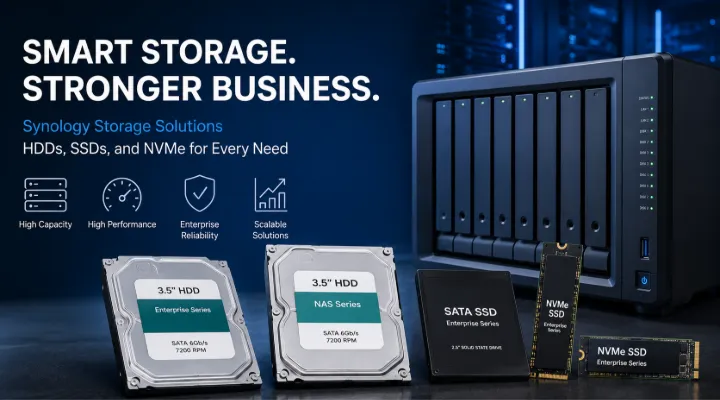
Data has become one of the most valuable assets for businesses of all sizes. From customer information and financial records to surveillance footage and virtual machines, organizations generate and store enormous amounts of data every day. As storage requirements continue to grow, businesses need reliable, high-performance, and scalable storage solutions that can keep up with increasing demands.
Synology is widely recognized as a leader in Network Attached Storage (NAS) solutions, but the company also offers a growing portfolio of storage devices, including enterprise hard drives (HDDs), SATA SSDs, and NVMe SSDs. These storage products are specifically designed and validated to work seamlessly with Synology NAS systems, ensuring optimal performance, reliability, and compatibility.
This article explores Synology's storage ecosystem, including HDDs, SSDs, and NVMe drives, their benefits, use cases, and how organizations can leverage them to build efficient and secure storage environments.
Understanding Synology Storage Solutions
Synology storage devices are designed to support a wide range of applications, including:
- File storage and sharing
- Backup and disaster recovery
- Video surveillance
- Virtualization
- Database hosting
- Cloud synchronization
- Content management
- Business applications
Unlike generic storage devices, Synology drives are tested extensively with Synology NAS systems to deliver reliable and predictable performance.
Synology Hard Disk Drives (HDDs)
What Are Synology HDDs?
Synology HDDs are enterprise-grade hard drives developed specifically for NAS environments.
Popular series include:
- Synology HAT3300 Series
- Synology HAT5300 Series
These drives are optimized for continuous operation and demanding workloads.
Synology HAT3300 Series
The HAT3300 series is designed for small businesses and home office environments.
Key Features
- Reliable NAS storage
- 24/7 operation support
- Optimized firmware
- Reduced vibration
- Consistent performance
Ideal Applications
- File servers
- Small business NAS
- Backup storage
- Multimedia libraries
Practical Example
A small accounting firm can use Synology HAT3300 drives in a NAS system to securely store financial records and employee files while maintaining easy access for authorized staff.
Synology HAT5300 Series
The HAT5300 series is designed for enterprise environments requiring higher reliability and performance.
Key Features
- Enterprise-grade durability
- Higher workload ratings
- Enhanced reliability
- Faster data access
- Optimized for Synology systems
Suitable Environments
- Large organizations
- Data centers
- Virtualization platforms
- Surveillance deployments
Benefits
- Improved uptime
- Better data protection
- Long-term reliability
- Lower maintenance requirements
Advantages of Synology HDDs
1. Optimized Compatibility
Synology validates its drives across numerous NAS platforms to ensure stable operation.
Benefits include:
- Reduced compatibility issues
- Reliable firmware updates
- Better system integration
2. Designed for Continuous Operation
Unlike desktop drives, Synology HDDs are designed for:
- 24/7 workloads
- Multi-user environments
- High-capacity storage systems
3. Enhanced Data Protection
Features include:
- Error recovery mechanisms
- Stable RAID performance
- Improved reliability
This helps reduce the risk of unexpected downtime and data loss.
Synology SATA SSD Solutions
Why Use SSDs?
Solid-State Drives (SSDs) offer significant advantages over traditional hard drives.
Benefits include:
- Faster performance
- Lower latency
- Silent operation
- Reduced power consumption
- Improved responsiveness
Synology SAT5200 Enterprise SSD
The SAT5200 series is Synology's enterprise SATA SSD solution.
Key Features
- High endurance
- Consistent performance
- Enterprise reliability
- Optimized NAS integration
Suitable Applications
- Business databases
- Virtual machines
- High-performance storage pools
- Transaction-heavy workloads
Example
An e-commerce company can use SAT5200 SSDs to accelerate database performance and improve customer response times during peak shopping periods.
Benefits of Synology SSD Storage
Faster Data Access
SSDs provide significantly lower latency compared to HDDs.
Applications benefit from:
- Faster file retrieval
- Improved application performance
- Better user experiences
Improved Virtualization Performance
Virtual environments often generate numerous read and write operations.
Synology SSDs help support:
- VMware environments
- Hyper-V deployments
- Container platforms
Better Database Performance
Databases require rapid access to data.
SSDs improve:
- Query performance
- Transaction processing
- Application responsiveness
Synology NVMe SSD Solutions
What Is NVMe?
NVMe (Non-Volatile Memory Express) is a modern storage protocol designed specifically for flash-based storage devices.
Compared to SATA SSDs, NVMe SSDs provide:
- Higher speeds
- Lower latency
- Greater efficiency
- Better scalability
Synology SNV3400 Series
The SNV3400 series is designed primarily for SSD caching within Synology NAS systems.
Benefits
- Faster access to frequently used files
- Improved application responsiveness
- Reduced storage bottlenecks
Use Cases
- File servers
- Virtualization
- Multi-user environments
- Database systems
Synology SNV3500 Series
The SNV3500 series provides enterprise-grade NVMe performance.
Features
- High endurance
- Low latency
- Continuous operation
- Reliable caching performance
Applications
- Enterprise NAS systems
- Large-scale business environments
- High-performance workloads
SSD Cache Technology
One of the most powerful features of Synology NAS systems is SSD caching.
How SSD Caching Works
Frequently accessed data is stored on high-speed SSDs while larger data volumes remain on HDD storage.
This creates a balance between:
- Performance
- Capacity
- Cost efficiency
Benefits of SSD Cache
Faster File Access
Users can retrieve commonly used files more quickly.
Better User Experience
Applications become more responsive.
Reduced Server Load
Storage systems can process requests more efficiently.
Choosing Between HDD, SSD, and NVMe Storage
When to Choose HDDs
HDDs are ideal for:
- Large file storage
- Backup repositories
- Surveillance recordings
- Archive systems
Advantages:
- High capacity
- Lower cost per terabyte
When to Choose SATA SSDs
SATA SSDs are suitable for:
- Business applications
- Databases
- Virtual machines
- Frequently accessed files
Advantages:
- Faster performance
- Better responsiveness
When to Choose NVMe SSDs
NVMe drives are best for:
- High-performance environments
- SSD caching
- Virtualization
- Enterprise workloads
Advantages:
- Maximum speed
- Low latency
- High endurance
Synology Storage for Video Surveillance
Video surveillance systems generate enormous amounts of data.
Synology storage devices support:
- Continuous recording
- Multi-camera environments
- Long-term retention
- Secure storage
Example
A shopping mall operating 100 IP cameras can use Synology HDDs for bulk storage while leveraging NVMe SSD caching for faster footage retrieval.
Synology Storage for Virtualization
Virtualized environments require fast and reliable storage.
Synology SSDs and NVMe solutions support:
- Virtual machine hosting
- Snapshot functionality
- High IOPS workloads
- Rapid data access
Benefits include:
- Improved VM performance
- Faster deployment
- Better resource utilization
Synology Storage for Backup and Disaster Recovery
Data protection is a critical requirement for modern businesses.
Synology storage devices support:
- Automated backups
- Business continuity
- Recovery planning
- Long-term retention
Organizations can create secure backup environments while ensuring quick recovery when needed.
Why Choose Synology Storage Devices?
Integrated Ecosystem
Storage devices are designed specifically for Synology NAS systems.
Proven Reliability
Extensive testing ensures dependable performance.
Enterprise-Grade Quality
Suitable for demanding business environments.
Flexible Deployment
Supports small businesses through large enterprises.
Optimized Performance
Delivers consistent operation across diverse workloads.
Why Buy Synology Storage Devices from ICTECH Distribution?
ICTECH Distribution offers a wide range of Synology storage solutions, including HDDs, SSDs, NVMe drives, and NAS systems.
Benefits include:
- Genuine Synology products
- Competitive pricing
- Expert product recommendations
- Business-focused solutions
- Product availability
- Professional support
Whether you need enterprise HDDs, SSD cache drives, or high-performance NVMe storage, ICTECH Distribution can help identify the right Synology solution for your infrastructure.
Future of Storage with Synology
As organizations continue generating more data, storage requirements will become increasingly complex.
Future trends include:
- Increased NVMe adoption
- AI-driven data management
- Hybrid cloud storage
- Faster backup solutions
- Greater storage scalability
Synology continues to innovate by developing storage technologies that support these evolving requirements.
Conclusion
Synology's storage portfolio extends far beyond NAS appliances. With enterprise-grade HDDs, high-performance SATA SSDs, and advanced NVMe SSD solutions, Synology provides organizations with reliable options for managing growing data demands.
Whether used for file storage, virtualization, surveillance, backup, or business applications, Synology storage devices deliver the performance, reliability, and compatibility needed for modern IT environments. Combined with Synology NAS systems and supported by ICTECH Distribution, these storage solutions help businesses build scalable and future-ready storage infrastructures.
Frequently Asked Questions (FAQs)
1. What is the difference between Synology HDDs and SSDs?
HDDs provide higher storage capacity at a lower cost, while SSDs offer significantly faster performance and lower latency for demanding workloads.
2. What are Synology NVMe SSDs mainly used for?
Synology NVMe SSDs are commonly used for SSD caching and high-performance storage environments that require fast data access.
3. Can Synology HDDs run continuously?
Yes. Synology HDDs are designed for 24/7 NAS operation and are optimized for continuous workloads.
4. Which Synology storage solution is best for virtualization?
Enterprise SSDs and NVMe SSDs are typically the best choices for virtualization due to their high performance and low latency.
5. Why use Synology-certified drives in a Synology NAS?
Synology-certified drives undergo extensive compatibility testing, helping ensure reliable performance, stable firmware updates, and optimal integration.
