
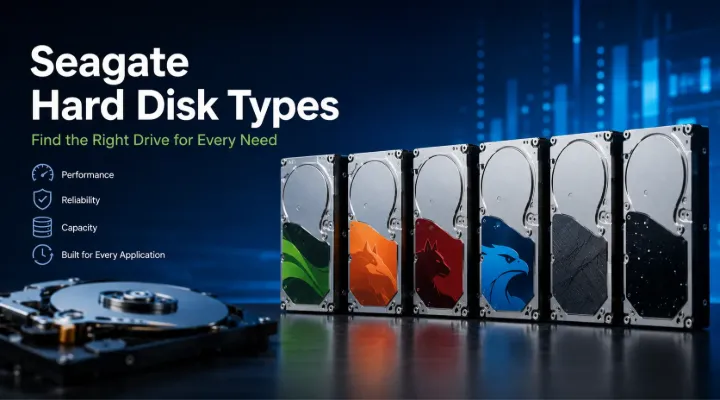
Data storage plays a critical role in today's digital world. Whether you are managing business operations, running a surveillance system, hosting enterprise applications, or simply storing personal files, selecting the right hard drive can significantly impact performance and reliability. Seagate is one of the world's leading storage manufacturers, offering a wide range of hard disk drives (HDDs) designed for various applications and workloads.
Understanding the different Seagate hard disk types can help businesses, IT professionals, system integrators, and individual users make informed decisions. Each Seagate drive family is optimized for specific environments, from everyday desktop computing to large-scale enterprise data centers.
In this guide, we will explore the major Seagate hard disk categories, their features, benefits, and ideal use cases to help you choose the best storage solution for your needs.
Who Should Read This Guide?
This article is valuable for:
- IT managers
- Business owners
- System integrators
- Data center administrators
- CCTV installers
- Gamers
- Creative professionals
- Home users
- Storage resellers
Businesses looking for genuine Seagate storage solutions can source products through ICTECH Distribution, a trusted IT distributor serving customers across the UAE, Africa, and international markets.
Understanding Seagate Hard Drive Categories
Unlike some manufacturers that use color-coded branding, Seagate organizes its hard drives into product families based on their intended applications.
The major Seagate HDD categories include:
- Seagate BarraCuda
- Seagate FireCuda
- Seagate IronWolf
- Seagate SkyHawk
- Seagate Exos
- Seagate Enterprise Capacity Drives
- Seagate Backup and External Drives
Each family is designed to address specific storage requirements.
Seagate BarraCuda Hard Drives
Overview
Seagate BarraCuda is one of the most popular hard drive series for desktop and everyday computing applications.
BarraCuda drives offer a balance of capacity, affordability, and performance, making them suitable for home and office users.
Key Features
- Large storage capacities
- Reliable daily performance
- Cost-effective pricing
- Available in multiple form factors
Ideal Applications
BarraCuda drives are commonly used in:
- Desktop PCs
- Home office systems
- Student computers
- General business workstations
Practical Example
A small accounting firm storing documents, spreadsheets, invoices, and backups can use BarraCuda drives to provide dependable storage without exceeding budget requirements.
Advantages
- Affordable storage solution
- Widely available capacities
- Good performance for daily tasks
Limitations
- Not optimized for enterprise workloads
- Not designed for continuous 24/7 operation
Seagate FireCuda Hard Drives
Overview
FireCuda drives are designed for users who require higher performance than traditional desktop storage.
The FireCuda family includes hybrid drives and high-performance storage solutions targeted at gamers and content creators.
Key Features
- Faster data access
- Enhanced gaming performance
- Optimized for demanding applications
- High-capacity options
Ideal Applications
FireCuda drives are commonly used for:
- Gaming PCs
- Content creation workstations
- Video editing systems
- Graphic design projects
Practical Example
A video production company working with large 4K and 8K video files may deploy FireCuda drives to improve project loading times and storage efficiency.
Advantages
- Improved performance
- Suitable for gaming and creative workloads
- Faster access compared to standard desktop HDDs
Limitations
- Higher cost than standard drives
- May not match SSD performance levels
Seagate IronWolf Hard Drives
Overview
IronWolf drives are specifically designed for Network Attached Storage (NAS) environments.
NAS systems often operate around the clock and support multiple users simultaneously. IronWolf drives are built to handle these demanding workloads.
Key Features
- 24/7 operation support
- NAS-optimized firmware
- RAID compatibility
- Vibration management technology
IronWolf Product Variants
IronWolf
Suitable for:
- Home NAS systems
- Small business storage servers
IronWolf Pro
Designed for:
- Enterprise NAS deployments
- Large storage arrays
- Heavy multi-user environments
Practical Example
A design agency with multiple employees accessing centralized files through a NAS system can benefit from IronWolf Pro drives for reliable file sharing and collaboration.
Advantages
- Excellent NAS performance
- Continuous operation capability
- Improved reliability
Limitations
- Higher cost than desktop drives
- Not intended for gaming systems
Seagate SkyHawk Hard Drives
Overview
SkyHawk drives are purpose-built for surveillance systems.
Unlike traditional hard drives, surveillance drives must continuously record and manage video streams from multiple cameras.
Key Features
- Optimized for DVR and NVR systems
- Supports multiple HD camera streams
- 24/7 recording capability
- Reduced frame loss
Ideal Applications
SkyHawk drives are ideal for:
- CCTV systems
- Security monitoring centers
- Retail surveillance
- Smart city security deployments
Practical Example
A large warehouse operating dozens of surveillance cameras requires reliable storage that can continuously record video without interruption. SkyHawk drives are specifically engineered for such workloads.
Advantages
- Surveillance-optimized performance
- Reliable continuous recording
- High workload support
Limitations
- Not optimized for desktop computing
- Specialized use case
Seagate Exos Hard Drives
Overview
Seagate Exos drives are enterprise-class storage solutions designed for data centers and large-scale business environments.
They deliver exceptional reliability, scalability, and performance for mission-critical applications.
Key Features
- Enterprise-grade reliability
- High storage capacities
- Advanced security features
- Data center optimization
Ideal Applications
Exos drives are commonly used in:
- Enterprise servers
- Cloud storage platforms
- Data centers
- Large storage arrays
Practical Example
A cloud hosting provider storing petabytes of customer data may deploy hundreds of Exos drives to maintain performance and reliability.
Advantages
- Enterprise-level durability
- Massive storage capacities
- High workload ratings
Limitations
- Premium pricing
- Not necessary for standard users
Seagate Enterprise Capacity Drives
Overview
Enterprise Capacity drives are designed for organizations that require large-scale storage with high reliability.
These drives focus on delivering dependable performance in demanding enterprise environments.
Key Features
- High capacity options
- Enterprise-grade construction
- Reliable data retention
- Continuous operation support
Common Applications
- Enterprise backup systems
- Archival storage
- Large-scale file repositories
- Business continuity solutions
Advantages
- Reliable enterprise storage
- Excellent scalability
- Long operational lifespan
Limitations
- Higher investment cost
- Typically used in business environments
Seagate External Hard Drives
Overview
Seagate offers several external hard drive families designed for portability, backup, and convenient storage expansion.
Popular product lines include:
- Seagate Backup Plus
- Seagate Expansion
- Seagate One Touch
Key Features
- Plug-and-play functionality
- Portable design
- USB connectivity
- Large storage capacities
Ideal Applications
External drives are commonly used for:
- Personal backups
- Business data transfers
- Portable storage
- Content archiving
Practical Example
A photographer traveling between client locations can use a Seagate One Touch drive to safely store and transport image files.
Advantages
- Portable and convenient
- Easy setup
- Cost-effective backup solution
Limitations
- Not ideal for enterprise workloads
- Physical damage risk during transport
Comparing Seagate Hard Drive Types
| Drive Family | Primary Use | Performance | Reliability | Best For |
|---|---|---|---|---|
| BarraCuda | Everyday Computing | Moderate | Good | Home & Office |
| FireCuda | Gaming & Creative Work | High | Very Good | Gamers & Creators |
| IronWolf | NAS Storage | Moderate | Excellent | NAS Systems |
| SkyHawk | Surveillance | Specialized | Excellent | CCTV Systems |
| Exos | Enterprise Storage | Very High | Exceptional | Data Centers |
| Enterprise Capacity | Enterprise Archives | High | Exceptional | Business Storage |
| External Drives | Backup & Portability | Moderate | Good | Personal & Business Backup |
How to Choose the Right Seagate Hard Drive
Identify Your Use Case
Ask yourself:
- Is the drive for personal use or business use?
- Will it operate continuously?
- How many users will access the storage?
Understanding the workload is the first step in selecting the right drive.
Determine Capacity Requirements
Storage needs vary significantly between users.
General Recommendations
- 1TB–2TB for home users
- 4TB–8TB for small businesses
- 10TB–24TB for enterprise environments
- 20TB+ for data centers and large archives
Consider Performance Requirements
If performance is important:
- Choose FireCuda for gaming and content creation.
- Choose Exos for enterprise applications.
- Choose BarraCuda for standard desktop workloads.
Evaluate Reliability Needs
For 24/7 operation:
- IronWolf
- SkyHawk
- Exos
- Enterprise Capacity Drives
are significantly better choices than traditional desktop drives.
Why Businesses Choose Seagate Storage Solutions
Seagate has established itself as one of the most trusted names in the storage industry.
Organizations choose Seagate because of:
- Proven reliability
- Extensive product portfolio
- Enterprise-grade technologies
- Large storage capacities
- Global support network
- Strong reputation in data storage
From desktop PCs and NAS systems to surveillance infrastructure and enterprise data centers, Seagate provides storage solutions for virtually every application.
Companies sourcing genuine Seagate products can work with ICTECH Distribution for access to a wide range of Seagate hard drives suitable for business and IT infrastructure projects.
Future Trends in Seagate Storage Technology
The demand for data storage continues to grow rapidly.
Several trends are shaping the future of Seagate storage solutions:
- Increased hard drive capacities beyond 30TB.
- Improved energy efficiency.
- AI-driven data management.
- Enhanced cybersecurity features.
- Growth of cloud and hybrid storage environments.
Although SSD technology continues to expand, HDDs remain a cost-effective solution for large-capacity storage, enterprise backups, surveillance systems, and data archiving.
Conclusion
Seagate offers a comprehensive range of hard drives designed for different storage requirements. BarraCuda drives provide dependable everyday storage, FireCuda focuses on performance, IronWolf powers NAS systems, SkyHawk supports surveillance applications, and Exos delivers enterprise-grade storage for mission-critical environments.
Selecting the right Seagate hard drive depends on your workload, performance expectations, capacity requirements, and operational environment. Understanding these Seagate hard disk types helps ensure better performance, improved reliability, and long-term value from your storage investment.
Businesses, resellers, and IT professionals can source genuine Seagate storage products through ICTECH Distribution, ensuring access to reliable storage solutions for modern computing and enterprise infrastructure.
Frequently Asked Questions
1. What is the difference between Seagate BarraCuda and FireCuda?
BarraCuda is designed for everyday computing, while FireCuda focuses on higher performance for gaming, content creation, and demanding workloads.
2. Which Seagate hard drive is best for NAS storage?
Seagate IronWolf and IronWolf Pro drives are specifically designed for NAS environments and continuous operation.
3. Is SkyHawk suitable for regular desktop use?
While it can be used in a desktop, SkyHawk is optimized for surveillance recording and is best suited for CCTV systems.
4. What is the best Seagate drive for enterprise servers?
Seagate Exos drives are considered among the best options for enterprise servers, cloud infrastructure, and data centers.
5. Are Seagate HDDs still useful compared to SSDs?
Yes. HDDs remain highly relevant for large-capacity storage, backups, surveillance recording, and enterprise archiving because they offer a lower cost per terabyte.
