
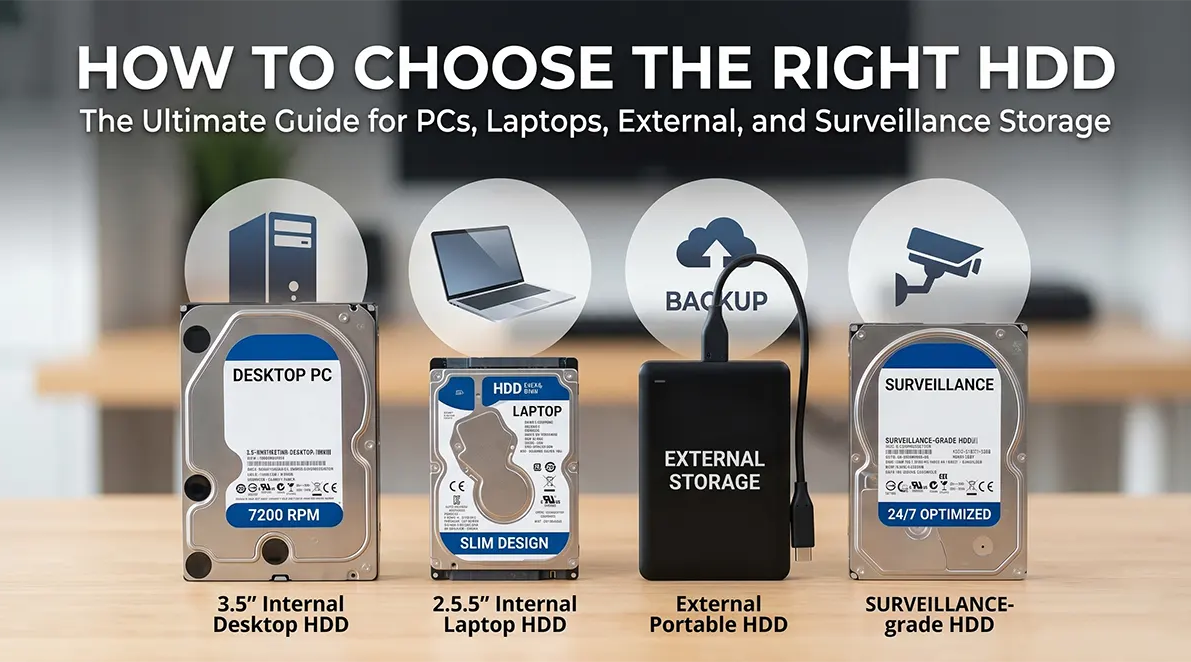
Choosing the right hard disk drive (HDD) is more important than most people realize. While SSDs are gaining popularity, HDDs remain essential for bulk storage, long-term data retention, and cost-effective scalability. Whether you are building a PC, upgrading a laptop, setting up a surveillance system, or looking for external storage, selecting the right HDD can significantly impact performance, reliability, and overall efficiency.
With a wide variety of HDD types, speeds, and use cases available in the market, making the right choice requires a clear understanding of your needs. Businesses and resellers sourcing HDDs in bulk often rely on ICTECH Distribution for access to reliable storage solutions at competitive prices.
Understanding HDD Basics
Before diving into specific use cases, it’s important to understand what an HDD is and how it works. A hard disk drive stores data on spinning magnetic platters, with a read/write head accessing information as the disk rotates.
Key components include:
- Platters (data storage disks)
- Spindle (rotates the platters)
- Actuator arm (moves the read/write head)
HDDs are known for:
- High storage capacity
- Lower cost per GB compared to SSDs
- Reliability for long-term storage
Key Factors to Consider When Choosing an HDD
1. Storage Capacity
Capacity is the first and most obvious factor. HDDs are available in sizes ranging from 500GB to 20TB and beyond.
- 500GB–1TB: Basic usage
- 2TB–4TB: General home and office use
- 6TB–10TB: Professional and NAS environments
- 12TB+: Enterprise and surveillance systems
Choosing the right capacity depends on your storage requirements and future scalability.
2. Form Factor
HDDs come in two primary sizes:
- 3.5-inch drives: Used in desktops and servers
- 2.5-inch drives: Used in laptops and portable devices
Always ensure compatibility with your system before purchasing.
3. RPM (Speed)
The speed of an HDD is measured in revolutions per minute (RPM).
- 5400 RPM: Lower power consumption, quieter operation
- 7200 RPM: Faster performance, better for demanding tasks
Higher RPM drives provide quicker data access but may generate more heat and noise.
4. Cache Size
Cache (buffer memory) helps improve data access speed.
- 8MB–32MB: Entry-level
- 64MB–256MB: Standard
- 512MB+: High-performance drives
A larger cache improves performance, especially for multitasking and large file transfers.
5. Interface Type
Most modern HDDs use:
- SATA (common for desktops and laptops)
- USB (for external drives)
- SAS (for enterprise environments)
Ensure your system supports the interface you choose.
Choosing HDD for Desktop PCs
Desktop PCs offer the most flexibility when it comes to HDD selection.
Recommended Features
- 3.5-inch form factor
- 7200 RPM for better performance
- 2TB or higher capacity
Use Cases
- Gaming storage
- Media libraries
- Backup storage
For gaming PCs, HDDs are often used alongside SSDs to store large files such as game libraries and videos.
Choosing HDD for Laptops
Laptop HDDs are more compact and power-efficient.
Recommended Features
- 2.5-inch form factor
- 5400 RPM for battery efficiency
- 1TB–2TB capacity
Considerations
- Lower power consumption
- Reduced heat generation
- Compatibility with slim designs
While many modern laptops use SSDs, HDDs are still used in budget models or for additional storage.
Choosing External HDDs
External HDDs are ideal for portability and backup.
Key Features
- USB 3.0 or higher for fast data transfer
- Plug-and-play functionality
- Compact and durable design
Use Cases
- Data backup
- File transfer
- Media storage
External HDDs are widely used by professionals who need to carry large amounts of data.
Choosing HDD for Surveillance Systems
Surveillance systems have unique requirements compared to regular storage.
Why Regular HDDs Are Not Suitable
Standard HDDs are not designed for:
- Continuous 24/7 operation
- Multiple camera streams
- High write workloads
Features of Surveillance HDDs
- Optimized for continuous recording
- Support for multiple video streams
- Enhanced durability and reliability
Recommended Capacity
- 4TB–10TB for small setups
- 10TB+ for large installations
Businesses setting up CCTV systems often source surveillance-grade HDDs through ICTECH Distribution to ensure reliability and performance.
HDDs for NAS and Enterprise Use
Network Attached Storage (NAS) systems and enterprise environments require specialized HDDs.
NAS HDD Features
- Designed for RAID configurations
- Enhanced vibration resistance
- Optimized for multi-user environments
Enterprise HDD Features
- High durability
- Faster performance
- Advanced error correction
These drives are ideal for:
- Data centers
- Cloud storage
- Large-scale backups
HDD vs SSD: When to Choose HDD
While SSDs offer speed, HDDs remain relevant for several reasons:
Choose HDD When You Need:
- Large storage capacity at low cost
- Backup and archival storage
- Media libraries
- Surveillance storage
Many users adopt a hybrid approach:
- SSD for OS and applications
- HDD for storage
Reliability and Lifespan
HDD lifespan depends on usage and environment.
Tips to Extend HDD Life
- Avoid physical shocks
- Maintain proper cooling
- Use surge protection
- Perform regular backups
Enterprise and surveillance HDDs are designed for longer operational life compared to standard drives.
Cost Considerations
HDDs offer a lower cost per GB compared to SSDs, making them ideal for bulk storage.
Budget Planning
- Entry-level: Affordable for basic use
- Mid-range: Balanced performance and capacity
- High-end: Enterprise-grade reliability
For businesses and resellers, ICTECH Distribution provides competitive pricing on bulk HDD purchases.
Common Mistakes to Avoid
When choosing an HDD, avoid these common errors:
- Selecting the wrong form factor
- Ignoring RPM and performance requirements
- Using standard HDDs for surveillance
- Underestimating storage needs
- Not checking compatibility
Careful planning ensures optimal performance and long-term reliability.
Why Source HDDs Through ICTECH Distribution
ICTECH Distribution is a trusted supplier of IT hardware, offering a wide range of HDD solutions for different applications.
Key Advantages
- Bulk availability of leading HDD brands
- Competitive pricing for businesses
- Genuine products with warranty support
- Reliable logistics and delivery
Whether you need HDDs for PCs, laptops, surveillance systems, or enterprise use, ICTECH Distribution ensures consistent supply and support.
Future of HDD Technology
Despite the rise of SSDs, HDD technology continues to evolve.
Emerging Trends
- Higher capacities (20TB+)
- Improved energy efficiency
- Advanced data recording technologies
HDDs will continue to play a critical role in data storage, especially for large-scale applications.
Conclusion
Choosing the right HDD requires a clear understanding of your specific needs. Whether you are upgrading a desktop, enhancing laptop storage, setting up a surveillance system, or managing enterprise data, selecting the right HDD ensures efficiency, reliability, and cost-effectiveness.
HDDs remain a practical solution for bulk storage, and with proper selection, they can deliver excellent long-term performance. For businesses and resellers, sourcing HDDs through ICTECH Distribution provides access to high-quality products, competitive pricing, and dependable supply.
Frequently Asked Questions (Q&A)
1. What is the best HDD for a desktop PC?
A 3.5-inch 7200 RPM HDD with at least 2TB capacity is ideal for most desktop users.
2. Can I use a regular HDD for surveillance systems?
No, surveillance systems require specialized HDDs designed for continuous recording and multiple camera streams.
3. Is a 5400 RPM HDD good for laptops?
Yes, 5400 RPM HDDs are suitable for laptops due to lower power consumption and quieter operation.
4. How much storage do I need for an external HDD?
It depends on your usage, but 2TB–4TB is sufficient for most users, while professionals may require higher capacities.
5. Where can businesses buy HDDs in bulk?
Businesses can source HDDs in bulk through ICTECH Distribution, which offers competitive pricing and reliable availability.
