
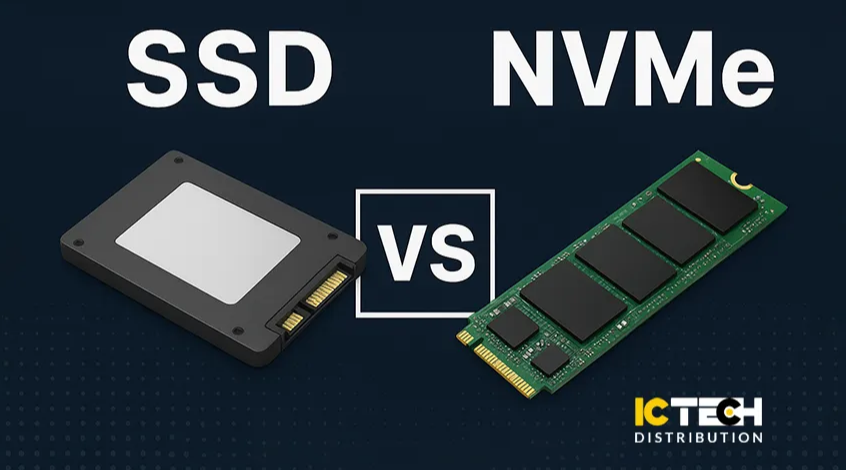
In the world of storage technology, speed, reliability, and cost play critical roles in determining which solution best fits your needs. For decades, hard disk drives (HDDs) dominated as the standard storage option, but in recent years, solid-state drives (SSDs) and NVMe drives have taken the spotlight. Businesses and individuals alike are constantly weighing the benefits of SSD vs NVMe when upgrading their systems.
At ICTECH Distribution, a leading IT distributor in the UAE and Africa, we supply high-quality storage solutions for all types of businesses, from enterprises managing large-scale data to individuals upgrading laptops and desktops. In this article, we’ll explore the key differences between SSDs and NVMe drives, their advantages, and how they compare to traditional HDDs.
What is an SSD?
An SSD (Solid-State Drive) is a storage device that uses NAND flash memory chips instead of the spinning disks found in traditional HDDs. This design makes SSDs faster, more durable, and less prone to mechanical failure.
There are two common types of SSDs:
- SATA SSDs: These use the SATA interface (the same interface as HDDs) and offer speeds up to 600 MB/s.
- M.2 SATA SSDs: Compact SSDs that use the M.2 form factor but still operate on SATA speeds.
SSDs are widely compatible with both new and older systems, making them a cost-effective upgrade for users still relying on HDDs.
What is NVMe?
NVMe (Non-Volatile Memory Express) is a newer storage protocol designed specifically for flash storage. NVMe SSDs connect directly to the system via the PCIe (Peripheral Component Interconnect Express) interface, bypassing the limitations of SATA.
The result is blazing-fast speeds of 3,000–7,000 MB/s, making NVMe drives ideal for high-performance tasks like gaming, 3D rendering, video editing, virtualization, and enterprise-level workloads.
SSD vs NVMe: Key Differences
Let’s break down the comparison across major factors:
1. Speed
- SATA SSD: Up to 600 MB/s.
- M.2 SATA SSD: Similar to SATA SSDs but in a compact form factor.
- NVMe SSD: 3,000–7,000 MB/s (some reaching over 10,000 MB/s on PCIe Gen 5).
If you’re looking for sheer performance, NVMe is unmatched. However, for everyday tasks like office applications and browsing, a SATA SSD is still much faster than an HDD and more budget-friendly.
2. Interface and Form Factor
- SATA SSDs connect through traditional SATA cables and ports, widely supported in older hardware.
- M.2 SSDs come in small stick-like designs that plug directly into the motherboard. They can be SATA or NVMe-based.
- NVMe SSDs require a PCIe interface (via M.2 slot or PCIe expansion card).
For modern laptops and desktops, M.2 NVMe is the preferred choice, but older machines may only support SATA SSDs.
3. Compatibility and Support for Older Hardware
- SATA SSDs work with nearly all devices that support SATA, including older systems.
- NVMe SSDs require newer motherboards with PCIe M.2 slots.
If your system is more than 6–7 years old, a SATA SSD is the safest upgrade.
4. Chip Type and Lifespan
Both SSDs and NVMe drives use NAND flash chips, with variations like SLC, MLC, TLC, and QLC affecting speed and endurance.
- SLC (Single-Level Cell): Fast, durable, expensive (mostly enterprise use).
- MLC (Multi-Level Cell): Balanced speed and endurance.
- TLC (Triple-Level Cell): Common in consumer SSDs, good balance of cost and performance.
- QLC (Quad-Level Cell): Higher capacity at lower cost, but shorter lifespan.
In general, both SATA SSDs and NVMe SSDs last far longer than HDDs, which have mechanical wear and tear.
5. Price
- HDDs: Cheapest option, ideal for bulk storage.
- SATA SSDs: Affordable, mid-range option, good for everyday use.
- NVMe SSDs: More expensive, but prices are dropping. Best for professionals, gamers, and enterprises needing maximum speed.
At ICTECH Distribution, we provide competitive prices for SSDs, NVMe drives, and traditional HDDs, helping businesses balance budget and performance.
6. Comparison with HDDs
- HDDs are slower (100–150 MB/s), prone to damage due to moving parts, and consume more power.
- SSDs and NVMe drives are far faster, more reliable, quieter, and energy efficient.
For data centers and enterprises, NVMe drives are the future. For general users, SSDs provide the perfect balance. HDDs, however, still have relevance for long-term bulk storage where speed is not critical.
Use Cases
- SATA SSD: Everyday computing, office use, upgrading old PCs/laptops.
- M.2 SATA SSD: Compact laptops, budget-friendly upgrades.
- NVMe SSD: Gaming rigs, professional editing, virtualization, enterprise servers.
- HDD: Archiving, backup storage, and cost-effective bulk data storage.
ICTECH Distribution: Your Storage Partner
As a trusted SSD and NVMe distributor in the UAE and Africa, ICTECH Distribution ensures you have access to the latest and most reliable storage solutions. Whether you are a reseller, corporate IT buyer, or an individual upgrading your PC, we provide high-volume stock, global delivery, and competitive pricing.
Our team helps businesses find the right balance between performance, cost, and compatibility to suit their storage requirements.
Frequently Asked Questions (FAQ)
Q1. Is NVMe always better than SATA SSD?
Not necessarily. NVMe is much faster, but for casual users, a SATA SSD provides excellent performance at a lower price.
Q2. Can older laptops use NVMe SSDs?
Most older laptops only support SATA SSDs. Check if your device has an M.2 PCIe slot before upgrading.
Q3. How long do SSDs and NVMe drives last?
On average, both can last 5–10 years, depending on the NAND type and workload. They are generally more reliable than HDDs.
Q4. Should I replace my HDD with an SSD?
Yes. Even a SATA SSD will significantly improve boot times, app loading, and overall system responsiveness compared to an HDD.
Q5. Does ICTECH Distribution supply enterprise-grade NVMe solutions?
Yes. We offer a wide range of enterprise SSDs and NVMe drives tailored for data centers, virtualization, and high-demand applications.
