
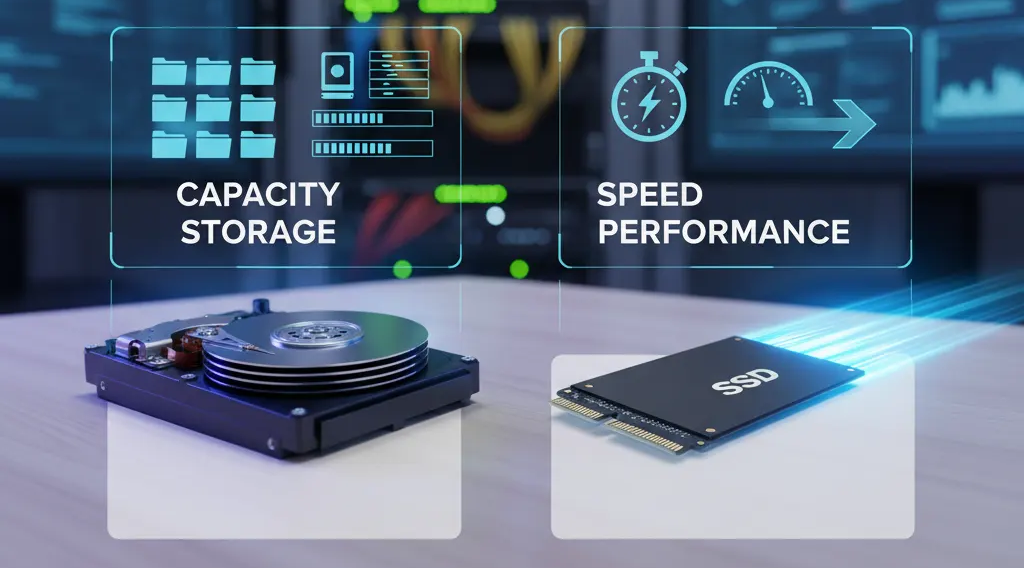
In today’s data-driven world, choosing the right type of storage device is more important than ever. Whether you’re setting up a business workstation, upgrading a gaming PC, or expanding your company’s IT infrastructure, knowing when to use a Hard Disk Drive (HDD) versus a Solid State Drive (SSD) can significantly impact performance, reliability, and cost efficiency.
As a leading IT products supplier in the UAE and Africa, ICTECH Distribution offers a complete range of storage solutions from top global brands. Understanding the right use case for HDDs and SSDs helps you select the most suitable storage setup for your specific needs.
Understanding the Basics
HDD (Hard Disk Drive) is the traditional storage device that uses spinning magnetic platters to read and write data. It has been around for decades and remains a reliable and affordable choice for high-capacity storage.
SSD (Solid State Drive), on the other hand, uses flash-based memory with no moving parts. This makes SSDs faster, quieter, and more durable than HDDs, but generally more expensive per gigabyte.
When to Use an HDD
Despite the growing popularity of SSDs, HDDs still have a strong position in many environments. Here’s when HDDs are the better choice:
1. When You Need High Storage Capacity on a Budget
HDDs offer a much lower cost per gigabyte compared to SSDs. If you need to store large amounts of data — such as video archives, surveillance recordings, or backups — HDDs provide the most economical solution. For example, a 4TB HDD is significantly cheaper than a 4TB SSD, making it ideal for mass storage requirements.
2. When Speed Isn’t the Main Concern
If your primary use case involves data that doesn’t require frequent access, such as archival files, multimedia libraries, or infrequently used system backups, HDDs are perfectly suitable. The slightly slower read/write speed won’t affect day-to-day operations for such use cases.
3. For Bulk Data Centers and Network Storage (NAS)
Many enterprise data centers and NAS setups still rely on HDDs because of their scalability. With RAID configurations and redundancy systems, HDDs can provide vast, cost-effective storage capacity without breaking the budget.
4. When Durability Isn’t a Top Priority
Because HDDs have moving mechanical parts, they are more prone to damage from physical shocks or drops. However, in static environments like server racks or desktop systems, this isn’t a major issue.
When to Use an SSD
SSDs are all about speed and reliability. They excel in environments where performance is critical and downtime is not acceptable. Here are the ideal use cases:
1. For Faster Boot and Load Times
If you want your system to boot quickly, launch applications instantly, and load files in seconds, SSDs are the way to go. They offer data transfer speeds up to 10x faster than traditional HDDs.
2. For Laptops and Portable Devices
Because SSDs have no moving parts, they are resistant to drops and shocks. This makes them perfect for laptops, tablets, and other mobile devices where physical movement is common. They are also lighter and consume less power, improving battery life.
3. For Gaming and Creative Work
Modern games and professional software like Adobe Premiere, AutoCAD, or Photoshop benefit greatly from SSD storage. Faster load times and quick access to assets make SSDs essential for gamers, video editors, designers, and engineers who handle large project files.
4. For Operating Systems and Primary Drives
Even if you use HDDs for storage, using an SSD for your operating system drive (C:) is one of the best performance upgrades. It dramatically improves system responsiveness and reduces loading times for applications and updates.
5. For Enterprise Applications and Virtualization
Businesses running databases, ERP systems, or virtualized environments benefit from SSDs’ high IOPS (Input/Output Operations Per Second). They ensure stable performance even under heavy workloads, which is critical in data-intensive operations.
Combining Both: The Hybrid Approach
Many professionals and organizations today use a hybrid storage system — SSDs for performance and HDDs for capacity.
For example:
- Use a 512GB or 1TB SSD for the operating system and active applications.
- Pair it with a 4TB or 8TB HDD for storing large files, media, and backups.
This combination delivers both speed and capacity at a balanced cost, making it ideal for most modern business environments.
ICTECH Distribution provides both SSD and HDD storage solutions from leading brands like Seagate, Western Digital, Samsung, Kingston, and Crucial — ensuring that clients across the UAE and Africa can choose the right mix of speed and storage capacity for their needs.
Key Comparison: HDD vs SSD
| Feature | HDD | SSD |
|---|---|---|
| Speed | Slower (50–150 MB/s) | Much faster (500 MB/s to 5000 MB/s) |
| Durability | Mechanical parts – prone to failure | No moving parts – shock-resistant |
| Power Consumption | Higher | Lower |
| Noise | Audible spinning sound | Completely silent |
| Cost per GB | Cheaper | More expensive |
| Best Use | Mass storage, backups, archives | OS drives, gaming, performance systems |
Choosing the Right Drive for Your Business
For businesses in the UAE and Africa looking to build reliable, scalable, and high-performance IT systems, ICTECH Distribution is your trusted partner. From enterprise-grade storage arrays to compact laptop drives, ICTECH ensures access to top-quality HDD and SSD solutions at competitive wholesale prices.
Whether you are setting up a new office, upgrading existing PCs, or managing data center expansions, choosing the right mix of HDD and SSD storage can improve efficiency, lower costs, and enhance data security.
Frequently Asked Questions (FAQ)
Q1. Can I use both HDD and SSD in the same computer?
Yes, many desktops and laptops allow you to install both. Use the SSD for the operating system and active programs, and the HDD for storing large files or backups.
Q2. How long does an SSD last compared to an HDD?
SSDs generally last longer because they lack moving parts. However, both have finite lifespans measured in write cycles (for SSDs) and mechanical wear (for HDDs). Modern SSDs can easily last 5–10 years under normal usage.
Q3. Are SSDs better for gaming?
Absolutely. SSDs load games faster, reduce lag in open-world titles, and improve overall gaming performance.
Q4. Do HDDs still have any advantage today?
Yes, HDDs are still the best option for affordable, high-capacity storage — especially when speed isn’t the main concern.
Q5. Where can I buy genuine HDDs and SSDs in bulk in the UAE?
You can source authentic HDDs and SSDs from ICTECH Distribution, one of the leading IT product distributors in the UAE and Africa, offering wholesale prices and reliable logistics for global resellers.
In summary, HDDs remain the champions of capacity and affordability, while SSDs deliver the speed and reliability that modern systems demand. The best approach often lies in combining both — ensuring performance, capacity, and long-term value.
For enterprise and retail bulk storage needs, ICTECH Distribution stands ready to supply you with the best storage solutions tailored to your business requirements.
