
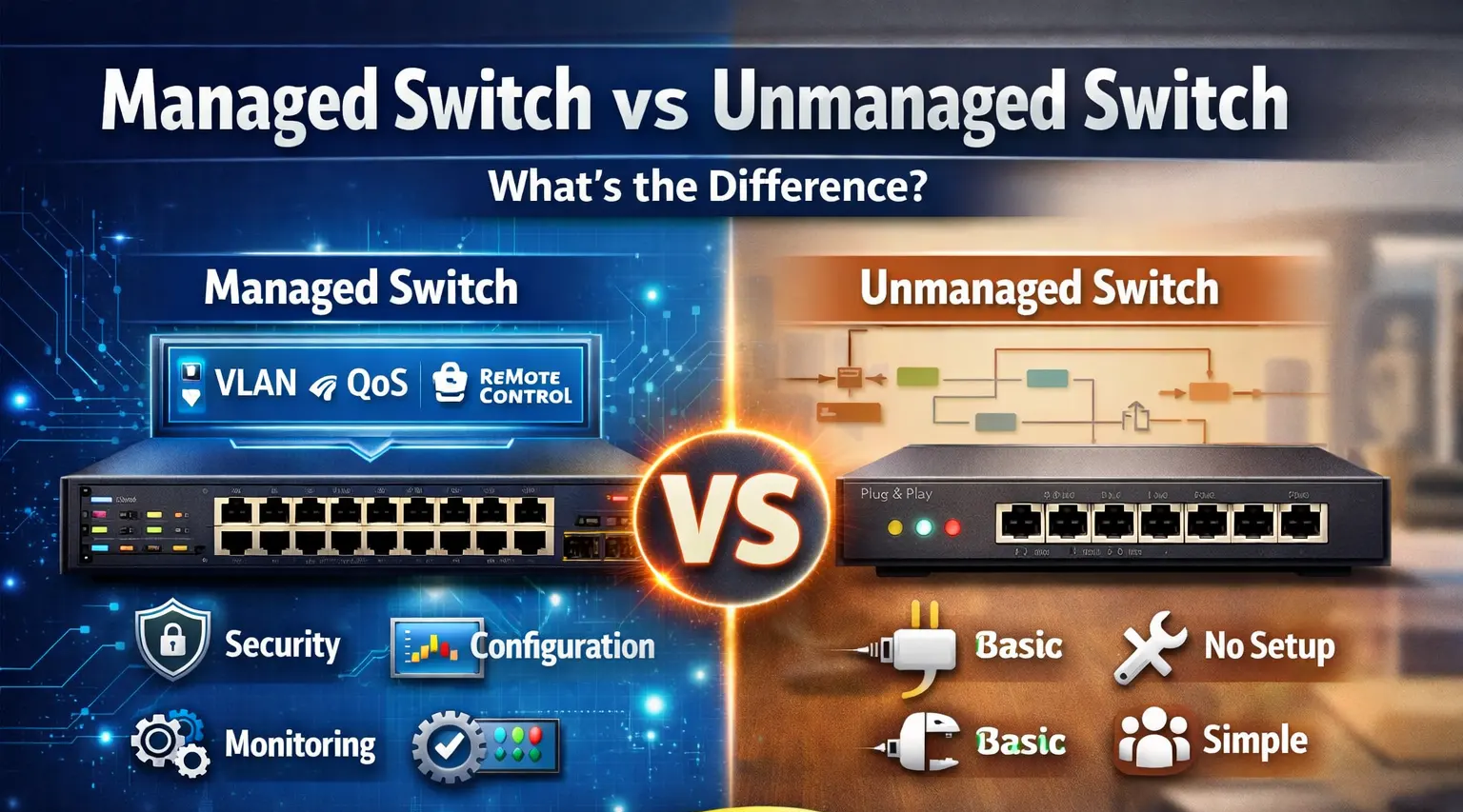
When building a reliable network for your office, company, or data center, choosing the right network switch is very important. Many businesses are confused about the difference between a managed switch and an unmanaged switch, and selecting the wrong one can cause performance issues, security problems, and limited scalability.
Network switches are essential for connecting computers, servers, printers, IP phones, cameras, and wireless access points. The main question most companies ask is whether they need a simple unmanaged switch or an advanced managed switch.
In this guide, we will explain the difference between managed and unmanaged switches, their advantages, when to use each type, and how ICTECH Distribution helps businesses choose the right networking equipment for professional environments.
What Is a Network Switch?
A network switch is a device that connects multiple devices in a local network and allows them to communicate with each other.
Devices connected to a switch may include:
- Computers
- Servers
- Printers
- IP phones
- CCTV cameras
- WiFi access points
- Storage devices
Switches improve network performance by sending data only to the correct device instead of broadcasting to all devices.
ICTECH Distribution supplies a wide range of network switches for small offices, enterprise networks, and data centers.
What Is an Unmanaged Switch?
An unmanaged switch is the simplest type of network switch. It works automatically without any configuration.
You just connect the cables, and the switch starts working.
Features of Unmanaged Switch
- Plug and play
- No setup required
- Low cost
- Basic connectivity
- No control options
Unmanaged switches are designed for small networks where advanced settings are not needed.
Best Use Cases for Unmanaged Switch
- Small offices
- Home networks
- Basic shops
- Small CCTV setups
- Simple LAN connections
Example:
8-port switch for office computers
5-port switch for printer + PC
Small network for 5–10 users
ICTECH Distribution provides unmanaged switches from brands like TP-Link, D-Link, Cisco, and Ubiquiti.
What Is a Managed Switch?
A managed switch is an advanced network switch that allows full control over the network.
You can configure, monitor, and manage network traffic using software or web interface.
Managed switches are used in business networks where performance, security, and control are important.
Features of Managed Switch
- Network configuration
- VLAN support
- Traffic monitoring
- Port control
- Security settings
- Remote management
- QoS (Quality of Service)
- Link aggregation
- SNMP monitoring
Managed switches are required in professional environments.
ICTECH Distribution supplies enterprise managed switches for offices, hotels, factories, and data centers.
Key Differences Between Managed and Unmanaged Switch
| Feature | Unmanaged Switch | Managed Switch |
|---|---|---|
| Setup | No setup needed | Requires configuration |
| Cost | Low | Higher |
| Control | No control | Full control |
| Security | Basic | Advanced |
| Performance | Basic | Optimized |
| VLAN | No | Yes |
| Monitoring | No | Yes |
| Best for | Small networks | Business networks |
Managed switches are better for companies, while unmanaged switches are suitable for small setups.
When Should You Use an Unmanaged Switch?
Use unmanaged switches when:
- Network is small
- No IT administrator
- No security requirement
- No VLAN needed
- Budget is limited
Example situations:
Small office with 5 users
Shop with 2 computers
Basic CCTV system
Temporary network
Unmanaged switches are affordable and easy to install.
ICTECH Distribution offers reliable unmanaged switches for budget-friendly setups.
When Should You Use a Managed Switch?
Use managed switches when:
- Network has many users
- Security is important
- Servers are used
- VLAN is required
- Multiple departments
- IP phones / CCTV / WiFi
- Data center environment
Example situations:
Corporate office
School / university
Hotel network
Hospital network
Factory network
Server room
Managed switches allow full control and better performance.
ICTECH Distribution supplies managed switches suitable for enterprise networks.
What Is VLAN and Why It Needs Managed Switch
VLAN means Virtual Local Area Network.
It allows you to separate network traffic.
Example:
Office PCs → VLAN 1
CCTV → VLAN 2
WiFi → VLAN 3
Servers → VLAN 4
Benefits:
- Better security
- Better speed
- Less network congestion
VLAN only works with managed switches.
Managed Switch for Server and Data Center
If your company uses servers, you should always use managed switches.
Reasons:
- Better traffic control
- High speed ports
- Link aggregation
- Monitoring
- Failover support
Data centers usually use:
- 1Gb switch
- 10Gb switch
- 25Gb switch
- Fiber switch
ICTECH Distribution supplies enterprise switches for server rooms and data centers.
Smart Switch vs Managed Switch
Some brands offer smart switches.
Smart switch = basic managed switch
Features:
- VLAN
- Web control
- Limited options
Full managed switch = advanced features
Choose smart switch for small business
Choose managed switch for enterprise
Choosing the Right Switch for Your Company
Consider these points:
Number of users
Number of devices
Need for VLAN
Need for security
Future expansion
Server usage
Budget
Small office → Unmanaged or smart switch
Medium company → Managed switch
Large company → Enterprise managed switch
ICTECH Distribution helps businesses choose correct networking hardware.
Popular Switch Brands
Reliable brands include:
- Cisco
- Ubiquiti
- TP-Link
- D-Link
- HPE Aruba
- MikroTik
These brands provide stable performance and long support.
ICTECH Distribution supplies original networking products with warranty.
Why Buy Network Switches from ICTECH Distribution
Choosing the right distributor is important for business networking equipment.
ICTECH Distribution provides:
- Genuine networking products
- Managed and unmanaged switches
- Bulk supply
- Competitive pricing
- Fast delivery
- Export support
- Latest models
Businesses in UAE, Africa, and international markets trust ICTECH Distribution for networking hardware and enterprise IT equipment.
Conclusion
Understanding the difference between managed and unmanaged switches helps companies build a stable and secure network. Unmanaged switches are suitable for small setups, while managed switches are required for business and enterprise environments where control, security, and performance are important.
Before buying a switch, always consider network size, future expansion, security needs, and server usage. With the right planning and the right hardware, your company network will run smoothly for years.
ICTECH Distribution supplies a wide range of managed switches, unmanaged switches, and enterprise networking solutions, helping businesses choose the right equipment for professional IT infrastructure.
Q&A
Q1. What is the main difference between managed and unmanaged switch?
Managed switches allow configuration and control, while unmanaged switches work automatically without settings.
Q2. Which switch is best for small office?
An unmanaged switch or smart switch is enough for small offices with few users.
Q3. Do I need managed switch for CCTV system?
For small CCTV setups no, but for large CCTV networks managed switch is recommended.
Q4. Can unmanaged switch support VLAN?
No, VLAN requires a managed or smart switch.
Q5. Where can I buy managed switches in UAE?
You can buy managed and unmanaged switches from ICTECH Distribution, a trusted IT hardware distributor supplying networking products for businesses.
