
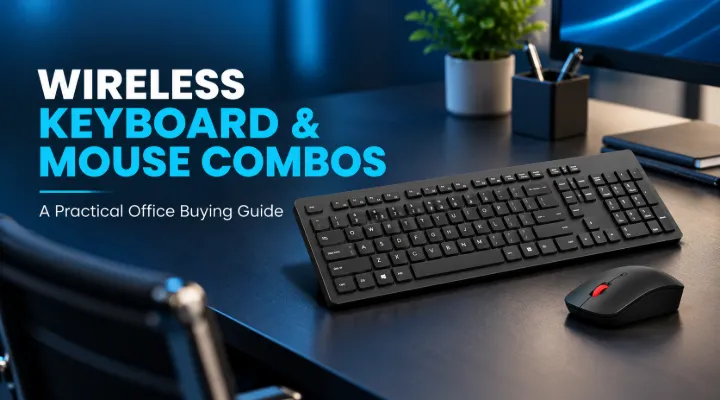
Keyboard and mouse packages can make an office deployment easier to order and support, but the most suitable set depends on the user's work and devices. ICTECH Distribution's recent Lenovo additions include Wireless Multi-Mode Pro Combo 6000, part 4X31S04812; Essential Wireless Combo Gen 2, part 4X31R64493; and Professional Wireless Rechargeable Combo, part 4X31R64353. The supplied listings identify Arabic keyboard configurations, making exact layout and package confirmation especially relevant to a regional business purchase.
These products should be compared as complete input packages. Connection methods, keyboard feel, mouse controls and power arrangements can differ even when all are described as wireless. Start with a normal working day and the computers involved, then verify the exact functions for each part. This gives procurement a practical basis for choosing a standard set without assuming that a more elaborate name automatically suits every employee.
Confirm the actual keyboard layout
Arabic wording in a listing is a useful starting point, but staff should see the intended key legends and physical arrangement before a volume order. Check bilingual requirements, key placement and any application-specific preferences. A full-size keyboard can provide a numeric keypad, but the complete layout still matters to people who use shortcuts or alternate frequently between languages.
Lenovo's support information explicitly identifies 4X31S04812 as the Arabic variant of the Combo 6000. Preserve that code in the order rather than accepting another regional part because the product-family name matches. Apply the same package-specific review to the other two sets. Clear layout information helps avoid substitutions that appear minor in procurement but affect every day of typing.
Compare the three package directions
The Essential Gen 2 listing describes a full-size keyboard, a numeric keypad and a 1600 DPI mouse with 2.4 GHz wireless operation. The Combo 6000 listing describes a multi-mode professional package with a USB-A receiver and a mouse with additional controls. The Professional Rechargeable listing identifies a rechargeable set with multi-device positioning. These descriptions suggest different priorities rather than a universal ranking.
Verify each claimed function against the exact quoted part, including what accessories are included. A straightforward single-computer desk can have different requirements from a user moving between devices. A comparison should show which package meets the required connection, control and power routine. Additional features are valuable when they support work the employee actually performs and can be deployed consistently.
Evaluate typing with real documents
Ask users to type a normal email, edit a document and enter numbers where relevant. Check spacing, key feel, access to shortcuts and desk position. A brief unboxing impression does not always reveal whether a keyboard remains comfortable during sustained work. Representative users can provide more useful feedback than a preference based solely on styling or a product photograph.
Include different roles in a pilot. An analyst entering numbers, an administrator handling documents and an employee who frequently switches languages may value different details. The objective is not to discover a keyboard that every person rates identically. It is to identify a practical standard and recognise where a clearly justified alternative would avoid unnecessary frustration without making support unmanageable.
Assess the mouse as part of the set
A keyboard package can be attractive while its mouse does not suit every user's hand or task. Test grip, scrolling, button reach and pointer sensitivity on the intended desk surface. Additional controls can help some workflows, but they are not automatically an advantage if the user finds them awkward or frequently activates the wrong action. Treat fit and predictability as part of the comparison.
If programmable functions are important, confirm the required software and supported operating systems. A button assignment made on one computer may not behave identically on another platform. Ask whether configuration is permitted on managed devices. This prevents a package from being chosen for a custom feature that users cannot actually access under the organisation's normal software policy.
Map connection requirements before choosing
Identify whether the user has one computer or needs to move between several supported devices. Check available USB ports and permitted Bluetooth use. A product described as multi-mode should receive a model-specific review of supported modes and switching. The supplied Combo 6000 package includes a USB-A receiver in its catalogue context, but that does not answer every question about the user's host arrangement.
Test the exact approved connection method with the intended laptop or desktop. If the receiver stays in a dock, include that dock in the trial. Confirm startup, sleep recovery and reconnection after ordinary movement between locations. A reliable single-computer routine may be more useful than unneeded switching features, while another role may justify multi-device support as a primary requirement.
Keep receiver management practical
Wireless sets need a clear plan for their supplied receivers and pairing process. Record which package belongs to which desk or user, especially when equipment may be reassigned. Do not assume every Lenovo receiver can operate every wireless keyboard and mouse. Confirm replacement and pairing support for the exact model if lost-receiver handling matters to the deployment.
For shared desks, decide whether the input set stays with the desk or travels with the employee. That choice changes how receivers are stored and how users connect. Label equipment in a way support staff can recognise without exposing unnecessary personal information. A small amount of organisation can prevent working devices from being abandoned because nobody knows which receiver or pairing procedure they require.
Verify power and charging arrangements
The Professional Rechargeable name indicates a different power-management discussion from a generic battery-operated package. Confirm the exact battery or charging arrangement for all three parts, including keyboard and mouse separately. Do not assume that because one component is rechargeable, the other has the same method. Ask which cables or batteries are supplied and what additional items are needed for normal use.
Manufacturer operating-time figures depend on stated conditions. The organisation should plan a simple routine rather than treat the longest estimate as a guarantee. A rechargeable set needs a practical place and method to charge; a replaceable-battery set needs an appropriate replenishment process. Clear instructions reduce the chance that a routine power issue becomes a meeting interruption or an unnecessary hardware replacement.
Check operating-system and application support
The Essential Gen 2 catalogue lists several operating-system families, but basic input support and advanced software features are different questions. Confirm the intended system version and any special shortcut or configuration requirement for each package. A keyboard can type normally while some additional controls behave differently. State the important functions explicitly when comparing the sets.
Use the organisation's managed software environment in the pilot. Test common business applications and language switching. If employees use more than one platform, record supported differences in the instructions. This makes the deployment claim accurate and helps users understand which functions are standard across devices and which belong to a particular application or operating-system setup.
Plan the complete desk arrangement
Check keyboard width, mouse space and the user's normal screen position. A full-size numeric keypad can be useful, but it also changes the amount of desk space needed. Evaluate the set with the monitor, laptop stand and other equipment in their intended positions. The input package should support the workstation layout rather than force users to work around an overcrowded desk.
Also consider shared use, cleaning and storage according to the product guidance and organisational practice. Standardising a package can simplify replacements and onboarding when the exact code and setup process are documented. Keep the approved configuration with the asset information so a future order reproduces the intended layout and connection method instead of introducing an apparently similar but operationally different set.
Prepare a role-based combo enquiry
Send ICTECH Distribution the user count, required Arabic or bilingual layout, host devices and approved connection methods. Identify whether numeric entry, multi-device switching, rechargeable power or additional mouse controls are essential. Ask for 4X31S04812, 4X31R64493 and 4X31R64353 to be compared with package contents and service coverage clearly stated.
A small pilot can lead to one or two approved office packages that balance user needs with support consistency. The successful choice should feel predictable during normal work and be easy to connect, power and replace. That is a more useful outcome than selecting from feature counts alone, because keyboard and mouse decisions affect the repeated everyday actions through which employees use the rest of their equipment.
Frequently asked questions
Which Combo 6000 code identifies the Arabic package?
Lenovo's support information identifies 4X31S04812 as the Arabic variant. Preserve the full part number when ordering.
Does wireless mean every package supports the same modes?
No. Confirm receiver, Bluetooth or other supported modes separately for each exact part and intended host.
Should the mouse be evaluated separately from the keyboard?
Yes. Test fit, scrolling, pointer settings and controls with normal tasks even when both devices are purchased as one package.
Are receivers interchangeable across Lenovo sets?
Do not assume so. Confirm model-specific pairing and replacement support before standardising a lost-receiver procedure.
What should a rollout pilot cover?
Include layout, typing, numeric entry, mouse use, connection, sleep recovery, power routines and the managed business applications staff actually use.
Products covered and enquiries
Lenovo Wireless Multi-Mode Pro Combo Keyboard and Mouse 6000 4X31S04812 Arabic Wireless Keyboard Mouse Combo | Lenovo Essential Wireless Combo Keyboard Mouse Gen2 4X31R64493 Arabic Black Wireless Keyboard & Mouse | Lenovo 4X31R64353 Wireless Professional Rechargeable Combo Arabic Keyboard Mouse
Contact ICTECH Distribution with the exact model codes, intended use and required configuration for an itemised enquiry.
Product configuration reference: ICTECH Distribution catalogue entries supplied for this article. Confirm the exact regional configuration and package in the final quotation.
Manufacturer reference: Model information 1.
