
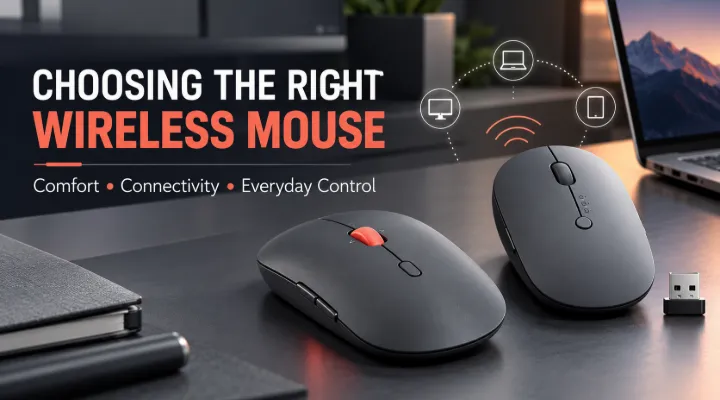
A mouse is a small purchase that can influence almost every minute spent at a desk. Comfort, connection behaviour and familiar controls matter more than a specification sheet alone can show. ICTECH Distribution's recent Lenovo additions include Wireless Multi-Mode Pro Plus Mouse 6050 in Luna Grey, part 4Y51S61878, and Multi-Device Wireless Mouse X9 Edition, part 4Y51R29290. These related products offer a useful starting point for staff who move between computers or work locations.
The supplied listings describe different shapes and resolution capabilities, while Lenovo's support information provides model-specific connection context for the 6050. Choose through the tasks and devices involved, not simply the highest DPI figure. A brief practical comparison can reveal which design suits the user's grip, desk and switching routine more effectively than an abstract ranking of features.
Begin with the actual device workflow
Identify the computers and other supported devices the user needs to control. Some employees use one managed laptop, while others alternate between a desktop, a notebook and another workspace. Decide whether switching happens several times a day or only occasionally. This determines how much value a multi-device feature adds and which connection steps should be tested before purchase.
Also note which devices permit Bluetooth pairing and which have available USB ports. Corporate policy or host hardware can affect the practical choice. A mouse can support several connection options without every option being available in a particular managed environment. Check the approved method with IT so the product arrives with a supported setup path rather than leaving the user to experiment.
Compare the listed resolution ranges
The catalogue describes the 6050 with up to 4000 DPI and the X9 Edition with 2400 DPI. These figures relate to pointer sensitivity and should not be interpreted as a universal quality score. A higher maximum does not mean every user works more accurately at that setting. Screen arrangement, operating-system scaling and personal movement preference influence the useful sensitivity.
Try ordinary tasks at a comfortable setting: selecting spreadsheet cells, adjusting a diagram and moving between displays. The objective is predictable control with the user's normal hand movement. If sensitivity can be changed, make sure the user understands the available controls. Consistency often matters more than operating at the largest number printed in the product description.
Evaluate shape and hand fit
The supplied X9 entry describes a compact optical mouse, while the 6050 is presented as a full-size multi-mode design. Physical fit should be assessed directly. Hand size, grip style and desk arrangement can make two apparently similar products feel different. Ask users to try normal work for long enough to notice whether the design supports comfortable movement and access to the main controls.
Do not turn a product's ergonomic wording into a guarantee of comfort or health outcomes. Individual preference remains important. Evaluate reach to buttons and the scroll wheel, stability and the amount of movement required on the desk. For a fleet, a small approved range may serve staff better than forcing one shape on every user because it appears more advanced in a catalogue.
Check connection modes and included receiver
Lenovo's support information describes the 6050 with a USB-A Pro Unified Pairing Receiver and Bluetooth connection options for switching among supported devices. Confirm package contents for 4Y51S61878 and verify the intended mode on the user's actual hosts. The X9 should receive its own model-specific check rather than inheriting assumptions from the 6050's support page.
If a receiver is used, decide where it stays during travel and whether the desk arrangement leaves it connected through a dock. Check behaviour after sleep and reconnecting. Small receivers can be easy to misplace, so a clear storage routine helps. If a replacement is needed later, confirm the supported pairing process instead of assuming every Lenovo receiver is interchangeable with every mouse.
Test switching as an everyday action
Pair the mouse through the approved method and label or document the intended device assignments. Move between the normal hosts and observe whether the controls are easy to identify while working. A multi-device feature is most useful when switching feels deliberate and predictable, without leaving the user uncertain which computer is receiving input or why the pointer has stopped responding.
Also test recovery after the mouse is turned off or one computer becomes unavailable. Keep a short setup guide with the package. Occasional users may not remember the pairing sequence months later. Clear instructions reduce support requests and make the mouse easier to reassign if the original laptop is replaced or the employee's working arrangement changes.
Consider buttons and scrolling through real tasks
The 6050 listing highlights additional controls, silent-click positioning and multi-directional scrolling features in its product context. Review the exact supported functions and any required software. More buttons are useful only when their purpose fits the work and they can be used comfortably. A designer, analyst and general office user may value different actions.
Test long documents, spreadsheets and browser work. If buttons are programmable, confirm whether the required application is allowed on managed computers and whether settings remain consistent across devices. Do not assume that a custom action configured on one platform automatically behaves the same elsewhere. A small set of well-chosen functions can be more useful than assigning every control an unfamiliar shortcut.
Distinguish quiet operation from other features
The 6050's supplied title describes silent-click operation. That can be relevant in shared offices, training rooms or quiet home workspaces. Evaluate the actual sound and feel with the user rather than promising complete silence. The click mechanism, wheel and desk surface can contribute different sounds, and individual expectations about tactile feedback may vary.
Consider whether quieter operation is a primary requirement or simply a welcome addition. It should be reviewed alongside fit and connection reliability rather than used to override a poor match elsewhere. A mouse that meets the user's normal tasks comfortably is more likely to remain in use than one selected for a single attractive feature that creates friction in everyday control.
Verify power and maintenance details
The supplied X9 description presents a rechargeable design, while the 6050 support context lists an AA battery for the relevant package, with battery-free variants also existing. Confirm the exact power arrangement for each ordered part. Do not infer charging behaviour from a general wireless label or assume that every multi-device mouse uses the same battery system.
For rechargeable use, identify the required cable and charging routine. For replaceable batteries, plan appropriate spares and replacement handling. Manufacturer battery estimates depend on stated conditions, so avoid treating them as guarantees for every user. Clear power information helps the team support the devices and prevents a routine battery issue from being mistaken for a failed connection or hardware fault.
Review desk surfaces and travel needs
Test pointer behaviour on the surfaces the user actually has. A product described as optical should still be checked with the intended desk or mouse mat rather than assumed to behave identically everywhere. Consider the amount of available space and whether a compact or full-size design travels more conveniently with the user's laptop and other accessories.
Keep packed dimensions separate from device dimensions when comparing size. Some catalogue fields may describe shipping measurements, which are not useful for hand-fit decisions. Use model-specific physical information or a sample unit. This simple distinction prevents an accessory comparison from being based on a packaging number rather than the product the employee will hold.
Prepare a Lenovo mouse enquiry
Send ICTECH Distribution the 4Y51S61878 and 4Y51R29290 codes, host devices, approved connection methods and any key comfort or control requirements. Ask for receiver, power and software details to be confirmed separately for each. A small pilot can help a purchasing team define one or two approved options without making individual fit unnecessarily complicated.
Choose the mouse that provides predictable control and a clear device-switching routine in the real workplace. The difference should be apparent in ordinary tasks, not only in a feature count. With the exact package recorded and a simple setup guide available, either selection can become an easier accessory to deploy, support and replace as staff and equipment change over time.
Frequently asked questions
Is 4000 DPI automatically better than 2400 DPI?
No. Maximum sensitivity is not a universal quality score. Select a comfortable setting for the user's display arrangement and tasks.
Are the two models' receivers interchangeable?
Do not assume so. Confirm each model's supported receiver and pairing process, including any replacement requirements.
Does every wireless mouse use a rechargeable battery?
No. Verify the power arrangement for the exact part. The supplied X9 description and 6050 support context describe different approaches.
Can programmable buttons require software?
They may. Check the supported functions and whether the relevant management software is permitted on the user's computers.
What should users test before a fleet purchase?
Try hand fit, pointer settings, scrolling, normal buttons, switching, sleep recovery and the intended desk surface.
Products covered and enquiries
Lenovo Wireless Multi-Mode Pro Plus Mouse 6050 4Y51S61878 Luna Grey Optical Mouse 4000 DPI Silent Click | Lenovo Multi-device Wireless Mouse X9 Edition 4Y51R29290 Bluetooth 2400 DPI
Contact ICTECH Distribution with the exact model codes, intended use and required configuration for an itemised enquiry.
Product configuration reference: ICTECH Distribution catalogue entries supplied for this article. Confirm the exact regional configuration and package in the final quotation.
Manufacturer reference: Model information 1 | Model information 2.
