
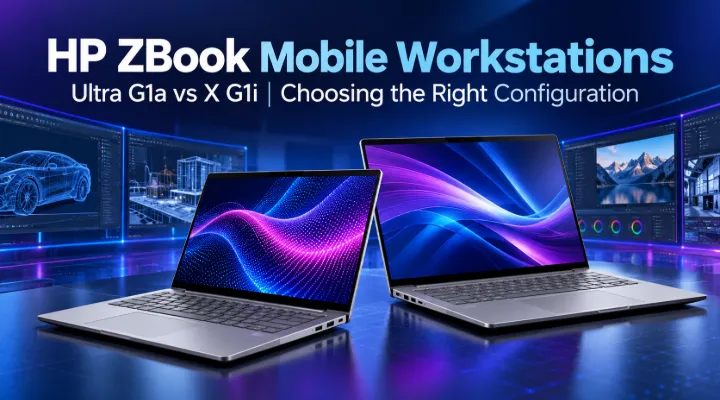
Mobile workstation selection should begin with the applications and working conditions a professional actually has. ICTECH Distribution's recent HP additions include ZBook Ultra G1a BX8E4AT and ZBook X G1i C3BE2UT. The first listing combines AMD Ryzen AI Max PRO 390, 32 GB RAM and a 512 GB SSD in a 14-inch format. The second lists Intel Core Ultra 7 265H, 32 GB RAM, a 1 TB SSD and NVIDIA RTX PRO 1000 graphics with 8 GB dedicated memory in a 16-inch format.
These are different approaches to portable professional computing, not simply two screen sizes around an identical platform. Compare them through the software, project sizes, travel pattern and desk equipment involved. Preserve the exact HP codes in the enquiry because a product-family page may describe options that differ from the delivered unit. A useful decision connects the specific configuration to a tested professional workflow.
Start with the application requirements
List the main applications, versions and plug-ins, together with typical project sizes. An engineer manipulating a model, a designer editing media and a developer using local environments may place very different demands on a workstation. Identify any software-vendor hardware or certification requirements. The word workstation is not a substitute for checking those conditions against the actual product and installed graphics configuration.
Where a task has a measurable business consequence, use a representative project during evaluation. Record completion time, responsiveness and memory use with the relevant settings. A short generic benchmark can provide context, but the real application offers stronger evidence. It also helps reveal whether portability, storage capacity or a particular driver arrangement matters more than a headline processor comparison.
Compare the two processor platforms carefully
The supplied BX8E4AT entry identifies Ryzen AI Max PRO 390, while C3BE2UT identifies Core Ultra 7 265H. Their platform names do not create a universal performance ranking. Applications use CPU, graphics and other resources differently. Ask how the chosen software handles the intended platform and compare the actual workloads instead of combining unlike marketing figures into one score.
If an AI-assisted workflow is important, identify the exact tool, supported hardware path and data requirements. The presence of AI-related branding does not prove that every assistant or local model uses every available accelerator. Test the required feature with the intended software version. This makes the enquiry concrete and avoids buying around capabilities that the organisation's chosen applications do not yet use.
Understand the graphics distinction
The ZBook X listing specifies NVIDIA RTX PRO 1000 Blackwell graphics with 8 GB dedicated memory. The Ultra listing identifies AMD Radeon graphics without the same dedicated-GPU description. These resources should not be compared by assuming that every memory figure has the same meaning. Confirm how graphics memory is provisioned on the exact Ultra configuration and how the relevant applications use it.
Review driver support and any required professional qualification for the workload. A graphics name can be a starting point, but application certification needs model-specific checking. Use a real scene, model or project where possible. This shows whether the delivered configuration meets the user's practical requirement without turning one component specification into a promise about every graphics-intensive task.
Review the shared 32 GB memory starting point
Both selected entries list 32 GB RAM, but equal capacity does not prove identical architecture or upgradeability. Ask how memory is installed, what is shared with other resources and which expansion options exist for each exact code. A family-level maximum may describe another configuration. If larger projects are expected later, clarify the upgrade route before making it part of the purchasing plan.
Observe real memory demand during the representative workflow, including browsers, communication software and background tools. Some projects fit comfortably while others grow beyond the initial estimate. Capacity planning should follow the user's work and expected growth. A documented requirement helps the supplier propose an appropriate configuration and gives the owner a useful baseline for recognising when workloads have materially changed.
Compare 512 GB and 1 TB storage needs
The Ultra entry lists a 512 GB SSD, while the X entry lists 1 TB. Consider the operating system, applications, local projects, synchronised folders and temporary data. Available space after formatting and software installation will be lower than the advertised drive capacity. A workstation used for large media or engineering files needs a different storage plan from one accessing most work through managed services.
Confirm supported storage changes and any relevant service implications. Do not assume the two models use the same drive arrangement because both contain SSDs. Independent protection remains necessary for important work. More local space can improve convenience, but it does not address loss, damage or accidental changes. Include the organisation's backup and recovery workflow in the deployment plan.
Evaluate 14-inch and 16-inch working surfaces
The supplied specification fields describe 1920 x 1200 resolution for both configurations, despite less precise wording elsewhere in the catalogue. Use the explicit pixel dimensions in the quotation. The 14-inch and 16-inch formats create different physical working surfaces and carrying requirements. Ask users to try normal application layouts at comfortable scaling rather than choosing solely from diagonal size.
Also review panel characteristics for the actual code, especially if colour accuracy or a particular brightness level matters. A workstation identity does not establish every display capability. If users connect to a specialist monitor at the desk, test that arrangement and identify what remains practical when mobile. The purchase should support both contexts that form the user's normal week.
Plan portability as a complete carrying load
Compare the laptop, charger and other accessories the professional will carry. The X entry lists a weight around 2 kg, while the Ultra's smaller format invites a portability review. Use the exact delivered configuration and charger details for the final comparison. A light notebook can still become a substantial travel kit once power, adapters and storage devices are included.
Consider where the machine will be used away from the office: client meetings, site visits, transport or shared workspaces. Check available desk space and the need for external peripherals. A practical carrying and setup trial can reveal differences that a specification table misses. The most useful mobile workstation is one the user can deploy comfortably where the professional work actually happens.
Validate power and docking requirements
Confirm each model's supplied adapter and supported charging methods. The Ultra catalogue entry mentions a 140 W USB-C supply, but that does not establish that any USB-C dock can provide the same power arrangement. Match the host, dock, cable and workload through appropriate compatibility guidance. A connector shape is not a complete description of charging or display capability.
Build the intended desk with its real monitors, network and peripherals. Test normal work, sleep, wake and reconnection. A workstation may need a different docking package from a standard office notebook. Document the accepted setup so users understand whether one cable completes the connection or whether the original charger remains part of the desk arrangement.
Check operating system and regional service
Both supplied entries identify Windows 11 Pro. Confirm edition, language, keyboard and any regional suffixes in the final offer. Application entitlements and subscriptions should be listed separately rather than assumed from preinstalled software. Involve IT in checking security tools, device management and the organisation's standard deployment process before approving a wider purchase.
Service coverage should be confirmed for the location and exact product code. A product offered in one market may have package or entitlement details that need clarification elsewhere. Keep the accepted configuration and support record with the asset information. This makes future repairs, upgrades and replacement decisions more efficient and prevents uncertainty about which unit was originally approved.
Request a workload-based ZBook comparison
Send ICTECH Distribution the BX8E4AT and C3BE2UT codes, application list, project sizes and mobility requirements. Include the intended monitors and docking setup. Ask for memory architecture, graphics configuration, storage options, display details and service coverage to be compared explicitly. If a particular performance outcome is essential, identify a representative validation task.
The final choice should explain why one configuration fits the professional's work better. A smaller AMD-based platform and a larger Intel-and-NVIDIA configuration can each be relevant under different requirements. A clear application review and practical pilot make that distinction understandable, giving the user a capable workstation and the organisation a configuration it can support throughout its service life.
Frequently asked questions
Are these simply different sizes of the same configuration?
No. The supplied entries use different processor and graphics platforms, storage capacities and physical formats. Compare the exact codes against the workload.
Does equal RAM mean equal upgradeability?
No. Confirm memory architecture, installed population and supported changes separately for BX8E4AT and C3BE2UT.
Which display resolution should be used in the enquiry?
The explicit specification fields list 1920 x 1200 for both selected entries. Confirm the delivered panel details in the quotation.
Does AI branding prove every AI tool is accelerated?
No. Identify the tool and supported hardware path, then test the required function with the intended software version.
Can a standard USB-C dock be assumed suitable?
No. Review host charging, monitors, cables and peripherals as a complete supported arrangement for the selected workstation.
Products covered and enquiries
HP ZBook Ultra G1a BX8E4AT Mobile Workstation AMD Ryzen AI Max PRO 390 32GB RAM 512GB SSD 14-inch FHD Windows 11 Pro | HP ZBook X G1i C3BE2UT Mobile Workstation Intel Core Ultra 7 265H NVIDIA RTX PRO 1000 8GB 32GB RAM 1TB SSD 16 Inch WUXGA Windows 11 Pro
Contact ICTECH Distribution with the exact model codes, intended use and required configuration for an itemised enquiry.
Product configuration reference: ICTECH Distribution catalogue entries supplied for this article. Confirm the exact regional configuration and package in the final quotation.
Manufacturer reference: Model information 1 | Model information 2.
