
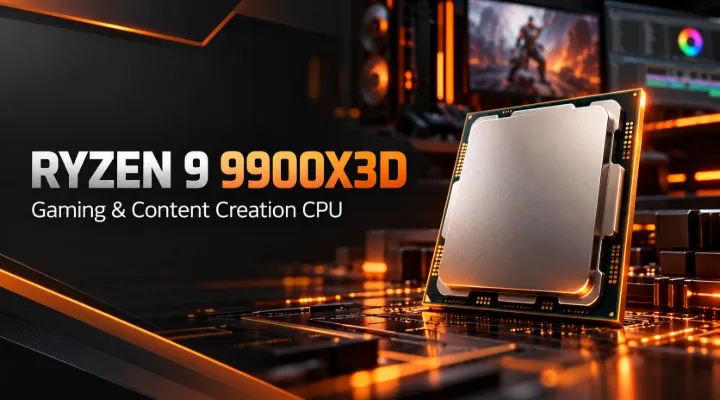
AMD Ryzen 9 9900X3D is a recent processor addition in ICTECH Distribution's catalogue. The supplied entry identifies part 100-100001368WOF, twelve cores, twenty-four threads and the AM5 platform. AMD positions this model for gaming and content creation. For a buyer planning a desktop, the important task is to match the processor with a supported motherboard, firmware, memory, cooling and workload rather than treating it as an isolated component purchase.
An upgrade can change more than the CPU. Existing platform support, software setup and the balance between processing and graphics all influence the result. Begin with the applications and games that matter, then determine whether the current machine can accept the processor through a supported procedure. If a broader platform change is needed, include that in the budget before ordering the central component.
Identify the actual performance requirement
List the tasks and the outcome that would make the purchase worthwhile. A gaming system, editing workstation and mixed-use machine can have different priorities. Include background applications and the intended display settings. If the current computer has a specific limitation, measure it where possible. A delay during file loading, for example, should not automatically be blamed on the processor without checking the rest of the workload.
This review helps keep the build balanced. A capable CPU cannot remove every graphics or storage limitation. Use representative projects and clearly stated settings to compare the existing and proposed systems. The aim is to understand where the processor is expected to help and where another component remains responsible for the experience. That makes the purchase easier to evaluate after installation.
Understand cores and threads in context
Twelve cores and twenty-four threads describe available processing resources. Software determines how effectively those resources are used. Some applications distribute work broadly, while others have important stages that rely on fewer threads. Background processes can also compete with the main task. A core count is therefore useful information, but not a direct prediction of every application's completion time.
Check the chosen software's current requirements and use a representative task for evaluation. Keep versions, plug-ins and settings with the results. This provides evidence that relates to the buyer's own work and can be compared later. Avoid assuming that an improvement in one benchmark category establishes the same benefit in games, rendering, editing and every other workload.
Put the X3D specification in perspective
The X3D identity relates to AMD's cache-focused design. The supplied specification lists 128 MB L3 cache and a maximum boost of up to 5.5 GHz. These are component figures with applicable operating conditions. They do not establish that all applications receive the same performance gain or that every core maintains the maximum advertised frequency during all tasks.
Evaluate the workloads that matter rather than selecting from a single favourable comparison. Cache use, thread scheduling, graphics demand and software behaviour can influence results. A useful test states the complete environment and the work performed. This allows the buyer to understand the evidence without turning one result into a universal promise about every game or production application.
Confirm motherboard support and firmware
AM5 is necessary platform context, but a matching socket is not a complete compatibility check. Identify the exact motherboard and hardware revision, then review its CPU support information for Ryzen 9 9900X3D. Confirm the required firmware version before installation. An older board may need preparation even when it is physically compatible with the processor.
Plan the supported update method while the existing system is still available. Follow the board manufacturer's procedure and preserve relevant configuration information. Some upgrade situations require a particular sequence or access to another supported component. The compatibility review should produce an installable plan, not stop at the observation that the socket names match. Resolve those dependencies before the new processor arrives.
Select memory for the complete platform
Choose memory supported by the board and processor arrangement. Review capacity, module population and configured speed together. An advertised kit setting is not automatically the default operating condition or a guarantee for every combination. Use the relevant compatibility information and confirm the intended setup instead of mixing assumptions from separate component pages.
Capacity should reflect the actual workload. Large projects, virtual machines and gaming with background applications can have different requirements. More memory helps when it addresses a real constraint, but it does not replace platform validation. Record the approved kit and settings so stability checks have a clear reference and future troubleshooting does not begin with uncertainty about how the system was configured.
Arrange suitable cooling before the build
Do not assume the WOF package includes a cooler. Confirm contents and select a suitable solution before installation. The supplied product notes recommend liquid cooling for optimal performance, but the final choice must fit the processor guidance, case, mounting arrangement and workload. Cooling belongs in the complete build specification, rather than being treated as a leftover accessory decision.
Check socket support, heatsink or radiator clearance, airflow and required connections. A component can be mechanically compatible with the socket while conflicting with memory or case space. During acceptance, observe a representative sustained workload and normal idle operation. The goal is stable behaviour within the relevant guidance, not simply a short demonstration proving that the new system can reach a desktop screen.
Balance graphics with the intended display
For gaming and creative work, select graphics hardware around the applications, resolution and output requirements. A CPU upgrade cannot eliminate every GPU limitation. Equally, a strong GPU does not make processor and memory requirements irrelevant. Consider the complete workload path before deciding which part of the budget provides the most useful improvement for the buyer.
If professional applications require particular drivers or certified hardware, verify those conditions separately. General performance positioning does not establish every qualification. For games, test at the intended resolution and quality settings. A clearly specified display and graphics setup makes processor comparisons more meaningful and reduces expectations based on another computer running a substantially different rendering workload.
Check power, case and storage dependencies
The motherboard, graphics card, drives and cooling equipment determine the wider build requirements. Review power-supply suitability for the complete configuration, including connectors. Check physical clearances before ordering. A list of individually suitable components should still be reviewed as an assembled system so missing parts or installation conflicts can be identified while alternatives remain easy to choose.
Storage planning should cover software, working files and temporary data, with independent protection for important material. A faster processor does not solve a full drive or an unprotected project archive. Keep those ordinary dependencies visible in the build review. They can determine whether the owner is ready to use the machine effectively once the central components have been installed.
Prepare software and a validation baseline
Use appropriate supported drivers, firmware and operating-system updates. Follow the relevant setup guidance instead of copying arbitrary values from an unrelated build. Distinguish the default baseline from optional tuning, including memory settings. Document what was changed and test it deliberately. A clear baseline makes it easier to diagnose instability than a collection of undocumented adjustments introduced together.
Run the applications and games that motivated the purchase, plus ordinary startup, sleep and restart checks. Look for stability issues before relying on the machine for important work. If results differ from expectations, investigate one factor at a time across the complete system. Recorded versions and settings provide useful evidence for support and allow later changes to be assessed against something concrete.
Request a configuration-specific processor enquiry
Send ICTECH Distribution the 100-100001368WOF identifier and state whether the requirement is a new build or upgrade. Include the existing board, firmware, memory, cooling, graphics, power supply and case where relevant. Describe the main workloads and display arrangement. Ask for package contents and compatibility to be confirmed as part of the complete plan.
The processor is most valuable when it sits within a coherent system chosen for real tasks. A model-specific review, appropriate cooling and representative validation turn the purchase into an operational configuration. They also explain where the CPU is expected to add value and which other components remain important, helping the owner make better choices as workloads and requirements change over time.
Frequently asked questions
What does the catalogue identify for this processor?
It lists Ryzen 9 9900X3D, part 100-100001368WOF, twelve cores, twenty-four threads and the AM5 platform.
Is a matching socket enough to approve an upgrade?
No. Check the exact motherboard revision, CPU support information and required firmware before installation.
Should a cooler be assumed to be included?
No. Confirm package contents and provide suitable supported cooling as part of the build.
Does cache capacity predict every performance result?
No. Workload behaviour and the complete system affect results. Use representative tests with stated conditions.
What should accompany an upgrade enquiry?
Provide the existing platform details, cooling, memory, graphics, power and intended workloads, along with the exact processor code.
Products covered and enquiries
AMD Ryzen 9 9900X3D Processor 100-100001368WOF 12 Cores 24 Threads AM5
Contact ICTECH Distribution with the exact model codes, intended use and required configuration for an itemised enquiry.
Product configuration reference: ICTECH Distribution catalogue entries supplied for this article. Confirm the exact regional configuration and package in the final quotation.
Manufacturer reference: Model information 1.
