
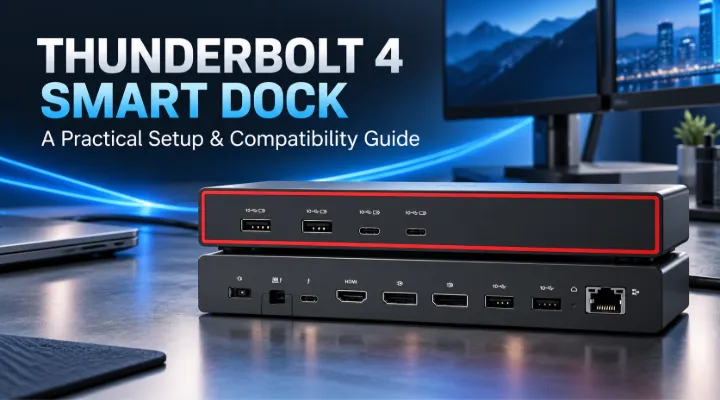
A docking station can make a shared desk easier to use by keeping monitors, networking and peripherals in place while the laptop moves. The Lenovo ThinkPad Thunderbolt 4 Smart Dock Gen2 7500, listed by ICTECH Distribution as 40BE0135UK, is a recent addition for organisations reviewing that setup. Its value depends on the host, displays and required functions working together through a supported connection. Counting sockets is only the beginning of that review.
The supplied listing describes Thunderbolt 4 connectivity, display outputs, USB connections and laptop power delivery. It also contains power figures that need careful interpretation. Adapter wattage, dock consumption and power delivered to the host are different quantities. A useful enquiry identifies the exact laptop and intended desk arrangement so the proposed dock can be checked as part of a complete working system.
Begin with the exact laptop
Record the complete laptop model, operating system and port intended for docking. A USB-C-shaped connector does not establish identical video, data and charging functions across different hosts. Check Thunderbolt support and other requirements through the host documentation. If several laptop types will share the desk, review each one instead of extrapolating from one successful demonstration. A desk standard should say which hosts and functions have actually been validated.
Also identify how the laptop receives power during normal work. Some mobile workstations have requirements that differ from ordinary office notebooks. A dock may provide useful connectivity without replacing every host's original charging arrangement. Clarify whether one connection completes the setup or whether another power connection remains necessary. That distinction should be visible in the instructions users receive.
Separate power-adapter capacity from host charging
The catalogue title describes up to 100 W power delivery, while a specification field gives 135 W output power. Lenovo's support information identifies a 135 W adapter in the dock's package and service-part context. These figures should not be treated as two promises about laptop charging. The dock and attached equipment use power, and the host link has its own supported delivery behaviour.
Ask for the charging capability applicable to the exact host and supplied components. Check whether the included adapter and cable are the required ones. Avoid substituting another adapter solely because its connector fits. The accepted configuration should identify every power component and establish whether the laptop can sustain the intended workload through that arrangement under representative use.
Specify each monitor and display mode
List the monitor models, native resolutions, intended refresh settings and connection types. A request for two screens is incomplete when one desk uses ordinary office monitors and another needs high-refresh high-resolution output. The host graphics, dock, cables and operating system all influence supported combinations. Use model-specific compatibility guidance for the full arrangement rather than selecting from the largest single-display figure in a description.
Where an organisation has several desk types, document the supported profiles. A standard dual-display office arrangement can be evaluated separately from a specialist workstation. Test startup, sleep and reconnection, not only the first picture. A useful desk returns to the intended layout reliably during everyday work without requiring staff to rebuild their display settings after every meeting.
Map peripherals and network requirements
Identify the keyboard, mouse, webcam, audio devices, external storage and specialist equipment that will remain connected. Determine which devices require particular transfer capabilities or power. Multiple downstream sockets share the resources of the complete host connection, so their presence does not guarantee an independent maximum data rate for every device at the same time. Evaluate the actual mix.
An office test might include a video call while using external storage and the normal monitors. A specialist desk should use its real equipment. Confirm networking and any host-specific management functions separately. A connection map helps installers assign ports consistently and gives support staff a known reference when one device behaves differently after a laptop or cable changes.
Keep the host cable in the specification
The laptop-to-dock cable is a system component, not a generic convenience accessory. Use the supported cable and check the required length before installation. A replacement with the same connector may not carry the same video, data and power functions. Label the intended host connection so users do not connect to an unrelated downstream port and conclude that the dock is faulty.
If the desk needs a longer reach, review a supported solution rather than combining arbitrary extensions. Route the cable without tension and leave access for replacement. Record the approved cable part with the desk inventory. This allows a routine service action to preserve the accepted functionality instead of introducing an intermittent issue that is difficult to trace.
Verify management features individually
The Smart Dock name should prompt questions about supported management, not assumptions that every capability works with every host. Ask which functions depend on a particular Lenovo laptop, firmware or management application. Essential requirements should be checked individually against the actual environment. A general product identity is less useful than a short list of verified functions for the proposed desk.
For a fleet, assign responsibility for dock updates and configuration. Laptops, displays and networks may be managed by different teams, but users experience them together. Agree on a diagnostic path and preserve the accepted firmware baseline. Clear responsibility prevents a routine problem from moving repeatedly between teams that each see only one component of the setup.
Test the intended operating systems
The catalogue mentions Windows, macOS and Linux, but a broad compatibility list does not establish identical display and management behaviour. Check the exact platform and operating-system version against supported configurations. This matters especially in shared spaces serving several user groups. State which functions must work for each group rather than treating a general platform list as a complete deployment design.
Run the same tasks on representative devices. Confirm audio selection, displays, network access and peripheral recognition after reconnecting. Record any approved differences in the user guide. If a platform needs another cable or retains its original charger, make that clear. The shared-desk promise should remain accurate and understandable to staff using the equipment every day.
Build one complete pilot desk
Install the proposed dock with the actual monitors, cables and peripherals before ordering in volume. Ask several users to connect their normal laptops and follow a short working routine. Include a call, file access, sleep, wake and an ordinary disconnect. This reveals small usability problems that may remain hidden when each component is evaluated separately on a specification sheet.
Capture the equipment and settings used in successful tests. When something fails, identify whether the host, dock, cable or peripheral changed. The pilot produces both evidence and a practical support guide. It also makes procurement comparisons fairer because complete desk packages can be compared instead of dock prices that omit different cables, adapters or installation work.
Confirm placement and regional package details
Place the dock where connectors remain accessible and cable routing is tidy without restricting service access. Distinguish packaged dimensions from the physical operating footprint when planning desk space. Some catalogue measurements describe the shipping package. Use manufacturer information for the actual unit before designing an under-desk mount or a constrained cable-management area.
Lenovo's support information identifies 40BE0135UK as a regional offering. Confirm the power cable and service arrangements appropriate to the destination. Preserve the suffix in purchasing records so the receiving team can verify the complete package. A dock can be technically suitable while still arriving with a package detail that needs resolving before desks are ready for use.
Prepare a configuration-specific enquiry
Send ICTECH Distribution the laptop models, operating systems, monitor details and peripheral list. State whether one-cable charging is essential and identify enterprise management requirements. Ask for package contents and compatibility to be confirmed against those needs, including the supplied host cable and adapter. If alternatives are offered, compare the same complete desk requirements.
A successful docking purchase creates a repeatable experience. Users should know where to connect, what to expect and how to obtain help when something changes. A model-specific review and representative pilot make that outcome practical. They also provide a stable desk standard that can be reproduced across more locations without rediscovering the same compatibility questions at every installation.
Frequently asked questions
Does a USB-C connector prove full dock functionality?
No. Confirm the host's supported video, data and charging capabilities through its model-specific documentation.
Is a 135 W adapter the same as 135 W laptop charging?
No. Adapter capacity and delivered host power are different quantities. Confirm the exact supported charging arrangement.
Can display support be selected from one headline maximum?
Use the full host, dock, cable, monitor and operating-system combination, including the intended resolution and refresh settings.
Can any USB-C cable replace the host cable?
Do not assume so. Use a supported cable with the required functions and review longer-cable requirements explicitly.
What should a pilot test include?
Test charging, calls, displays, networking, peripherals, sleep, wake and reconnection with representative user laptops.
Products covered and enquiries
Lenovo ThinkPad Thunderbolt 4 Smart Dock Gen2 7500 40BE0135UK Docking Station 100W PD
Contact ICTECH Distribution with the exact model codes, intended use and required configuration for an itemised enquiry.
Product configuration reference: ICTECH Distribution catalogue entries supplied for this article. Confirm the exact regional configuration and package in the final quotation.
Manufacturer reference: Model information 1.
