
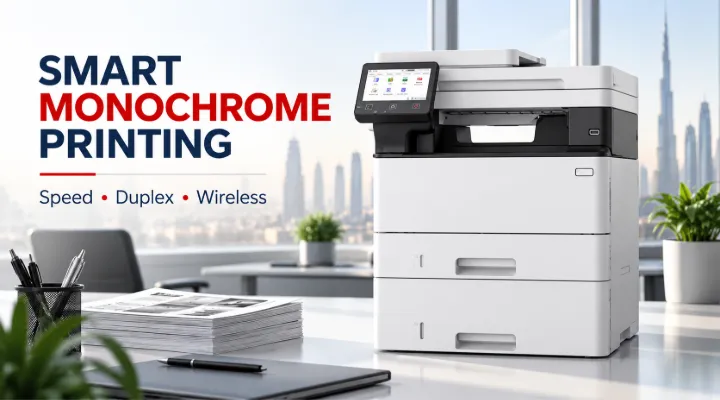
Efficient document management is essential for businesses of every size. From printing invoices and purchase orders to scanning contracts and copying business records, offices need a printer that can handle daily workloads without slowing down employees. For businesses in Dubai and across the UAE, choosing the right multifunction printer can improve productivity, reduce paper waste, and simplify everyday office operations.
The Canon i-SENSYS MF461DW II 7188C019AA is a monochrome laser multifunction printer designed for professional environments that require fast, reliable black-and-white document processing. With print speeds of up to 36 pages per minute, automatic duplex printing, wireless connectivity, and integrated printing, scanning, and copying capabilities, it offers a practical solution for busy workplaces.
Whether you operate a small business, manage an administrative department, or oversee procurement for a growing company, this printer provides essential document-handling features in a single device.
In this guide, we explore its main features, business applications, connectivity options, and the factors UAE businesses should consider before purchasing the Canon i-SENSYS MF461DW II.
What Is the Canon i-SENSYS MF461DW II?
The Canon i-SENSYS MF461DW II is a monochrome laser multifunction printer built for offices that primarily produce black-and-white documents. Instead of requiring separate machines for printing, scanning, and copying, businesses can manage these tasks through one device.
Its laser printing technology is particularly suitable for text-heavy documents, including reports, invoices, quotations, contracts, and internal paperwork. The printer is designed to support efficient office workflows where speed, consistency, and convenient document access are important.
Key Specifications
The following table highlights the main features identified for this model.
| Specification | Details |
|---|---|
| Brand | Canon |
| Product series | i-SENSYS MF461DW II |
| Model number | 7188C019AA |
| Printer type | Monochrome laser multifunction |
| Functions | Printing, scanning, copying |
| Print speed | Up to 36 pages per minute |
| Duplex printing | Automatic two-sided printing |
| Connectivity | Wireless and network connectivity |
| Print output | Black and white |
| Intended use | Business and professional office environments |
Actual performance can vary depending on the document, print settings, connection method, and operating conditions. Buyers should confirm regional specifications and included accessories before placing an order.
1. Fast Printing for Busy Office Environments
Printing speed can significantly affect office productivity, especially when several employees share a printer.
The Canon i-SENSYS MF461DW II offers print speeds of up to 36 pages per minute. This makes it suitable for workplaces that regularly produce large batches of documents.
How Does 36 Pages per Minute Help?
Consider an administrative department preparing 250 pages of invoices and delivery documents before the end of the working day. A printer with a higher rated print speed can process such workloads more efficiently than a slower office model, helping employees spend less time waiting for documents.
The benefits include:
- Faster printing of invoices, quotations, and purchase orders.
- More efficient preparation of business reports.
- Reduced waiting time when multiple employees need printed documents.
- Better handling of routine, text-heavy office workloads.
The advertised speed represents rated printing performance rather than a guaranteed completion time for every job. First-page output, warm-up time, document complexity, and duplex printing can affect the total time required.
For businesses that regularly print lengthy documents, choosing a printer with suitable speed and paper-handling capabilities can make a noticeable difference to daily operations.
2. Automatic Duplex Printing Helps Reduce Paper Consumption
Paper remains a recurring expense for many businesses. Contracts, internal reports, training materials, and other multipage documents can consume substantial amounts of paper when printed on one side only.
The Canon i-SENSYS MF461DW II supports automatic duplex printing, allowing compatible print jobs to be printed on both sides of a sheet without manually turning the pages.
Practical Benefits of Two-Sided Printing
For example, an office that prints a 20-page report can produce a two-sided version using approximately 10 sheets instead of 20, assuming the entire document is printed on both sides.
Automatic duplex printing can help businesses:
- Reduce paper purchases.
- Minimise paper storage requirements.
- Produce compact reports and business documents.
- Simplify printing for larger document batches.
- Support office sustainability initiatives.
Duplex printing is especially useful for companies that regularly prepare financial reports, employee handbooks, project documentation, and internal policies.
Businesses should also establish sensible default print settings. Setting routine documents to print on both sides can help reduce unnecessary paper usage over time.
3. Three Essential Functions in One Device
A multifunction printer combines several document-management tasks into a single machine. The Canon i-SENSYS MF461DW II brings printing, scanning, and copying together to support everyday office requirements.
Printing Business Documents
The monochrome laser system is designed for clear black-and-white output. It is suitable for text-based documents such as:
- Sales quotations and invoices.
- Purchase orders and delivery notes.
- Contracts and agreements.
- Financial statements and business reports.
- Internal notices and administrative paperwork.
For companies that rarely need colour printing, a monochrome device can be a sensible alternative to purchasing a more expensive colour printer.
Scanning Documents for Digital Storage
Scanning allows physical documents to be converted into digital files for storage, sharing, and further processing.
A business may scan signed agreements, supplier documents, employee forms, or customer paperwork and save the resulting files according to its document-management procedures.
Digital copies can make information easier to retrieve and share. However, features such as scan-to-email, scan-to-folder, duplex scanning, and supported file formats should be checked against the exact regional model configuration.
Copying Everyday Paperwork
The copying function helps employees reproduce documents without requiring a separate copier.
For example, an accounts department may need several copies of a supplier invoice, while a human resources team may need copies of employee forms. Having copying available on the same device makes these routine tasks more convenient.
Combining these three functions also helps businesses make better use of office space.
4. Wireless Connectivity for Flexible Working
Modern offices often use a combination of desktop computers, laptops, and other connected devices. A shared printer that supports wireless and network connectivity can make printing more convenient for employees.
The Canon i-SENSYS MF461DW II is designed to integrate with office network environments, helping businesses position the printer where it is convenient rather than requiring every user to connect directly through a dedicated cable.
Benefits of Wireless and Network Printing
Wireless and network connectivity can help businesses:
- Share printing resources across an office.
- Reduce dependence on direct USB connections.
- Support flexible printer placement.
- Simplify access for authorised employees.
- Improve convenience in shared workspaces.
For example, a small trading company in Dubai may have sales, procurement, and accounts employees working in different areas of the same office. A properly configured network printer allows these departments to send documents to a common device.
Before deployment, the IT administrator should confirm the supported network standards, wireless configuration, operating-system compatibility, and security settings. Wireless printing availability does not automatically mean that every mobile printing protocol or cloud service is supported.
5. Why Monochrome Laser Printing Makes Sense for Businesses
Not every business needs colour output. Many organisations produce mostly text-based documents, making monochrome laser printing a practical option.
Clear Text for Professional Documents
Laser printers are well suited to producing business documents with readable text, tables, numbers, and line-based graphics.
This is important for documents such as financial reports, inventory sheets, invoices, and contracts, where clarity is more important than colour reproduction.
Consider the Total Cost of Ownership
The initial purchase price is only one part of the overall cost of running a printer. Businesses should also evaluate consumables, maintenance, paper usage, workload, and the expected service life of the equipment.
When comparing printers, consider:
- The purchase price of the device.
- The cost and page yield of compatible toner cartridges.
- The expected monthly printing volume.
- The availability of replacement consumables in the UAE.
- Warranty coverage and local service arrangements.
- Power consumption and paper-saving features.
A monochrome printer may be more economical for a business that prints predominantly black-and-white documents. However, the actual cost per page depends on toner pricing, coverage, cartridge yield, and maintenance requirements.
For businesses with frequent colour-printing needs, a separate colour printer or a colour multifunction device may be more suitable.
6. Suitable Business Applications in Dubai and the UAE
The Canon i-SENSYS MF461DW II can serve a range of professional environments where reliable black-and-white document handling is a priority.
Small and Medium-Sized Businesses
Small and medium-sized businesses often need one device to handle several routine office tasks. Printing, scanning, and copying in a single unit can reduce equipment requirements and simplify everyday administration.
A consultancy, trading company, or professional services firm may use the printer for client documents, quotations, invoices, and internal records.
Accounting and Finance Departments
Accounting teams frequently handle invoices, statements, payment records, and financial reports. Fast monochrome printing and automatic duplex functionality can help streamline the preparation of these documents.
Businesses should still follow appropriate procedures for storing, sharing, and disposing of confidential financial paperwork.
Trading and Distribution Companies
Trading and distribution businesses often process purchase orders, delivery documentation, stock reports, and supplier correspondence.
For a Dubai-based distributor such as ICTECH Distribution, a dependable office printer can support routine administrative and procurement workflows. Similar businesses may benefit from consolidating printing, scanning, and copying into one device.
Educational and Training Environments
Training centres and administrative offices may need to print worksheets, instructions, course documents, and internal materials.
Automatic duplex printing can help reduce paper usage when producing multipage documents. The suitability of the printer for a particular institution will depend on its daily volume and required paper-handling capacity.
Professional and Administrative Offices
Legal offices, consultancy firms, property management companies, and other professional service providers often rely on text-heavy paperwork.
A monochrome multifunction printer can provide a convenient solution for routine document production, provided its security, capacity, and workflow capabilities meet the organisation's requirements.
7. What to Check Before Buying the Canon MF461DW II
Although the printer offers several useful business features, it is important to check whether the model fits your specific workload.
Estimate Your Monthly Printing Volume
Start by estimating how many pages your business prints each month. Consider both average usage and peak periods.
A business printing a few hundred pages monthly has different requirements from an accounts department producing thousands of pages. Check the manufacturer's recommended monthly volume and duty-cycle specifications before deciding.
Check Paper Capacity and Media Support
Paper capacity affects how often employees need to refill the printer. Review the standard and optional tray capacities, supported paper sizes, and media types to make sure they match your requirements.
Confirm Scanning Requirements
If your business frequently digitises multipage documents, check the scanner configuration and automatic document feeder specifications.
Confirm whether automatic two-sided scanning is supported if your workflow requires scanning both sides of documents in a single process.
Verify Toner Availability
Before purchasing, check the availability and cost of compatible toner cartridges in the UAE. Ask about cartridge yields and verify that the consumables match the exact model.
Review Warranty and Service Options
Businesses should confirm the applicable warranty, regional product version, service arrangements, and availability of technical support.
For organisations that rely heavily on printing, access to consumables and timely service can be just as important as the initial device price.
8. Sourcing the Canon i-SENSYS MF461DW II Through ICTECH Distribution
Finding the right office printer involves more than comparing headline specifications. Businesses also need to consider product availability, procurement requirements, compatibility, and ongoing operating costs.
ICTECH Distribution is a Dubai-headquartered B2B IT products distributor serving business customers with a range of IT hardware and office equipment.
Businesses evaluating the Canon i-SENSYS MF461DW II 7188C019AA can contact ICTECH Distribution to enquire about product availability, pricing, and purchasing requirements.
When requesting a quotation, it is useful to provide the following information:
-
Required quantity.
-
Delivery location within the UAE.
-
Expected monthly printing volume.
-
Any specific scanning or connectivity requirements.
-
Preferred delivery schedule.
-
Whether additional consumables are required.
Providing these details helps the supplier assess the request and respond with information relevant to the business's needs.
You can review the product specifications and submit an enquiry through the ICTECH Distribution product page:
https://www.ictechdistribution.com/product/details/IC63499O1Q/canon-i-sensys-mf461dw-ii-7188c019aa/
Frequently Asked Questions
1. What is the print speed of the Canon i-SENSYS MF461DW II?
The Canon i-SENSYS MF461DW II offers monochrome printing at speeds of up to 36 pages per minute. Actual output speed may vary depending on document complexity, print settings, and operating conditions.
2. Does the Canon MF461DW II support automatic duplex printing?
Yes. The printer supports automatic two-sided printing, helping businesses reduce paper consumption and produce compact multipage documents without manually turning each sheet.
3. Can the Canon i-SENSYS MF461DW II print wirelessly?
Yes. Wireless connectivity is among its advertised features. Businesses should confirm the supported wireless standards, device compatibility, and setup requirements for their particular office network.
4. Is the Canon MF461DW II suitable for small businesses in Dubai?
It can be suitable for small businesses that regularly print black-and-white documents and need printing, scanning, and copying in one device. Buyers should evaluate monthly volume, consumable costs, paper capacity, and warranty arrangements before purchasing.
5. Where can businesses enquire about the Canon i-SENSYS MF461DW II in the UAE?
Businesses can contact ICTECH Distribution in Dubai to enquire about the Canon i-SENSYS MF461DW II 7188C019AA, including availability, pricing, and business purchasing requirements. Final supply terms should be confirmed directly with the supplier.
Conclusion
The Canon i-SENSYS MF461DW II 7188C019AA is a practical monochrome laser multifunction printer for businesses that need fast, consistent black-and-white printing alongside scanning and copying capabilities. Its rated speed of up to 36 pages per minute, automatic duplex printing, and wireless connectivity make it worth considering for administrative departments, small and medium-sized businesses, and professional offices.
The best choice will depend on your monthly printing volume, scanning requirements, consumable costs, and service expectations. Evaluating these factors before purchasing can help your business select equipment that supports productivity without creating unnecessary operating expenses.
For UAE businesses looking to upgrade their office printing setup, ICTECH Distribution provides a point of contact for enquiries about the Canon i-SENSYS MF461DW II and other business IT products. Review the product specifications and request a quotation to determine whether it meets your office requirements.
