
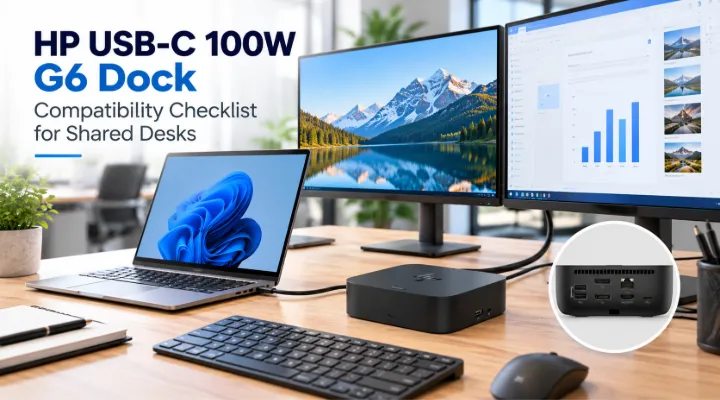
A shared desk works smoothly when an employee can connect a laptop and begin using the display, keyboard, network and other accessories without rebuilding the setup. The HP USB-C 100W G6 Dock 9X3V1UT is a recent ICTECH catalogue addition worth assessing for that role. Its product name identifies a docking family and charging class, but a successful deployment still requires compatibility checks for your laptops and desk equipment. This article focuses on those checks for a specific model. It does not assume that every USB-C device supports the same features or that a single dock will automatically suit every laptop an organisation owns.
Identify the exact dock being quoted
ICTECH lists the HP USB-C 100W G6 Dock with the regional part reference 9X3V1UT#ABB. HP provides product information and setup documentation for the G6 dock family. Confirm the exact part number, supplied power arrangement and regional package contents in your quotation. Ask for the included cables and any relevant accessories to be identified. A family name alone can leave important procurement details unresolved. Keep the approved dock reference in the desk equipment record so replacements can be ordered consistently. This is especially useful when a business already has older HP docks that should not be treated as identical to the proposed G6 model.
List every laptop expected at the desk
Prepare a compatibility matrix with the exact laptop models, operating systems and intended connections. Separate confirmed corporate devices from occasional visitor equipment. Ask the supplier or manufacturer documentation to confirm the supported arrangement for each model. Do not rely solely on a USB-C connector appearing on the laptop. Charging, display output and data behaviour depend on the device's capabilities and the dock configuration. If a shared desk will serve several departments, test representatives from each laptop group. This makes the deployment decision more reliable than approving a dock after a demonstration using only one machine that differs from most of the business fleet.
Check charging against the laptop requirement
The 100W designation is useful context, but you should confirm the power delivered to the exact laptop and whether it satisfies that laptop's requirements. Review the manufacturer's guidance for the intended combination. A demanding workstation may have different charging needs from a standard office laptop. Ask what users should expect during their normal workload and whether another power connection remains necessary. Include the dock's supplied adapter in the equipment schedule. Avoid promising identical charging results across mixed devices without verification. The objective is to know how each supported laptop will operate at the desk rather than assuming a label settles the entire power question.
Specify the display arrangement precisely
Record monitor quantities, models, input connections, resolutions and expected refresh rates. Ask for confirmation that the laptop and dock combination supports that arrangement. A statement about maximum display support is not a guarantee for every host device and connection path. Include suitable cables and keep adapters visible in the bill of materials. Test the intended setup with the actual monitors where practical. Check how screens behave when the laptop lid is closed or the user disconnects and returns. This provides a useful basis for approving shared desks, because display behaviour is one of the first issues employees notice when the connection does not match their expectations.
Account for USB peripherals
List keyboards, mice, headsets, webcams and any specialist peripherals required at the desk. Check their connectors and identify whether they need additional power or particular data capabilities. Compare that list with the dock's documented ports. Keep frequently accessed connections convenient for users and avoid filling every connection without considering the working layout. During the pilot, test the business applications that use those peripherals. A device appearing in the operating system does not necessarily confirm that every workflow functions correctly. The desk should be evaluated as a complete environment, including the tools staff use for meetings, printing or other regular tasks.
Confirm wired network behaviour
If the dock will provide the desk's wired connection, involve the network administrator in the assessment. Identify how the organisation manages network access and whether any device identity or policy requirements apply. Test login and reconnect behaviour with the actual laptop configuration. Check that the desk network path fits the intended work rather than assuming the dock's network interface determines the performance of the entire connection. Record any required settings and who maintains them. This is particularly useful for shared desks where employees move between locations, because a consistent physical connection still needs to work with the business's account and network management practices.
Test daily arrival and departure
Create a pilot routine that reflects how employees use shared desks. Connect a prepared laptop, use the displays and peripherals, join a meeting, allow the system to sleep and reconnect after moving away. Record issues with specific models and configurations. Ask users to describe the steps they need to follow rather than accepting an informal report that docking usually works. IT should determine which issues can be resolved by configuration and which require a different combination. A repeatable arrival and departure test provides better deployment evidence than checking ports once, because shared desks are used through many connection cycles during normal office life.
Plan firmware and support ownership
Use HP's documentation to identify relevant setup and update procedures for the dock. Assign responsibility for maintaining the approved configuration and supporting user issues. If a management tool is proposed, confirm how it will fit your environment rather than assuming that availability of a feature means it is already implemented. Record the dock model alongside compatible laptop groups and any tested settings. Keep support instructions simple enough that the help desk can identify the connection path quickly. A dock is part of the workplace infrastructure, so it benefits from the same ownership and change control that the business applies to other shared equipment.
Arrange the physical desk layout
Position the dock so the host cable reaches the laptop without strain and staff can connect it comfortably. Plan cable routing for displays, networking and power. Check that the dock remains accessible for troubleshooting and that the setup follows the manufacturer's placement guidance. Label the desk equipment where useful. A shared space should also make it clear which accessories remain at the desk and which belong to the employee. Good layout planning helps prevent accidental removal of important cables or adapters. The desired outcome is a workstation employees can understand quickly and support staff can service without tracing an undocumented collection of connections.
Compare complete docking packages
When comparing the G6 dock with another option, use the same laptop groups and display requirement. Include the power adapter, cables and accessories in both offers. Ask which devices and functions have been confirmed and which remain subject to testing. A lower priced package may be useful if it meets the requirement, but connector counts alone do not establish suitability. Likewise, an additional feature may have little value if the business will not use it. Keep the pilot findings beside the quotation so the purchasing decision reflects verified desk behaviour and a complete installation scope rather than a general product description.
Request a dock quotation with a compatibility brief
Send ICTECH the 9X3V1UT reference, quantity, laptop model list and intended desk setup. Include monitor requirements, peripheral connections, operating systems and delivery destination. Ask for the exact regional package and supplied accessories to be confirmed. Review charging and display compatibility before approving a rollout. The HP USB-C 100W G6 Dock is a useful candidate when assessed against a defined shared desk requirement. A prepared compatibility brief gives your team a clearer buying decision and creates a practical record for future laptop additions, desk changes and replacement orders across the office.
Document approved guest arrangements
If visitors use the shared desks, decide whether their devices are part of the supported dock configuration. A guest may need a simpler connection arrangement than a managed corporate laptop. Keep the approved instructions visible and make any required separate power arrangement clear. Ask IT to define what assistance staff can provide. This avoids treating every unexpected visitor device as a fault in the deployed dock and helps the business maintain a consistent process for its regular users.
Frequently asked questions
Will the HP G6 dock work with every USB-C laptop?
Do not assume universal compatibility. Check the exact laptop's charging, display and data capabilities against HP's guidance and test the planned arrangement.
Does 100W guarantee identical charging on every laptop?
No. Confirm delivered power and host requirements for the specific combination. Some laptops may need a different power arrangement for their normal workload.
How should we check multiple monitor support?
Provide monitor quantities, models, connections, resolutions and refresh rates. Confirm the complete laptop and dock combination rather than relying on a general maximum display statement.
What should a shared desk pilot include?
Test charging, screens, peripherals, networking, meetings, sleep and reconnection with each representative laptop group. Record configuration changes needed for a reliable daily routine.
What details help with a G6 dock quotation?
Include the part reference, quantity, laptop models, operating systems, monitor setup, accessories and delivery country. Ask for regional package contents and compatibility confirmation.
Related products
Technical references
Request a quotation from ICTECH with your product requirements, quantity and delivery country.
