
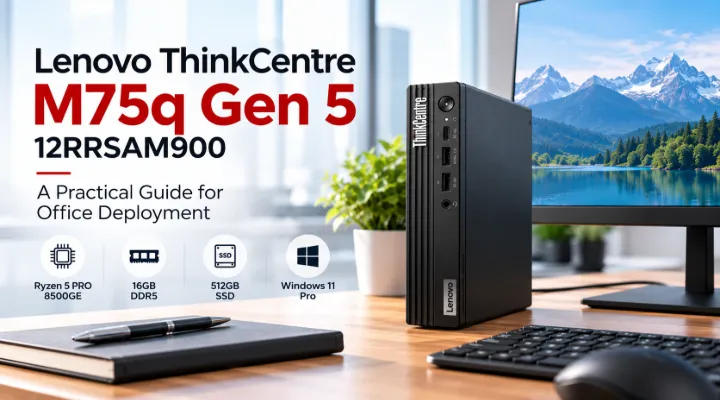
A compact desktop can solve a real office problem when staff need fixed workstations but desks have little room for conventional towers. The Lenovo ThinkCentre M75q Gen 5 12RRSAM900 is a recent addition to ICTECH's catalogue that deserves consideration in that context. This article looks at the listed configuration and the practical decisions involved in an office rollout. It is a purchasing and deployment guide, not a claim that we have benchmarked the unit. The useful question is whether this particular Tiny desktop fits your applications, desk connections and support arrangements, rather than whether its small size alone makes it the right choice.
Understand the listed configuration
ICTECH's product record lists an AMD Ryzen 5 PRO 8500GE processor, 16GB DDR5 memory, a 512GB SSD and Windows 11 Pro for 12RRSAM900. Lenovo's platform documentation confirms the M75q Gen 5 family and the availability of this processor class. Those details provide a useful starting point, but the purchase order should identify the exact supplied configuration. Confirm the operating system language, keyboard layout, wireless options and included accessories with the quotation. Platform options do not automatically describe every unit. Keeping the part number and installed components together helps purchasing, IT and receiving staff review the same machine.
Match the desktop to office roles
Begin with the applications your employees use. A workstation for document handling, browser based business systems and meetings may have different requirements from one used for design or specialised analysis. Ask users or department managers to describe normal multitasking rather than naming only one application. Review vendor requirements for any important software. The integrated graphics arrangement should be assessed against the actual workload, especially when applications specify dedicated graphics. A compact business desktop can be a useful option for a standard office role, but the role still needs a configuration check. Avoid allocating the same model to every department without examining those differences.
Plan the complete desk setup
The Tiny format changes the space occupied by the computer, but the desk still needs a display, input devices and suitable cables. Draw the intended arrangement and identify where the desktop, adapter and peripherals will sit. If mounting behind a monitor is proposed, confirm the appropriate mounting accessory and compatibility rather than assuming it is supplied. Preserve access to the ports users need regularly. Consider how support staff will reach the unit during troubleshooting. A tidy arrangement should remain practical after installation, with enough access that a simple cable change does not require dismantling the entire desk or moving a heavily used display.
Check monitor connections before ordering
List the monitors already available and the displays planned for new desks. Confirm their inputs and compare them with the actual ports on the quoted configuration. Ask for confirmation of the intended multi-display arrangement, including resolutions and required adapters. A product family description may mention several connectivity options that vary between models. Include necessary cables in the bill of materials and test the combination during the pilot. This is particularly helpful when replacing older desktops that used a different display connector. The aim is a workstation that can connect to the school's or office's existing equipment without relying on last minute accessory purchases.
Review memory and storage against real use
The listed 16GB memory and 512GB SSD should be compared with the applications and local data the user groups need. Identify whether working files are held centrally or stored on the desktop. Ask about the specific unit's memory and storage expansion possibilities before making future capacity assumptions. An upgrade plan should use the model's supported components and configuration guidance. For a fleet, record the installed memory arrangement so later replacements or additions can be assessed consistently. This gives IT a clearer picture of the purchase than a specification sheet that mentions only theoretical maximums while leaving the supplied components unspecified.
Confirm network and peripheral requirements
Identify whether desks will use wired networking, wireless connections or both. Match that requirement to the exact machine being quoted, including any wireless module or accessory. List printers, headsets, scanners and other business peripherals that need connections. Check the available ports against those devices and keep any hubs or adapters visible in the scope. For an office rollout, use a representative desk to test the arrangement. Connectivity planning is useful because a computer can meet application requirements while still being awkward at a particular station. The quotation should describe enough detail that your team knows how the unit will join the working environment.
Align Windows and account preparation
The catalogue lists Windows 11 Pro, which should be confirmed on the final quotation. Ask your IT team to review the operating system against its account and device management plans. Identify who will install applications, apply security settings and prepare the system for handover. Confirm licensing arrangements for software that does not form part of the hardware package. If your organisation uses a standard image or deployment process, test it on the representative unit. A preinstalled operating system is a starting point, not evidence that all business preparation is complete. Account configuration and application access need the same attention as the physical desk setup.
Evaluate a pilot without inventing performance claims
Test the desktop using normal office work and representative peripherals. Ask users to complete the tasks that justify the purchase, such as a typical spreadsheet, business portal and meeting. Record whether the setup meets the agreed acceptance criteria. IT should verify device preparation, updates and support procedures. This provides local evidence for your environment without relying on untested claims about speed or efficiency. If the workload is more demanding than expected, review the configuration before placing a fleet order. A pilot is most useful when it answers the office's practical questions rather than attempting to turn a procurement exercise into a general product benchmark.
Arrange maintenance access and asset records
Decide how the desktop will be labelled and recorded at each station. Keep the serial number, part number, installed specification and user assignment together. Ask for warranty and support details for the exact model and delivery location. Confirm who handles faults and how equipment can be accessed if mounted behind a display. Follow the manufacturer's guidance for component work rather than assuming the compact chassis can accept any upgrade. For a larger rollout, establish a spare strategy if appropriate. These records make a fixed desk deployment easier to support and reduce the time spent identifying which configuration is installed when a user needs assistance.
Compare against an appropriate alternative
Compare the M75q configuration with another desktop that meets the same role requirement. Include the monitor, accessories, operating system and mounting scope in both offers. A larger tower may provide different expansion options, while another compact system may have a different port arrangement. Ask suppliers to explain those differences in relation to your use. Avoid assuming that a small chassis automatically has the lowest complete setup cost or that a larger system is always more capable for the intended tasks. A fair comparison helps the purchasing team understand the tradeoffs that matter to its office rather than comparing unrelated configurations by headline price.
Prepare your M75q quotation request
Send ICTECH the required quantity, user applications, monitor arrangement and delivery destination, and identify 12RRSAM900 in the request. Confirm whether the listed memory, SSD and operating system suit your deployment. Include keyboard layout, network requirements and any proposed mounting accessories. Ask for an itemised quotation with installed components and service scope clearly stated. Review a complete desk arrangement before approving the fleet. The ThinkCentre M75q Gen 5 becomes a useful purchasing candidate when its compact design is connected to a real workstation plan, giving your team a clear basis for deciding how it fits the office and how it will be supported.
Keep the adapter with the asset record
Record the supplied power adapter and its assignment with the desktop, especially when several compact systems are deployed together. If equipment moves between rooms, make sure the appropriate adapter moves with it. Label the workstation and keep the approved accessory reference in the support record. This small administrative step helps staff avoid mixing accessories during office changes and gives purchasing a clear description when a replacement component needs to be quoted.
Frequently asked questions
What configuration does ICTECH list for 12RRSAM900?
The catalogue lists Ryzen 5 PRO 8500GE, 16GB DDR5 memory, a 512GB SSD and Windows 11 Pro. Confirm all supplied options and accessories on the final quotation.
Does a Tiny desktop include a monitor?
Do not assume that it does. Ask for the complete package contents and itemise monitors, cables and any mounting accessories needed for the proposed desk setup.
Can it replace a graphics workstation?
Only if the actual application requirements are met. Review graphics, memory and other workload requirements before choosing an integrated graphics business desktop for specialised work.
Should we test the model before ordering many units?
Yes. A representative pilot can check applications, monitors, networking, peripheral connections and the deployment process before the configuration is repeated across the office.
What should an M75q quotation request contain?
Include the part number, quantity, delivery country, applications, display arrangement, operating system requirements, keyboard layout and accessories. Ask for confirmation of the installed configuration.
Related products
Technical references
Request a quotation from ICTECH with your product requirements, quantity and delivery country.
