
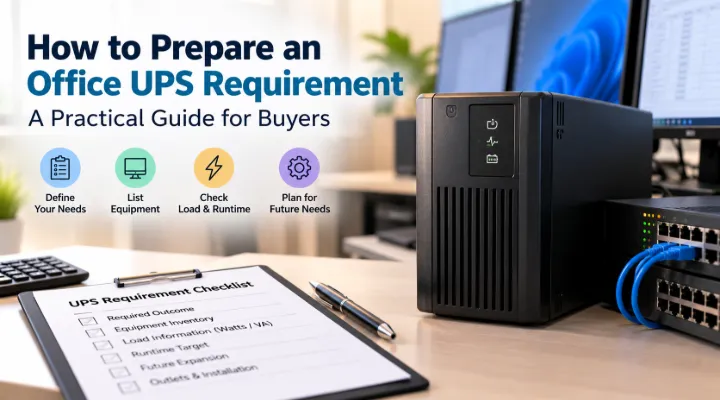
An office UPS requirement should begin with two separate questions: what equipment must remain powered, and for how long? A larger capacity label does not answer both. The useful first step is a load worksheet that lists connected devices and their operating requirements, followed by a runtime checklist describing the outcome the business expects during a power interruption. This guide explains how to prepare those documents for a quotation discussion. It concentrates on practical office planning rather than repeating a general overview of UPS types, helping buyers connect the proposed product to their actual computers, networking equipment and shutdown process.
Define the outcome during an interruption
Decide what staff should be able to do when incoming power fails. One office may need enough time to save work and close applications. Another may need network access while selected staff continue working briefly. A server installation may require a controlled shutdown managed by software. Write the outcome in plain language and identify who is responsible for it. Avoid a vague request to keep everything running. That can hide very different runtime expectations. Once the outcome is clear, your team can identify which equipment needs protection and which devices can be excluded without preventing the intended response.
Make an inventory of connected equipment
List every device proposed for the UPS, including computers, monitors, switches, routers and other relevant equipment. Record quantity, location and the role each item plays during an outage. Check whether a network switch powers other devices, because the load may include those connected endpoints. Keep separate worksheets for distinct groups if they will use different UPS units. This prevents a combined office figure from being applied to a single desk or cabinet without explanation. Mark any equipment that your team has not yet selected so the estimate can be revised when the final configuration becomes available.
Gather credible load information
Use device documentation and suitable measurement where available to establish operating load. A power supply label can indicate capability rather than the load normally drawn by the equipment. Record the basis of each figure instead of presenting every number as a measured result. Ask a qualified person to assess uncertain or sensitive installations. Capture representative operating conditions, including periods when the system is busy. The worksheet should distinguish confirmed values from estimates. This makes later discussions with the supplier more useful and helps your team understand why a revised device configuration may change the required UPS capacity.
Keep watts and VA visible
UPS specifications commonly show both watts and volt amperes. APC's buying guidance explains that these ratings and the relationship between them matter when matching equipment to a UPS. Your worksheet should therefore retain the relevant load and product ratings rather than treating the largest printed number as the only capacity limit. Ask the supplier to confirm that the proposed connected equipment falls within the UPS's applicable limits. Keep the explanation with the quotation. This is a useful point for technical review, particularly when a buyer is comparing models whose headline capacities look similar but whose output specifications differ.
Set a runtime target at the expected load
Write down the time needed to achieve the chosen outage response. Include time to detect the interruption, notify staff and complete a shutdown where appropriate. APC defines runtime as the period the UPS can support its connected equipment during a power disruption. Request the manufacturer's runtime information for the proposed model at your estimated load. Avoid assigning a fixed backup time to every unit in a capacity class. The same UPS can behave differently under different loads. Treat runtime as a configuration question to confirm, not a promise inferred from an unrelated example or an attractive product description.
Allow for planned changes
Identify likely additions during the intended deployment period. These might include another monitor, a network device or a higher powered workstation. Ask the supplier how those changes affect the capacity and runtime assessment. Keep the expansion assumptions specific enough to review. An unlimited allowance for future growth can produce an oversized purchase without explaining what the business actually needs. Conversely, a worksheet that omits a confirmed expansion may become obsolete soon after installation. Record the initial load and planned load separately so decision makers can understand the requirement and decide which configuration makes sense for the project.
Check outlets and physical installation
List the power connections required by the protected equipment and compare them with the proposed UPS outlets. Confirm suitable cables and distinguish backup protected outlets from any other connections on the unit. Check the installation format, available space and access for maintenance. Ask about operating conditions and keep ventilation requirements visible in the plan. A product may satisfy the electrical requirement but still be inconvenient if it cannot fit the intended location or connect to the equipment as supplied. These details belong in the bill of materials so the receiving team can confirm that the installation has everything it needs.
Protect the complete working path
Think beyond the main computer. A laptop may remain powered by its own battery, but a router or switch losing power can interrupt access to business systems. A protected server is less useful to users if the network path disappears immediately. Identify the dependencies required for the outcome you defined at the start. Decide whether they should share a UPS or use separate units. Keep responsibilities clear across locations. This does not mean protecting every device in the building. It means recognising which connected services must remain available for a user to save work, complete a task or shut down systems properly.
Specify monitoring and shutdown responsibilities
Decide whether staff will respond manually or whether the UPS needs to communicate with a computer or management system. Ask which interfaces, software and compatibility requirements apply to the proposed arrangement. Identify who will configure notifications and test the intended shutdown process. Document what should happen if nobody is at the office when an interruption occurs. A management feature is useful only when someone implements and maintains it. Include that work in the project scope rather than assuming it is complete when the hardware arrives. This connects the backup power purchase to a response process the business can actually execute.
Plan maintenance and acceptance checks
Ask for the manufacturer's maintenance instructions and battery replacement arrangements for the exact model. Assign a person to review status indications and retain service records. Define an acceptance check that confirms the connected load, alerts and agreed response without placing critical data at unnecessary risk. Coordinate testing with the responsible IT and facilities staff. Keep the final equipment list beside the UPS record so later additions can be assessed. Maintenance planning helps your team recognise that backup power is an operational system. The purchase price is one part of its value; readiness when an interruption occurs is the outcome you are trying to achieve.
Request a quotation with the worksheet attached
Send ICTECH the device list, operating load information, location, preferred format, outlet requirements and target runtime. Explain whether you need time for orderly shutdown or a short period of continued operation. Identify any planned expansion and communication requirements. Ask for the proposed model's capacity and runtime basis to be shown in the response, along with included cables and relevant accessories. Review that information with your technical team before approval. A load worksheet turns a broad request for office power backup into a specific requirement that suppliers can assess and your organisation can revisit when its equipment or working practices change.
Keep a change record beside the UPS
Create a small record of the equipment connected to each UPS and update it when staff add or remove devices. Include the date of the last load review and the person who approved a change. A desk that originally supported one computer can acquire another monitor, printer, scanner or other business peripheral over time. Without a record, the original runtime assessment may continue to be quoted after the setup has changed. Ask users to route equipment additions through the responsible team. This keeps the purchasing worksheet useful beyond installation and gives technical staff a starting point when they review backup behaviour or investigate an unexpected shutdown affecting critical office equipment.
Frequently asked questions
Can UPS capacity tell me the exact backup time?
No. Runtime depends on the model, connected load and operating conditions. Request manufacturer runtime information for the proposed unit at your expected load.
What equipment belongs on an office UPS worksheet?
List every proposed connected device, including monitors and relevant network equipment. Note quantities, locations and any devices powered through other equipment such as a network switch.
Why do UPS quotations show watts and VA?
They describe different aspects of the electrical rating. Your technical reviewer should confirm that the proposed equipment remains within the UPS's applicable limits.
Should networking be protected with the computers?
Consider the working outcome you need. If users require network access to save work or complete shutdown tasks, include the necessary network path in the planning.
What should I send when requesting a UPS quotation?
Provide the load worksheet, runtime target, outlet requirements, installation location and monitoring needs. Explain any planned equipment additions and the expected outage response.
Technical references
Request a quotation from ICTECH with your product requirements, quantity and delivery country.
