
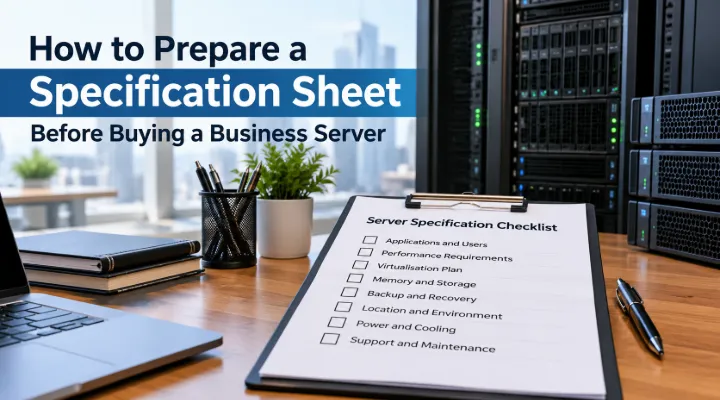
The first business server purchase is easier when you begin with a specification sheet rather than a model shortlist. A server can support shared files, a business application, virtual machines or several services, but those uses create different requirements. Writing down the workload helps you and your supplier distinguish what is essential from what is merely available in a product catalogue. This guide explains how to prepare that information before requesting a quotation. It focuses on the questions a small or medium business should answer so the eventual configuration, software and support arrangements fit the work the server is expected to perform.
Name each application and its owner
List the services you intend to run and identify who supports them. Include the application name, version, user count and any requirements supplied by its vendor. Record whether the vendor recommends a particular operating system, database or storage arrangement. If several applications will share the server, ask their support teams whether that combination is appropriate. Keep assumptions visible rather than relying on a general claim that the server will handle everything. The specification sheet should connect each service to a responsible person, because application requirements and hardware requirements must agree before a supplier can recommend a useful configuration.
Describe usage during busy periods
Count concurrent users as well as total staff. An application used by ten people throughout the day behaves differently from one accessed briefly by fifty employees. Record busy periods, data processing tasks and any overnight jobs. Identify workloads that grow with transaction volume rather than headcount. If the business already runs the application on another machine, gather practical information about current resource use and complaints. Where measurement is unavailable, ask the software vendor for a sizing recommendation. This gives the supplier a stronger basis for proposing a processor and memory configuration than a simple statement of the number of employees.
Decide how services will be separated
Discuss whether the business needs one operating system installation or separate virtual machines. Separation can help organise services, but it adds planning and management requirements. Identify who will administer the virtualisation platform and whether the application vendors support the intended arrangement. List the planned machines and their resource needs instead of assuming that any server can host unlimited services. Record which workloads need independent maintenance windows. The objective is a manageable architecture, not a complex design for its own sake. For a first server, an arrangement your team understands and can support may be more useful than an ambitious configuration without an owner.
Translate the workload into memory needs
Ask the application or infrastructure specialist to provide an initial memory recommendation. Include the operating system, applications and planned virtual machines rather than considering only the main business tool. Record installed capacity, module arrangement and expansion requirements on the quotation worksheet. A server's maximum supported memory is different from the capacity you are buying. Ask whether future expansion requires additional modules or replacement of the original ones. Keep room for plausible growth, but connect that growth to a business plan. This avoids purchasing capacity without a purpose while also reducing the risk of specifying a configuration that is already tight when deployed.
Separate storage capacity from storage layout
Calculate current data, expected growth and the space needed by software, logs and working files. Then discuss how the drives should be arranged. Raw disk capacity and usable capacity after redundancy are not the same thing. Ask for the drive quantities, capacities, interface and intended configuration to be listed explicitly. Identify any controller or additional component required. Consider the application's access pattern as well as its data size. A storage design suitable for shared documents may not suit a busy database. The supplier and application owner should agree on the intended layout before the quoted drive total becomes the basis of approval.
Define backup and recovery separately
Write down what must be backed up, where copies will be stored and who will test restoration. A redundant drive arrangement does not replace an independent backup process. Determine how much work the business can afford to lose and how long it can wait for recovery. Those answers influence both the backup plan and the server architecture. Include any backup software, storage destination or connectivity needed in the project scope. Ask the responsible specialist to demonstrate a restore during commissioning. A server purchase protects business operations only when the team can recover the information and services that make the hardware useful.
Check the installation location
Describe where the server will operate and whether that location suits a tower or rack system. Record available space, access, ventilation, power connections and network ports. A rack server may require rails and an appropriate cabinet, while a tower still needs a suitable secure location. Ask about operating conditions for the proposed model. Identify whether noise would be a problem near staff. Keep environmental preparation within the project plan so the equipment does not arrive before the room is ready. Physical suitability is an everyday operational requirement, especially for a business that has not previously maintained dedicated server equipment.
Plan connectivity and power protection
List the devices and users that will access the server, then identify the network path between them. Ask whether the existing switches and links suit the expected workload. Separate the server's network interfaces from any switch upgrades your office may need. Include power protection in the plan and decide what should happen during a power interruption. The target might be continued operation for a short period or an orderly shutdown. Ask for compatibility between the server, UPS and management arrangements. A server configuration should be reviewed as part of the office infrastructure, because connectivity and power behaviour affect its usefulness as directly as processor specifications.
Include software and service responsibilities
Confirm which operating system and application licences are required and who will provide them. Ask the software vendor or licensing specialist to validate the intended deployment. Do not assume that a hardware price includes every licence necessary to run the business application. Record who installs the server, migrates existing data, creates accounts and manages updates. Clarify warranty coverage for the exact configuration and location. Identify the contact for application faults separately from the contact for hardware faults. This division of responsibility helps staff obtain the right assistance and prevents an apparently complete quotation from leaving important commissioning work unassigned.
Design an acceptance test
Create a short test plan before the server arrives. It should confirm the supplied configuration, application access, backup operation and the agreed response to a power interruption. Ask representative users to complete normal tasks after migration. Compare results with the application's requirements rather than expecting a specific improvement that has never been measured. Record the final configuration, administrator handover and support details. Schedule the change at a time that gives the team room to correct problems. Acceptance testing connects the purchase to the business outcome and gives your organisation a documented starting point for future changes or troubleshooting.
Request an itemised configuration
Send ICTECH the completed workload sheet, application requirements, user counts, storage assumptions and installation details. Ask for an itemised server configuration with installed components, optional upgrades and clearly identified software or service scope. Provide the delivery destination and intended deployment date. If more than one configuration is proposed, request an explanation of the differences against your requirements. Review the response with the application owner before approval. A carefully prepared first server quotation becomes a useful implementation document, helping the business choose equipment it can deploy, operate and recover with confidence rather than selecting a model solely from its headline specifications.
Record the migration source
If this server replaces work currently performed on individual computers, list those existing computer sources and their data owners. Identify which information moves to the server, which remains local and how users will access it afterward. Ask the application specialist to assess the migration before promising a cutover date. A shared spreadsheet folder and a business database need different handling. Keeping the migration source in the specification helps the implementation team prepare the right process and prevents hardware selection from hiding an important change in how the business manages its information.
Frequently asked questions
What information should I gather before asking for a server quote?
List applications, concurrent users, vendor requirements, current data, growth expectations, backup needs and installation conditions. Identify who will manage the server and its software.
Should our first server be a tower or rack model?
Choose according to the installation environment, available space and infrastructure. A rack model needs suitable mounting arrangements, while a tower still requires appropriate ventilation, power and access control.
Does RAID remove the need for backups?
No. Drive redundancy can help with certain hardware failures, but it does not replace independent copies and tested recovery procedures for important business data.
Are operating system and application licences included with a server?
They are included only when the quotation says so. Confirm licensing requirements with the relevant vendor or specialist and itemise them separately where needed.
Who should approve the proposed server configuration?
Involve the application owner, IT administrator and purchasing team. The configuration should satisfy software requirements, fit the site and have a clear support and recovery plan.
Request a quotation from ICTECH with your product requirements, quantity and delivery country.
