
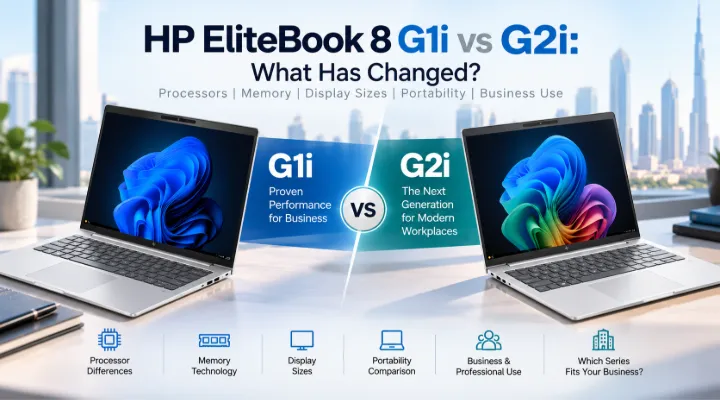
The HP EliteBook 8 Series is designed for professionals who need dependable business laptops for everyday productivity, communication, and multitasking. With the EliteBook 8 G1i and the newer EliteBook 8 G2i configurations, businesses have several options covering different processors, memory technologies, screen sizes, and portability requirements.
The HP EliteBook 8 G1i configurations available in this range include Intel Core Ultra 5 225U, Core Ultra 7 255U, and Core Ultra 7 258V processors, with 14-inch and 16-inch display options. The EliteBook 8 G2i configurations covered here use the Intel Core Ultra 5 325 and expand the choice to 13.3-inch, 14-inch, and 16-inch displays.
For businesses in Dubai and across the UAE, understanding these differences can make it easier to select the right configuration for employees, departments, and corporate deployments.
HP EliteBook 8 G1i vs G2i at a Glance
The two generations share the same overall business-laptop philosophy, but the configurations available in each range differ.
| Feature | HP EliteBook 8 G1i | HP EliteBook 8 G2i |
|---|---|---|
| Processor options covered | Core Ultra 5 225U, Ultra 7 255U, Ultra 7 258V | Core Ultra 5 325 |
| Display sizes | 14-inch, 16-inch | 13.3-inch, 14-inch, 16-inch |
| Resolution | 1920 x 1200 WUXGA | 1920 x 1200 WUXGA |
| Memory options | 16GB DDR5, 32GB LPDDR5x | 16GB LPDDR5x, 32GB LPDDR5x, 16GB DDR5 |
| Storage | 512GB or 1TB NVMe SSD | 512GB NVMe SSD |
| Graphics | Integrated Intel Graphics | Integrated Intel Graphics |
| Operating system | Windows 11 Pro | Windows 11 Pro |
| Fingerprint reader | Selected configurations | Listed configurations |
| Keyboard options | English / English-Arabic | English / English-Arabic |
| Display type | IPS, anti-glare | IPS, anti-glare |
The important point is that the G2i is not simply a matter of increasing the screen size or memory. The available configurations are structured differently, giving businesses another set of choices when purchasing professional laptops.
Processor Comparison: G1i and G2i
One of the biggest differences between the configurations is the processor family.
HP EliteBook 8 G1i processors
The G1i configurations provided include:
- Intel Core Ultra 5 225U
- Intel Core Ultra 7 255U
- Intel Core Ultra 7 258V
The Core Ultra 7 configurations provide options for users who require a higher-tier processor configuration within the G1i range.
The Core Ultra 7 258V model also combines the processor with 32GB LPDDR5x memory and a 1TB SSD, making it the highest-capacity G1i configuration among the models covered here.
HP EliteBook 8 G2i processor
The G2i configurations covered in this guide use the Intel Core Ultra 5 325.
Rather than offering multiple processor tiers in the supplied configurations, the G2i range provides different combinations around this processor.
This means businesses can select the G2i based more heavily on screen size and memory requirements.
Core Ultra 7 255U vs Core Ultra 5 325
The processor names alone should not be used to determine the complete laptop experience.
The Core Ultra 7 255U appears in several G1i configurations, while the Core Ultra 5 325 is used across the listed G2i models. They belong to different generations, so processor naming should be considered alongside the actual laptop configuration.
For businesses, the more useful approach is to look at:
- The applications employees use
- Required memory capacity
- Screen size
- Storage requirements
- Portability
- Corporate deployment requirements
For example, a general office employee may not benefit from choosing a particular laptop solely because it carries a Core Ultra 7 designation if another configuration provides the desired memory, display size, and storage for the actual workload.
Core Ultra 7 258V G1i: Higher Memory and Storage Configuration
One of the notable G1i configurations combines the Intel Core Ultra 7 258V with:
- 32GB LPDDR5x-8533 onboard memory
- 1TB PCIe NVMe SSD
- 16-inch WUXGA IPS display
- Integrated Intel Graphics
- Fingerprint reader
- Windows 11 Pro
- English/Arabic backlit keyboard
This makes it different from most of the other configurations in the comparison.
The combination of 32GB RAM and 1TB storage can be useful for professionals who keep many applications and files locally.
For example, a project manager might simultaneously use Teams, Excel, PowerPoint, a browser with numerous tabs, project management software, and locally stored documents.
Memory: LPDDR5x vs DDR5
Memory technology is another important difference between the two ranges.
G1i memory configurations
The G1i models covered here include:
- 16GB DDR5-5600
- 32GB LPDDR5x-8533
This means the memory technology varies depending on the selected processor and configuration.
G2i memory configurations
The G2i range includes:
- 16GB LPDDR5x-8533
- 32GB LPDDR5x-8533
- 16GB DDR5-5600
This gives businesses the ability to select between different memory capacities and technologies depending on the model.
The 32GB G2i configuration is paired with the 14-inch model, while the listed 16-inch models use 16GB DDR5-5600.
16GB vs 32GB RAM
For many office users, 16GB is a practical configuration for everyday productivity.
It can handle workloads such as:
- Microsoft Word
- Excel
- PowerPoint
- Web browsing
- Video meetings
- CRM platforms
- Business applications
- Cloud-based software
However, professionals who regularly multitask across numerous applications may benefit from 32GB.
A 32GB configuration can be particularly useful for:
- Large spreadsheets
- Extensive browser multitasking
- Data-heavy workflows
- Multiple professional applications
- Large document collections
- Users who expect to keep their laptop for several years
Both generations therefore provide options for users with different memory requirements.
Display Sizes: G1i vs G2i
Screen size is one of the easiest differences to understand.
G1i: 14-inch and 16-inch
The G1i configurations covered in this comparison include 14-inch and 16-inch displays.
The 14-inch models provide a balance between portability and workspace.
The 16-inch configurations offer more physical screen area for users who spend much of their day working at a desk.
G2i: 13.3-inch, 14-inch and 16-inch
The G2i expands the available screen-size range with a 13.3-inch option.
This gives businesses three sizes to choose from:
- 13.3-inch for maximum portability
- 14-inch for balanced use
- 16-inch for a larger workspace
This can be useful for companies that provide different laptop sizes depending on an employee's role.
Why WUXGA 1920 x 1200 Matters
Both the G1i and G2i configurations covered here use WUXGA resolution of 1920 x 1200.
The 16:10 aspect ratio provides additional vertical space compared with a traditional 1920 x 1080 display.
This can be useful in business applications.
For example, an employee working in Excel can see more rows at once. Someone reviewing documents can see more content without scrolling as frequently, while developers can view additional lines of code.
The IPS and anti-glare characteristics are also suitable for typical office environments.
Portability: 13.3-inch vs 14-inch vs 16-inch
Screen size should be selected based on how employees actually work.
13.3-inch: For frequent mobility
The G2i 13.3-inch configuration can be useful for professionals who regularly travel between locations.
Potential users include:
- Sales representatives
- Consultants
- Executives
- Field employees
- Hybrid workers
The smaller form factor can make the laptop easier to carry in a business bag.
14-inch: A balanced choice
The 14-inch configurations in both generations offer a middle ground.
They provide enough screen space for everyday office work while remaining suitable for employees who occasionally travel.
This size can work well for:
- Managers
- Consultants
- Office professionals
- Project coordinators
- IT employees
16-inch: More workspace
The 16-inch configurations are better suited to users who spend most of their time working from a desk.
They can be useful for:
- Finance employees
- Data analysts
- Project managers
- Administrative teams
- Users working with large spreadsheets
- Professionals who prefer larger displays
Storage: 512GB vs 1TB
Storage is another difference worth considering.
The majority of the listed G1i and G2i configurations use 512GB PCIe NVMe SSD storage.
This provides space for Windows, applications, documents, presentations, business software, and locally stored work files.
The G1i Core Ultra 7 258V configuration increases storage to 1TB.
For professionals working with larger local files, the additional capacity can be useful.
A marketing employee working with photographs and campaign assets, for example, may have different storage requirements from an employee whose work is primarily cloud-based.
Business Features and Security
Both generations are positioned around professional use and include Windows 11 Pro in the listed configurations.
Fingerprint readers are included in the configurations covered here, providing a biometric authentication option.
Keyboard configuration can also matter in the UAE.
The G1i range includes English and English/Arabic configurations, while the G2i list includes an English/Arabic option on the 16-inch model.
For corporate procurement, these details are worth specifying before placing an order.
HP EliteBook 8 G1i vs G2i for Different Business Users
There is no single configuration that fits every employee.
Instead, businesses can match the laptop to the role.
For mobile sales teams
A compact configuration can be more practical.
The 13.3-inch G2i is particularly relevant when portability is a priority.
For managers and consultants
A 14-inch model provides a useful balance between mobility and screen space.
Both G1i and G2i have configurations in this size.
For finance and administration
A 16-inch display can provide more workspace for spreadsheets, reports, dashboards, and documents.
For heavier multitasking
A 32GB configuration may be worth considering.
The G1i Core Ultra 7 258V configuration and G2i 14-inch 32GB configuration both provide higher memory capacity.
For UAE bilingual users
An English/Arabic keyboard configuration can be selected where available.
Corporate Deployment: G1i or G2i?
For corporate IT departments, the decision should go beyond processor specifications.
Consider the following factors:
- Employee role
- Required applications
- Memory requirements
- Screen-size preference
- Employee mobility
- Storage requirements
- Keyboard layout
- Security requirements
- Standardization across departments
- Warranty and procurement requirements
A company could, for example, deploy 13.3-inch G2i laptops to traveling employees, 14-inch models to managers, and 16-inch configurations to finance teams.
This approach can help organizations avoid over-specifying laptops for employees with basic requirements while still providing higher-capacity systems to users who need them.
HP EliteBook 8 G1i vs G2i: Which Configuration Fits Your Work?
Rather than looking at the two generations as simply an older and newer laptop, it is more useful to compare the configurations available for each generation.
The G1i range offers processor variety, including Core Ultra 5 225U, Core Ultra 7 255U, and Core Ultra 7 258V options. It also includes a configuration with 32GB RAM and 1TB SSD.
The G2i range centers on the Core Ultra 5 325 and provides a 13.3-inch option alongside 14-inch and 16-inch configurations. It also includes both 16GB and 32GB memory choices.
Therefore, the appropriate model depends on the specific business requirement rather than simply the generation number.
HP EliteBook 8 Series for Businesses in Dubai and the UAE
Dubai businesses often have employees with very different computing requirements.
A sales representative may spend most of the day traveling, while an accountant may work with spreadsheets from a desk. A consultant may move between customer offices, while an administrator may need a larger display for documents and business applications.
The EliteBook 8 G1i and G2i ranges provide configurations that can accommodate these different scenarios.
For businesses purchasing multiple laptops, creating role-based configurations can also make procurement easier.
For example:
- Mobile staff: 13.3-inch G2i
- General professionals: 14-inch G1i or G2i
- Higher multitasking requirements: 32GB configuration
- Desk-focused employees: 16-inch G1i or G2i
- UAE bilingual users: English/Arabic keyboard configuration
Conclusion
The HP EliteBook 8 G1i and G2i Series provide several business laptop configurations designed around different professional requirements.
The G1i configurations covered here offer Intel Core Ultra 5 225U, Core Ultra 7 255U, and Core Ultra 7 258V options, with 14-inch and 16-inch WUXGA displays. The G2i range uses the Intel Core Ultra 5 325 and expands the selection to 13.3-inch, 14-inch, and 16-inch models.
Memory configurations also vary. G1i models include 16GB DDR5 and 32GB LPDDR5x options, while G2i models include 16GB and 32GB LPDDR5x as well as 16GB DDR5 configurations.
For businesses in Dubai and across the UAE, the right choice depends on the user's workload, mobility requirements, screen-size preference, memory needs, storage requirements, and keyboard layout.
ICTECH Distribution offers a range of HP business laptops and IT products, allowing organizations to select configurations based on their operational requirements rather than adopting one specification for every employee.
Frequently Asked Questions
1. What is the main difference between HP EliteBook 8 G1i and G2i?
The listed G1i configurations offer Core Ultra 5 225U, Core Ultra 7 255U, and Core Ultra 7 258V processors, while the G2i configurations covered here use the Core Ultra 5 325. The G2i range also introduces a 13.3-inch display option.
2. Does the HP EliteBook 8 G2i have more RAM options?
The G2i configurations include both 16GB and 32GB options, with LPDDR5x and DDR5 depending on the model. The G1i configurations also include 16GB and 32GB options.
3. Which EliteBook is better for portability?
The 13.3-inch HP EliteBook 8 G2i is the most compact option among the configurations covered here. The 14-inch models also provide a balance between portability and workspace.
4. Are 16GB and 32GB configurations available?
Yes. Both ranges include configurations with 16GB memory, while selected models provide 32GB. The G1i Core Ultra 7 258V model has 32GB LPDDR5x memory, while the G2i range includes a 32GB LPDDR5x 14-inch configuration.
5. Are HP EliteBook 8 G1i and G2i suitable for corporate use?
Yes. The listed configurations include Windows 11 Pro, NVMe SSD storage, integrated Intel Graphics, business-oriented display configurations, backlit keyboards, and fingerprint readers on the supplied models.
