
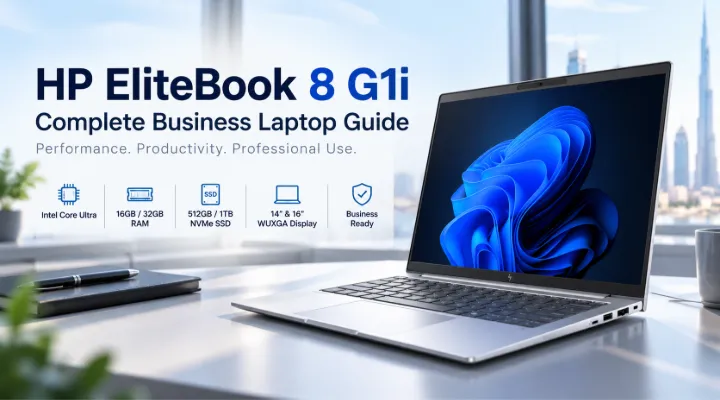
Modern businesses need laptops that can handle everyday productivity, communication, multitasking, and professional applications without becoming difficult to carry or manage. The HP EliteBook 8 G1i Series is designed around this requirement, combining modern Intel Core Ultra processors, fast SSD storage, business-focused security features, and Windows 11 Pro.
For companies and professionals in Dubai and across the UAE, the EliteBook 8 G1i range offers several configurations to suit different working styles. The models available include 14-inch and 16-inch displays, Intel Core Ultra 5 and Ultra 7 processors, 16GB or 32GB memory, and 512GB or 1TB SSD storage.
This guide looks at the available HP EliteBook 8 G1i configurations, explains their key differences, and helps businesses understand which type of configuration may be appropriate for different workloads.
What Is the HP EliteBook 8 G1i Series?
The HP EliteBook 8 G1i is a business-oriented laptop series designed for professional users. Rather than offering only one fixed configuration, the range is available with different processor, memory, storage, screen-size, keyboard, and security combinations.
The configurations available through ICTECH Distribution include:
- Intel Core Ultra 5 225U
- Intel Core Ultra 7 255U
- Intel Core Ultra 7 258V
- 14-inch and 16-inch WUXGA displays
- 16GB or 32GB memory
- 512GB or 1TB PCIe NVMe SSD storage
- Integrated Intel Graphics
- Windows 11 Pro
- Backlit keyboard options
- Fingerprint reader on selected configurations
- English or English/Arabic keyboard options
This makes the series suitable for a wide range of office environments, from individual professionals to corporate laptop deployments.
Key HP EliteBook 8 G1i Configurations
The five configurations in this range are not identical. Understanding their differences is important before selecting a model.
HP EliteBook 8 G1i with Intel Core Ultra 7 255U – 14-inch
The 14-inch configuration with the Intel Core Ultra 7 255U provides a balance between screen space and portability.
It features:
- Intel Core Ultra 7 255U processor
- 16GB DDR5-5600 MT/s memory
- 512GB PCIe NVMe SSD
- 14-inch WUXGA display
- 1920 x 1200 resolution
- IPS panel
- Anti-glare finish
- 300-nit brightness
- 62.5% sRGB
- Integrated Intel Graphics
- Windows 11 Pro
- English/Arabic backlit keyboard
- 1-year warranty
- Part Number: C15A7ET#ABV
The 14-inch screen makes this configuration practical for professionals who frequently move between offices, meetings, customer locations, or home and office environments.
HP EliteBook 8 G1i with Intel Core Ultra 7 255U – 14-inch English Keyboard
Another 14-inch Core Ultra 7 255U configuration is available with an English backlit keyboard.
Key specifications include:
- Intel Core Ultra 7 255U
- 16GB DDR5-5600 MT/s memory
- 512GB PCIe NVMe SSD
- 14-inch WUXGA IPS display
- 1920 x 1200 resolution
- Anti-glare screen
- 300 nits
- 62.5% sRGB
- Integrated Intel Graphics
- Windows 11 Pro
- English backlit keyboard
- 1-year warranty
- Part Number: C15A6ET#BH5
The primary distinction here is the keyboard configuration, making it useful for businesses that standardize on an English keyboard layout.
HP EliteBook 8 G1i with Intel Core Ultra 5 225U – 16-inch
For users who prefer a larger display, the EliteBook 8 G1i is also available with an Intel Core Ultra 5 225U processor and 16-inch screen.
This configuration includes:
- Intel Core Ultra 5 225U
- 16GB DDR5-5600 RAM
- 512GB PCIe NVMe SSD
- 16-inch WUXGA display
- 1920 x 1200 resolution
- IPS panel
- Anti-glare finish
- 300-nit brightness
- 62.5% sRGB
- Integrated Intel Graphics
- Windows 11 Pro
- Fingerprint reader
- English backlit keyboard
- 1-year warranty
- Part Number: D01XTET#BH5
The larger display can be useful for professionals who spend significant amounts of time working with spreadsheets, documents, dashboards, presentations, and multiple application windows.
HP EliteBook 8 G1i with Intel Core Ultra 7 255U – 16-inch
The 16-inch EliteBook 8 G1i is also available with the Intel Core Ultra 7 255U.
Its configuration includes:
- Intel Core Ultra 7 255U
- 16GB DDR5-5600 MT/s memory
- 512GB PCIe NVMe SSD
- 16-inch WUXGA IPS display
- 1920 x 1200 resolution
- Anti-glare finish
- 300 nits
- 62.5% sRGB
- Integrated Intel Graphics
- Windows 11 Pro
- English backlit keyboard
- 1-year warranty
- Part Number: C15A9ET#BH5
This configuration combines the larger 16-inch workspace with the Core Ultra 7 255U processor, making it an option for users who want more screen area without moving to a desktop workstation.
HP EliteBook 8 G1i with Intel Core Ultra 7 258V – 16-inch
At the higher end of the listed G1i configurations is the model featuring the Intel Core Ultra 7 258V.
It offers:
- Intel Core Ultra 7 258V
- 32GB LPDDR5x-8533 MT/s onboard memory
- 1TB PCIe NVMe SSD
- 16-inch WUXGA display
- 1920 x 1200 resolution
- IPS panel
- Anti-glare finish
- Integrated Intel Graphics
- Fingerprint reader
- Windows 11 Pro
- English/Arabic backlit keyboard
- 1-year warranty
- Part Number: D7KQ5ET#ABV
The combination of 32GB memory and 1TB SSD makes this configuration particularly relevant for professionals who regularly work with larger numbers of applications and files.
HP EliteBook 8 G1i Specifications Comparison
| Configuration | Processor | Memory | Storage | Display | Security / Keyboard |
|---|---|---|---|---|---|
| C15A7ET#ABV | Core Ultra 7 255U | 16GB DDR5-5600 | 512GB NVMe | 14-inch WUXGA IPS | English/Arabic backlit |
| C15A6ET#BH5 | Core Ultra 7 255U | 16GB DDR5-5600 | 512GB NVMe | 14-inch WUXGA IPS | English backlit |
| D01XTET#BH5 | Core Ultra 5 225U | 16GB DDR5-5600 | 512GB NVMe | 16-inch WUXGA IPS | Fingerprint, English backlit |
| C15A9ET#BH5 | Core Ultra 7 255U | 16GB DDR5-5600 | 512GB NVMe | 16-inch WUXGA IPS | English backlit |
| D7KQ5ET#ABV | Core Ultra 7 258V | 32GB LPDDR5x-8533 | 1TB NVMe | 16-inch WUXGA IPS | Fingerprint, English/Arabic backlit |
Why the 1920 x 1200 WUXGA Display Matters
All five configurations use a WUXGA resolution of 1920 x 1200. Unlike a traditional 1920 x 1080 display, the 1200-pixel vertical resolution provides additional workspace.
This can be useful for business applications where users need to see more information vertically.
For example, an accountant working with a spreadsheet can see more rows, while a developer can view more lines of code without scrolling as frequently. A sales professional working with CRM software can also benefit from the additional vertical workspace.
The IPS, anti-glare display and 300-nit brightness are designed for typical professional environments such as offices, meeting rooms, and home workspaces.
16GB vs 32GB Memory
Memory is one of the important differences between the available configurations.
The majority of the listed G1i models come with 16GB RAM, which is a practical configuration for many office workloads.
A 16GB configuration can be suitable for:
- Microsoft Office applications
- Web browsing
- Video conferencing
- Business applications
- CRM platforms
- Accounting software
- Document management
- Multitasking between common applications
The Core Ultra 7 258V configuration increases this to 32GB LPDDR5x-8533 onboard memory.
This can be useful for professionals who regularly keep many applications and browser tabs open or work with more demanding professional workloads.
512GB vs 1TB SSD Storage
The available G1i configurations provide either 512GB or 1TB PCIe NVMe SSD storage.
A 512GB SSD provides a good balance for everyday business computing. It can accommodate Windows, office applications, business software, documents, presentations, and other frequently used files.
The 1TB configuration provides additional capacity for users who maintain larger local file collections.
For example, a marketing professional handling large media files or a project manager managing extensive project documentation may benefit from the additional storage.
Security Features for Business Users
Security is an important consideration when selecting laptops for corporate environments.
Selected HP EliteBook 8 G1i configurations include a fingerprint reader, providing an additional biometric authentication option.
Windows 11 Pro is included across the listed configurations, making the laptops suitable for professional environments where businesses may require Pro-level Windows features and centralized management capabilities.
Keyboard options are also relevant for UAE businesses. The listed models include English and English/Arabic backlit keyboard configurations, allowing organizations to select the layout that fits their users.
Choosing Between 14-inch and 16-inch EliteBook Models
The choice between 14-inch and 16-inch models largely depends on how the laptop will be used.
Choose a 14-inch model when portability matters
A 14-inch EliteBook can be a practical choice for:
- Sales professionals
- Consultants
- Managers
- Frequent travelers
- Hybrid workers
- Employees moving between meeting rooms
Its smaller footprint makes it easier to carry while still providing a 1920 x 1200 resolution.
Choose a 16-inch model for a larger workspace
A 16-inch configuration may be more appropriate for:
- Finance professionals
- Project managers
- Analysts
- Administrative teams
- Professionals working extensively with spreadsheets
- Users who prefer a larger working area
The additional physical screen size can make long working sessions more comfortable for users who do not frequently travel with their laptops.
Which HP EliteBook 8 G1i Configuration Should a Business Consider?
There is no single configuration that fits every professional.
A business purchasing laptops for general office employees may consider the 16GB and 512GB models as a practical starting point.
For mobile employees, the 14-inch Core Ultra 7 255U models provide a combination of performance, portability, and professional features.
For employees who prefer a larger display, the 16-inch Core Ultra 5 225U and Core Ultra 7 255U models provide more physical screen space.
For users who need greater memory and storage capacity, the Core Ultra 7 258V configuration with 32GB RAM and 1TB SSD offers a higher-capacity configuration.
For organizations purchasing multiple laptops, it is also worth standardizing configurations according to job roles rather than giving every employee exactly the same specification.
For example:
- Sales and mobile teams – 14-inch configuration
- General office users – 16GB RAM with 512GB SSD
- Finance and data-heavy users – larger display configuration
- Power users – 32GB RAM and 1TB SSD configuration
HP EliteBook 8 G1i for Businesses in Dubai and the UAE
Dubai businesses operate across a wide range of industries, including trading, logistics, finance, real estate, professional services, retail, hospitality, and technology.
Employees in these sectors often rely on laptops throughout the working day for email, presentations, video meetings, cloud applications, CRM platforms, spreadsheets, and business management software.
The HP EliteBook 8 G1i range provides several configurations, allowing companies to select systems based on employee requirements rather than purchasing one specification for every role.
The availability of English and English/Arabic keyboard configurations is another practical consideration for organizations operating in the UAE.
Why Consider HP EliteBook for Corporate Laptop Deployment?
For businesses, purchasing a laptop is not only about processor specifications. Factors such as operating system, memory, storage, screen size, security features, keyboard layout, warranty, and standardization can all influence the overall suitability of a device.
The EliteBook 8 G1i configurations listed above provide several combinations within the same business-focused family.
This can simplify procurement when a company needs different configurations for different departments while maintaining a consistent laptop range.
Conclusion
The HP EliteBook 8 G1i Series provides a flexible selection of professional laptops for businesses and individual users. The five configurations covered in this guide range from the Core Ultra 5 225U with 16GB RAM and 512GB SSD to the Core Ultra 7 258V configuration with 32GB LPDDR5x memory and 1TB SSD.
The 14-inch models emphasize portability, while the 16-inch versions provide a larger workspace. With WUXGA IPS displays, Windows 11 Pro, NVMe SSD storage, backlit keyboard options, and selected fingerprint-reader configurations, the series can accommodate a variety of professional requirements.
For companies in Dubai and across the UAE, the best configuration depends on the employee's workload, mobility requirements, memory needs, storage requirements, and preferred screen size.
ICTECH Distribution offers a broad range of business laptops and IT products for organizations looking to equip their teams with suitable technology. Businesses can compare the available HP EliteBook configurations and select the specification that matches their operational requirements.
Frequently Asked Questions
1. What processors are available in the HP EliteBook 8 G1i Series?
The configurations covered in this range include Intel Core Ultra 5 225U, Intel Core Ultra 7 255U, and Intel Core Ultra 7 258V processors.
2. Does the HP EliteBook 8 G1i come with Windows 11 Pro?
Yes. All five configurations listed in this guide are supplied with Windows 11 Pro.
3. What screen sizes are available?
The listed HP EliteBook 8 G1i configurations are available with 14-inch and 16-inch WUXGA displays. The 14-inch models are useful for users who prioritize portability, while the 16-inch versions provide a larger working area.
4. How much RAM does the HP EliteBook 8 G1i have?
The listed configurations include 16GB RAM, while the Core Ultra 7 258V model features 32GB LPDDR5x-8533 onboard memory.
5. Is the HP EliteBook 8 G1i suitable for business use?
Yes. The series is designed for professional computing and the listed configurations include Windows 11 Pro, NVMe SSD storage, professional display specifications, backlit keyboard options, and fingerprint readers on selected models.
