
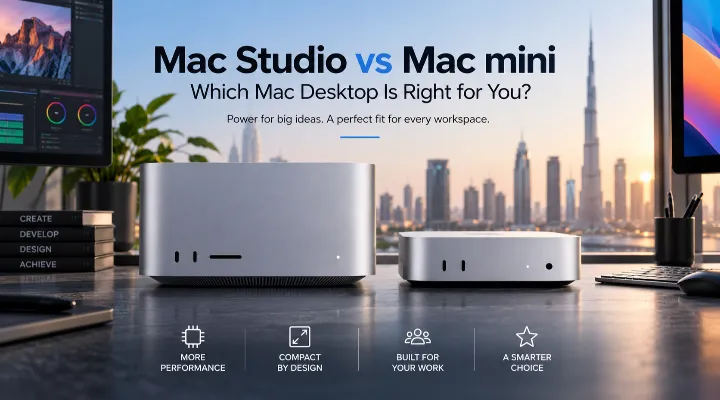
Choosing the right desktop computer is no longer simply about selecting the model with the highest specifications. For professionals, businesses, students, developers, and creative users in Dubai and across the UAE, factors such as performance, size, workload, connectivity, efficiency, and long-term usability all matter.
Apple's 2026 desktop lineup offers two particularly interesting options: the Mac Studio and Mac mini. Both provide the advantages of Apple's desktop ecosystem in compact designs, but they are aimed at different types of users.
The Mac Studio is designed for demanding professional workloads, with configurations such as the M5 Max and M5 Ultra. The Mac mini takes a smaller and more flexible approach, with options including the M5 Pro and M6.
So, which one should you choose?
The answer depends largely on what you plan to do with your Mac. In this guide, we compare the Apple Mac Studio and Mac mini 2026 and explain where each model makes the most sense for users in the UAE.
Apple Mac Studio vs Mac mini at a Glance
Before looking at individual workloads, it helps to understand the position of each desktop.
The current models highlighted in this range include:
Apple Mac Studio
- Mac Studio with M5 Max chip
- 18-core CPU configuration
- Mac Studio with M5 Ultra chip
- 30-core CPU configuration
- Designed for demanding professional workloads
- Suitable for creative professionals, developers, studios, and advanced users
Apple Mac mini
- Mac mini with M5 Pro chip
- 15-core CPU configuration
- Mac mini with M6 chip
- 12-core CPU and 12-core GPU configuration
- Compact desktop footprint
- Suitable for business, productivity, development, home offices, and many creative workflows
These specifications represent different performance tiers rather than simply different versions of the same computer.
What Is the Difference Between Mac Studio and Mac mini?
The simplest way to understand the difference is to think of the Mac mini as a compact, flexible desktop and the Mac Studio as a professional workstation.
The Mac mini is particularly attractive when you already have a monitor, keyboard, mouse, and other peripherals. Its small size makes it easy to integrate into an office or home workspace.
The Mac Studio is aimed at users who need substantially more performance for intensive workloads and want a desktop specifically designed around professional computing.
Mac mini: Compact and Flexible
A Mac mini can be an excellent choice for someone who wants a powerful desktop without a large tower taking up valuable desk space.
For example, a Dubai-based business could place a Mac mini behind a monitor or underneath a desk while using it for:
- Office applications
- Web-based business systems
- Accounting
- Communication
- Programming
- Digital marketing
- General productivity
It can also become part of a more advanced workstation when connected to suitable external displays and peripherals.
Mac Studio: Built for Professional Work
Mac Studio is better suited to users whose work regularly places heavy demands on the processor and graphics capabilities.
A video production company, architecture studio, software development team, or professional content creator may benefit from the additional performance offered by higher-end Mac Studio configurations.
Instead of choosing a computer simply because it is compact, these users are more likely to prioritize processing power and sustained performance.
Comparing the M5 Max and M5 Ultra Mac Studio
The Mac Studio range includes configurations based around Apple's M5 Max and M5 Ultra chips.
The M5 Max model listed by IC Tech Distribution features an 18-core CPU, while the M5 Ultra model is listed with a 30-core CPU.
Mac Studio with M5 Max
The M5 Max configuration is a strong choice for professionals who need high performance but do not necessarily require the highest available configuration.
Potential workloads include:
- Professional video editing
- Graphic design
- Software development
- Photography
- Music production
- 3D applications
- Large creative projects
For example, a freelance video editor working with high-resolution footage could benefit from the additional processing capabilities of a Mac Studio without necessarily needing the highest-tier workstation.
Mac Studio with M5 Ultra
The M5 Ultra configuration moves into a higher-performance category, with a 30-core CPU in the listed model.
It is better suited to users whose workflows can take advantage of substantial processing resources.
This could include professional environments working with:
- Complex video projects
- Large 3D scenes
- Advanced visual effects
- Computational workloads
- Large-scale software projects
- Professional content production
For a production studio in Dubai handling multiple demanding projects, the additional performance may help reduce waiting time during intensive tasks.
Comparing Mac mini M5 Pro and M6
The Mac mini provides two different approaches in the configurations listed.
The M5 Pro model features a 15-core CPU, while the M6 model listed features a 12-core CPU and 12-core GPU.
The right choice depends on whether your priority is maximum processing capability or a capable compact desktop for everyday and mixed workloads.
Mac mini with M5 Pro
The Mac mini M5 Pro is an attractive middle ground for users who need more performance than a basic desktop but don't necessarily require a Mac Studio.
It can make sense for:
- Developers
- Designers
- Business professionals
- Photographers
- Content creators
- Advanced home users
A software developer, for example, could use the Mac mini for coding, compiling applications, running development tools, managing databases, and keeping numerous browser tabs and communication applications open.
Mac mini with M6
The M6 Mac mini configuration offers a 12-core CPU and 12-core GPU.
For everyday productivity and many demanding tasks, this can provide a capable desktop experience while retaining the compact Mac mini concept.
It may be particularly appealing to:
- Small businesses
- Students
- Home-office users
- General professionals
- Developers
- Everyday Mac users
If your daily activities mainly involve office applications, browsing, video calls, business software, programming, and entertainment, you may not need the additional workstation-oriented capabilities of a Mac Studio.
Which Mac Is Better for Business Use?
For many businesses in Dubai, the Mac mini can be a practical choice.
Its compact form factor means that it can fit comfortably into a reception desk, office workstation, meeting room, or home office.
Consider a small design agency with ten employees. If each employee mainly works with documents, email, browser-based applications, project management software, and moderate creative applications, Mac mini systems could provide an efficient desktop setup without taking up much space.
When Mac Studio Makes More Sense
A Mac Studio becomes more attractive when employees regularly perform demanding professional tasks.
For example, a video production team may spend several hours every day editing and exporting large projects. In this situation, the additional performance of a higher-end Mac Studio configuration could be more valuable than the smaller footprint of a Mac mini.
Mac Studio vs Mac mini for Video Editing
Video editing is one of the clearest areas where the choice depends on workload.
A casual creator making short social media videos may find a Mac mini more than adequate.
A professional editor working with complex timelines, effects, high-resolution footage, and frequent exports may benefit from Mac Studio.
Practical Example
Imagine two UAE-based creators:
Creator A produces Instagram Reels, YouTube Shorts, and simple promotional videos. A Mac mini could provide an excellent desktop platform.
Creator B works on commercial productions with long timelines, multiple video layers, effects, color work, and frequent exports. A Mac Studio would be the more appropriate direction.
The key isn't simply whether both users edit video. It's the complexity, volume, and professional demands of the work.
Mac Studio vs Mac mini for Programming
Both desktops can be excellent choices for software development.
Developers may run:
- Code editors
- Compilers
- Virtual environments
- Databases
- Web servers
- Testing tools
- Browser windows
- Communication applications
For a student learning programming or a developer working primarily on web applications, a Mac mini can offer an excellent balance.
For developers working on larger projects, demanding development environments, or multiple resource-intensive processes simultaneously, a Mac Studio can provide more headroom.
Which One Is Better for Creative Professionals?
Creative professionals should evaluate their applications and typical project sizes.
Choose Mac mini if:
- Your projects are moderate in complexity.
- You want a compact workstation.
- You already have a suitable monitor.
- You want to keep your setup simple.
- Your work includes a mixture of productivity and creative tasks.
Consider Mac Studio if:
- You work professionally with demanding applications.
- You regularly process large projects.
- You need substantial processing performance.
- Rendering and export times directly affect your business.
- You want a workstation designed for intensive workflows.
Size and Workspace Considerations in Dubai
Workspace efficiency is an important consideration, especially for users working from apartments, shared offices, studios, and compact business environments.
The Mac mini's compact design makes it easy to build a clean workstation around an existing display.
The Mac Studio also has a compact desktop design compared with traditional workstation towers, while offering significantly more performance than many conventional small-form-factor computers.
For a minimalist workspace, both can work well. The decision comes down to how much computing performance you actually need.
Mac mini or Mac Studio: How to Decide
If you are unsure which model to purchase, start with your workload rather than the specifications.
Use this simple process:
- List the applications you use every day.
- Identify your most demanding task.
- Consider how frequently you perform that task.
- Decide whether speed directly affects your productivity.
- Consider your existing monitor and peripherals.
- Choose the performance level that matches your actual requirements.
For example, someone who spends 80% of their day using email, spreadsheets, browsers, and business applications does not necessarily benefit from buying the most powerful Mac Studio.
On the other hand, a professional editor who spends most of the day rendering video may save valuable time with a higher-performance Mac Studio.
Which Apple Desktop Should You Buy?
Here is a straightforward way to approach the decision.
Choose Mac mini if you want:
- A compact desktop
- A clean office setup
- Strong everyday performance
- A flexible workstation
- A system for business and productivity
- A capable platform for programming
- A desktop that can also handle moderate creative work
Choose Mac Studio if you want:
- Professional workstation performance
- Higher processing capabilities
- A system for demanding creative applications
- Faster handling of complex professional workloads
- A desktop designed for intensive production environments
Mac Studio vs Mac mini: Final Verdict
The Apple Mac Studio and Mac mini serve different purposes, and neither is automatically the right choice for everyone.
The Mac mini is the more practical option for users who want a compact, flexible desktop for business, productivity, programming, study, and moderate creative work. The M6 configuration with a 12-core CPU and 12-core GPU offers a capable platform, while the M5 Pro version with a 15-core CPU provides a higher-performance option within the Mac mini family.
The Mac Studio is designed for users who need more serious workstation capabilities. The M5 Max with an 18-core CPU is suitable for demanding professional work, while the M5 Ultra configuration with a 30-core CPU targets users with particularly intensive workloads.
For customers in Dubai and across the UAE, the best approach is to choose based on your actual work rather than simply selecting the most powerful Mac available.
If your priority is compact productivity, the Mac mini deserves serious consideration. If your business depends on intensive creative or computational work, the Mac Studio is the stronger choice.
Ultimately, the best Mac is the one that gives you enough performance for your workload without paying for capabilities you will rarely use.
Frequently Asked Questions
1. Is Mac Studio more powerful than Mac mini?
The Mac Studio is positioned as Apple's higher-performance professional desktop. The specific performance difference depends on the chip and configuration being compared, but Mac Studio models such as the M5 Max and M5 Ultra are designed for more demanding workloads.
2. Which is better for a Dubai business, Mac mini or Mac Studio?
For general office work, productivity, web applications, and business software, a Mac mini can be an excellent choice. Businesses involved in professional video production, advanced design, 3D work, or other demanding workflows may benefit more from Mac Studio.
3. Is Mac mini suitable for video editing?
Yes. A suitable Mac mini configuration can handle many video-editing workflows. However, professional editors working with complex projects and demanding production workloads may benefit from the additional capabilities of Mac Studio.
4. Should developers choose Mac mini or Mac Studio?
Both can be suitable for development. Mac mini is a strong option for web development, programming, and general software work, while Mac Studio is better suited to developers whose workflows involve particularly demanding applications or multiple resource-intensive processes.
5. Which Mac is better for professional content creators?
For moderate content creation, a Mac mini can provide a practical and compact workstation. Professional creators handling complex video, graphics, 3D, or other demanding workloads should consider Mac Studio configurations such as M5 Max or M5 Ultra.
