
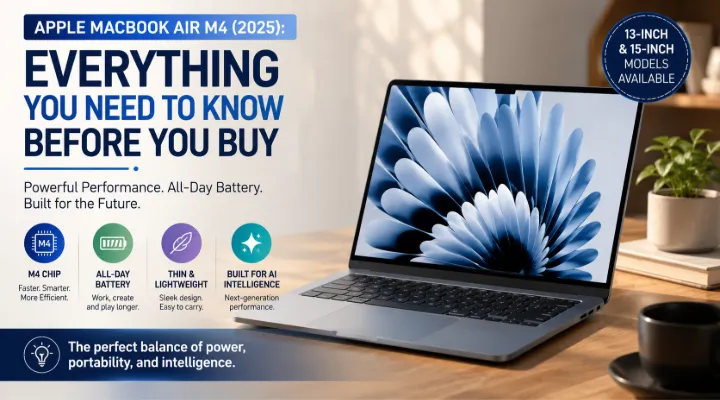
Apple MacBook Air M4 (2025): Everything You Need to Know Before You Buy
The Apple MacBook Air has long been one of the most popular laptops for students, professionals, business users, and creative individuals. In 2025, Apple has taken another step forward by introducing the MacBook Air powered by the M4 chip. Available in both 13-inch and 15-inch models, the latest MacBook Air combines impressive performance, long battery life, a sleek design, and advanced AI capabilities in an ultra-portable package.
Whether you're upgrading from an older MacBook, switching from Windows, or buying your first Apple laptop, understanding what the MacBook Air M4 offers can help you make the right decision.
This guide explores everything you need to know about the MacBook Air M4, including its features, performance, ideal users, and buying considerations.
Who Should Read This Guide?
This article is ideal for:
- Business professionals
- University students
- Remote workers
- Content creators
- Software developers
- Small business owners
- Anyone planning to purchase a premium lightweight laptop
Meet the Apple M4 Chip
The biggest highlight of the 2025 MacBook Air is Apple's M4 processor.
Built using Apple's latest chip architecture, the M4 delivers significant improvements in speed, efficiency, graphics performance, and AI processing while maintaining exceptional battery life.
The processor integrates multiple components into a single chip, including:
- CPU
- GPU
- Neural Engine
- Unified Memory
- Media Engine
This design allows data to move faster between components, making everyday tasks smoother and more responsive.
Available Sizes
Apple offers two display options:
13-inch MacBook Air
The 13-inch model is designed for users who prioritize portability.
It is ideal for:
- Students
- Frequent travelers
- Sales professionals
- Mobile business users
Its compact size easily fits into backpacks and briefcases while remaining lightweight enough for all-day carrying.
15-inch MacBook Air
The 15-inch version provides a larger workspace without significantly increasing weight.
It is an excellent choice for:
- Designers
- Video editors
- Spreadsheet users
- Professionals who multitask extensively
The larger display makes working with multiple windows much more comfortable.
Key Features of the MacBook Air M4
Thin and Lightweight Design
Apple continues its minimalist aluminum design, making the MacBook Air both durable and elegant.
Benefits include:
- Easy portability
- Premium build quality
- Comfortable typing experience
- Professional appearance
Whether you're working in an office, café, or airport lounge, the MacBook Air is designed for mobility.
Beautiful Liquid Retina Display
The Liquid Retina display delivers:
- Sharp text
- Rich colors
- Excellent brightness
- Wide viewing angles
This makes it suitable for:
- Photo editing
- Video streaming
- Office work
- Online learning
- Web browsing
The display is comfortable even during long working sessions.
Excellent Battery Life
Battery life remains one of the strongest advantages of the MacBook Air.
Many users can comfortably work throughout the day without carrying a charger.
Typical activities include:
- Microsoft Office
- Web browsing
- Video conferencing
- Streaming
- Coding
For professionals working outside the office, this is a significant advantage.
Silent Fanless Design
Unlike many traditional laptops, the MacBook Air operates without an internal cooling fan.
Advantages include:
- Completely silent operation
- Less dust accumulation
- Lower maintenance
- Comfortable working environment
Even during regular multitasking, the laptop remains quiet.
Faster AI Performance
Artificial Intelligence is becoming part of everyday computing.
The M4 chip includes an improved Neural Engine that accelerates AI-powered tasks such as:
- Smart photo editing
- Voice recognition
- Writing assistance
- Image generation
- Real-time language translation
As more applications integrate AI features, the MacBook Air is well-prepared for future software updates.
Everyday Performance
Office Productivity
The MacBook Air handles common business tasks with ease.
Examples include:
- Microsoft Word
- Excel
- PowerPoint
- Apple Numbers
- Email management
- Web applications
- Video meetings
Opening multiple applications simultaneously remains smooth and responsive.
Creative Work
Creative professionals can comfortably use applications such as:
- Adobe Photoshop
- Lightroom
- Canva
- Final Cut Pro
- Pixelmator
- Affinity Designer
Although the MacBook Pro remains better suited for intensive production workloads, the MacBook Air performs remarkably well for everyday creative projects.
Software Development
Developers benefit from:
- Fast code compilation
- Efficient virtual environments
- Docker support
- Xcode development
- Terminal performance
The M4 processor helps reduce waiting time during builds and testing.
Entertainment
The MacBook Air also serves as an excellent entertainment device.
Users enjoy:
- 4K video streaming
- Music playback
- Online classes
- Casual gaming
- Video calls with family and colleagues
The high-quality speakers further enhance the multimedia experience.
Apple Intelligence and AI Features
Apple is increasingly integrating intelligent features into macOS.
The MacBook Air M4 is designed to support these technologies efficiently.
Potential AI capabilities include:
- Writing suggestions
- Email summarization
- Smart image editing
- Voice transcription
- Context-aware search
- Productivity automation
These features aim to save time while improving workflow efficiency.
macOS Experience
Many users choose Apple because of its software ecosystem.
Benefits include:
- Fast startup
- Regular security updates
- Reliable performance
- Excellent privacy features
- Smooth software optimization
If you already own an iPhone or iPad, you'll also appreciate features such as:
- AirDrop
- Handoff
- Universal Clipboard
- iCloud synchronization
- FaceTime integration
Together, these features create a seamless user experience across Apple devices.
MacBook Air M4 vs Older MacBook Air Models
If you're using an older Intel-based MacBook Air or an early Apple Silicon model, upgrading to the M4 offers several improvements.
Some notable advantages include:
- Faster overall performance
- Improved graphics
- Better AI capabilities
- Longer battery life
- Enhanced display technologies
- Improved efficiency
- Greater future software support
For users with laptops that are four or five years old, the upgrade can significantly improve everyday productivity.
MacBook Air or MacBook Pro?
Many buyers compare these two product families before making a decision.
Choose the MacBook Air if you:
- Need a lightweight laptop
- Travel frequently
- Perform office work
- Study regularly
- Edit photos occasionally
- Want long battery life
Choose the MacBook Pro if you:
- Edit professional videos daily
- Work with large 3D projects
- Run demanding simulations
- Perform advanced software development
- Require sustained heavy workloads
For most users, the MacBook Air offers an excellent balance of performance and portability.
Things to Consider Before Buying
Before purchasing your MacBook Air, think about your long-term needs.
Storage
Choose sufficient storage based on your workload.
For example:
- 256GB for basic users
- 512GB for professionals
- 1TB or more for creators with large files
Memory
If you regularly multitask or use professional software, consider choosing more unified memory for better long-term performance.
Display Size
Ask yourself:
- Do you value portability?
- Do you spend hours working with multiple applications?
A larger display can improve productivity, while the smaller model is easier to carry.
Practical Examples
Example 1: University Student
A student attends online lectures, prepares assignments, researches on the web, and watches educational videos.
The MacBook Air M4 offers enough performance to handle all these activities while lasting throughout the day on a single charge.
Example 2: Business Executive
A sales manager frequently travels between client meetings.
The lightweight design, excellent battery life, and reliable video conferencing capabilities make the MacBook Air an ideal travel companion.
Example 3: Content Creator
A social media creator edits photos, creates graphics, and publishes videos.
The MacBook Air provides smooth editing performance for most day-to-day creative workflows.
Why Buy from ICTECH Distribution?
Choosing the right supplier is just as important as selecting the right laptop.
ICTECH Distribution offers businesses access to genuine Apple products along with professional support for corporate and bulk purchasing requirements.
Businesses can benefit from:
- Genuine Apple devices
- Competitive pricing
- Bulk procurement support
- Fast quotation requests
- Expert product guidance
- Solutions for businesses, education, and enterprise customers
Whether you're purchasing a single MacBook or equipping an entire team, ICTECH Distribution helps simplify the buying process.
Conclusion
The Apple MacBook Air M4 (2025) continues Apple's tradition of combining performance, portability, and premium design into one impressive laptop. Its efficient M4 processor, excellent battery life, beautiful display, and seamless macOS experience make it an outstanding choice for students, professionals, remote workers, and business users alike.
While power users working with demanding creative or engineering applications may still benefit from the MacBook Pro, the MacBook Air M4 offers more than enough capability for the vast majority of everyday users. If you're looking for a modern, reliable, and future-ready laptop, the MacBook Air M4 deserves a place at the top of your shortlist.
Frequently Asked Questions
1. Is the MacBook Air M4 suitable for business use?
Yes. The MacBook Air M4 is ideal for business professionals thanks to its excellent battery life, lightweight design, strong performance, and seamless productivity features.
2. What is the difference between the 13-inch and 15-inch MacBook Air M4?
The primary differences are screen size, workspace, and portability. The 13-inch model is easier to carry, while the 15-inch version provides more screen space for multitasking and creative work.
3. Can the MacBook Air M4 handle photo and video editing?
Yes. It performs very well for photo editing and light to moderate video editing. Users with demanding professional editing workflows may prefer the MacBook Pro.
4. Is the MacBook Air M4 good for students?
Absolutely. Its portability, long battery life, reliable performance, and quiet operation make it an excellent laptop for students.
5. Should I upgrade from an older MacBook Air?
If you're using an Intel-based MacBook Air or an older Apple Silicon model and want better performance, AI features, and improved battery life, upgrading to the MacBook Air M4 is a worthwhile investment.
