
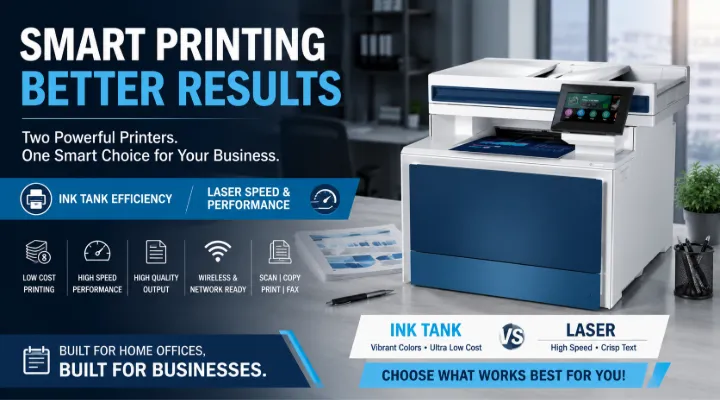
Printers remain one of the most important devices in any office or home workspace. Whether you print invoices, contracts, school assignments, marketing materials, or presentations, selecting the right printer can significantly improve productivity while reducing operating costs.
Two excellent options for different printing needs are the Epson EcoTank L3250 A4 Color Printer (C11CJ67503) and the HP LaserJet Pro MFP 4303fdn (5HH66AA). Although both are multifunction printers, they are designed for different users and workloads.
In this guide, we'll compare these printers, explain their strengths, and help you determine which one best suits your requirements.
Understanding Different Types of Printers
Before comparing these models, it's important to understand the difference between ink tank and laser printers.
Ink Tank Printers
Ink tank printers use refillable ink reservoirs instead of traditional cartridges.
Advantages include:
- Extremely low printing cost
- Excellent color quality
- Ideal for photos and graphics
- Less waste from cartridge replacements
Best suited for:
- Home users
- Students
- Small businesses
- Designers
- Educational institutions
Laser Printers
Laser printers use toner powder and a laser imaging process.
Advantages include:
- Very fast printing
- Crisp text documents
- High monthly printing capacity
- Better durability for office environments
Best suited for:
- Medium businesses
- Large offices
- Corporate environments
- Finance departments
- Government organizations
Epson EcoTank L3250 Overview
The Epson EcoTank L3250 is an affordable all-in-one color printer designed for users who print frequently but want to keep printing costs low.
Instead of expensive cartridges, it uses Epson's refillable EcoTank ink system, making it one of the most economical printers available.
Main Features
- Scan
- Copy
- Wireless printing
- Wi-Fi Direct
- USB connectivity
- High-yield refillable ink tanks
- Compact desktop design
Benefits of the Epson EcoTank L3250
Extremely Low Printing Cost
The biggest advantage of the EcoTank system is its cost efficiency.
A single refill can produce thousands of pages, making it ideal for users with regular printing needs.
Examples include:
- School worksheets
- Business invoices
- Color brochures
- Office documents
Excellent Color Printing
The Epson EcoTank L3250 delivers vibrant colors for:
- Presentations
- Flyers
- Product catalogs
- School projects
- Photos
Businesses that occasionally need color marketing materials can save significantly compared to outsourcing prints.
Wireless Convenience
Users can print directly from:
- Smartphones
- Tablets
- Laptops
- Desktop computers
This eliminates the need for cables while improving office flexibility.
Compact Design
Small businesses often have limited workspace.
The compact design fits easily on:
- Reception desks
- Home offices
- Study tables
- Small workstations
Ideal Users for Epson EcoTank L3250
This printer is suitable for:
- Home offices
- Students
- Teachers
- Freelancers
- Small retail shops
- Clinics
- Consultants
- Startups
HP LaserJet Pro MFP 4303fdn Overview
The HP LaserJet Pro MFP 4303fdn is a professional multifunction laser printer designed for business productivity.
Unlike the Epson model, it focuses on high-speed document printing and heavy workloads.
Main Features
- Copy
- Scan
- Fax
- Automatic Duplex Printing
- Ethernet Networking
- Automatic Document Feeder (ADF)
- Enterprise-grade security
- High-speed laser printing
Benefits of HP LaserJet Pro MFP 4303fdn
High-Speed Printing
Business environments often require hundreds of pages daily.
The HP LaserJet Pro series is built to handle:
- Contracts
- Reports
- Purchase orders
- Invoices
- Employee documents
Quick printing minimizes waiting time and improves workflow.
Professional Text Quality
Laser technology produces sharp, crisp text that is perfect for:
- Legal documents
- Financial reports
- Quotations
- Office letters
Every page maintains consistent quality.
Automatic Duplex Printing
Printing on both sides of the paper offers several advantages:
- Lower paper consumption
- Reduced operating costs
- Professional document appearance
- Environmentally friendly printing
Automatic Document Feeder
The built-in ADF saves time when scanning or copying multiple pages.
Instead of manually placing each sheet, users can scan complete document sets automatically.
This is particularly useful for:
- HR departments
- Accounting teams
- Government offices
- Healthcare facilities
Built for Business Networks
Ethernet connectivity allows multiple employees to share one printer across an office.
Centralized printing reduces hardware costs while improving efficiency.
Epson EcoTank L3250 vs HP LaserJet Pro MFP 4303fdn
Printing Technology
Epson EcoTank
- Ink Tank
- Best for color printing
- Very low running cost
HP LaserJet
- Laser Technology
- Best for document printing
- Excellent text quality
Printing Speed
The HP LaserJet is significantly faster than the Epson EcoTank.
If your office prints hundreds of pages daily, HP is the better option.
For occasional printing, Epson performs very well.
Printing Cost
For color printing, Epson offers one of the lowest running costs thanks to its refillable ink tanks.
Laser printers generally have higher toner replacement costs but excel in speed and productivity.
Color Quality
Epson performs exceptionally well for:
- Graphics
- Photos
- Marketing materials
- School projects
HP focuses primarily on professional office documents with excellent text clarity.
Office Productivity
HP includes features designed for busy offices:
- Automatic duplex
- Network sharing
- Fast output
- Large workloads
- Automatic document feeder
These features reduce manual work and improve efficiency.
Space Requirements
The Epson EcoTank L3250 has a compact footprint.
It fits comfortably into:
- Home offices
- Small businesses
- Study rooms
The HP LaserJet is larger because it is designed for enterprise environments.
Which Printer Should You Choose?
Choose Epson EcoTank L3250 if you:
- Print color documents regularly
- Want the lowest printing cost
- Operate a home office
- Need wireless printing
- Print moderate volumes
Choose HP LaserJet Pro MFP 4303fdn if you:
- Print large numbers of documents daily
- Need professional-quality text
- Share printers across multiple employees
- Require automatic duplex printing
- Need scanning, copying, and faxing for business operations
Practical Business Examples
Small Design Agency
A design studio frequently prints colorful brochures, mockups, and presentations.
The Epson EcoTank L3250 offers excellent value because of its low-cost color printing.
Accounting Firm
An accounting office prints invoices, financial reports, tax documents, and contracts every day.
The HP LaserJet Pro MFP 4303fdn is better suited for this workload due to its speed and document quality.
Educational Institution
Schools often require:
- Student worksheets
- Certificates
- Notices
- Administrative documents
Depending on usage:
- Epson works well for classrooms and colorful educational materials.
- HP is ideal for administration departments with heavy document workloads.
Medical Clinic
Healthcare providers print:
- Patient forms
- Prescriptions
- Reports
- Insurance paperwork
The HP LaserJet delivers fast, reliable performance for daily operations.
Tips Before Buying a Printer
Consider the following before making your purchase:
- Estimate your monthly print volume.
- Decide whether color printing is essential.
- Compare long-term running costs.
- Evaluate available office space.
- Consider connectivity requirements.
- Check maintenance and consumable availability.
- Plan for future business growth.
Choosing a printer based solely on the purchase price may lead to higher operating costs over time.
Why Buy from ICTECH Distribution?
At ICTECH Distribution, we provide genuine business printing solutions from leading global brands, helping organizations choose the right printer for their operational needs.
Our customers benefit from:
- Genuine Epson and HP products
- Competitive pricing
- Expert product recommendations
- Fast quotation support
- Reliable after-sales assistance
- Solutions for businesses of all sizes
Whether you're setting up a home office or upgrading an enterprise printing environment, our team can help you find the ideal solution.
Conclusion
The Epson EcoTank L3250 and HP LaserJet Pro MFP 4303fdn are both excellent multifunction printers, but they serve different purposes.
The Epson EcoTank L3250 is the ideal choice for users seeking affordable, high-quality color printing with very low running costs. It is perfect for homes, students, freelancers, and small businesses.
The HP LaserJet Pro MFP 4303fdn, on the other hand, is designed for organizations that require fast, reliable, high-volume document printing with advanced office features like duplex printing, networking, and automatic document feeding.
By evaluating your printing volume, document type, and long-term costs, you can confidently choose the printer that best supports your productivity goals. ICTECH Distribution offers both solutions along with expert guidance to help businesses invest in the right printing technology.
Frequently Asked Questions
1. Which printer is more economical for frequent color printing?
The Epson EcoTank L3250 is more economical because its refillable ink tank system offers a much lower cost per page than traditional cartridge-based printers.
2. Is the HP LaserJet Pro MFP 4303fdn suitable for large offices?
Yes. It is designed for business environments with high print volumes, offering fast printing, duplex functionality, networking, and an automatic document feeder.
3. Can the Epson EcoTank L3250 print wirelessly?
Yes. It supports Wi-Fi and Wi-Fi Direct, allowing users to print from laptops, smartphones, and tablets without connecting cables.
4. Which printer is better for printing contracts and reports?
The HP LaserJet Pro MFP 4303fdn is better suited for contracts, reports, invoices, and other text-heavy business documents due to its laser printing technology.
5. Where can I purchase genuine Epson and HP printers?
You can purchase genuine Epson and HP printers from ICTECH Distribution, where you'll receive expert guidance, competitive pricing, and professional support for your business printing needs.
