
The modern workplace has changed significantly over the past few years. Hybrid work, cloud-based applications, video conferencing, and AI-powered productivity tools have become essential for businesses of every size. As a result, organizations need laptops that are fast, secure, reliable, and capable of supporting employees throughout a full workday.
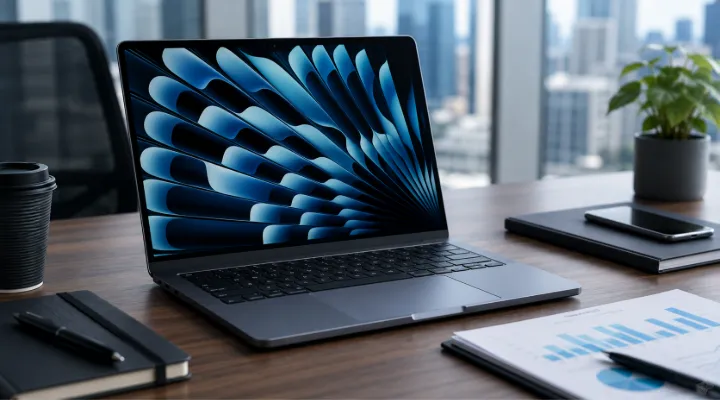
Apple's MacBook Air M4 is one of the latest additions to Apple's business-ready laptop lineup. Powered by the Apple M4 chip, it combines excellent performance, long battery life, a lightweight design, and advanced security features in a slim and portable package.
But is the MacBook Air M4 the right choice for your business? In this guide, we'll explore its features, advantages, potential limitations, and the types of organizations that can benefit most from deploying it across their workforce.
What Is the Apple MacBook Air M4?
The MacBook Air M4 is Apple's latest ultraportable laptop designed for users who need high performance without the weight and bulk of traditional business laptops.
Available in 13-inch and 15-inch models, it runs on macOS and is powered by the Apple M4 chip, delivering improved processing power, graphics performance, and energy efficiency over previous generations.
Its fanless design ensures silent operation, while the premium aluminum construction makes it ideal for professionals who travel frequently.
Key Features of the MacBook Air M4
Some of the standout features include:
- Apple M4 processor
- Apple Neural Engine for AI tasks
- Lightweight aluminum chassis
- High-resolution Liquid Retina display
- Long battery life
- Fast SSD storage
- Wi-Fi 6E connectivity
- Bluetooth support
- High-quality webcam and microphones
- Touch ID fingerprint authentication
- MagSafe charging
- Thunderbolt/USB-C ports
Together, these features make the MacBook Air M4 a capable business laptop for a wide range of professional workloads.
Performance for Everyday Business Tasks
Most office users spend their day working with:
- Microsoft Office
- Apple iWork
- Google Workspace
- Email applications
- Video conferencing
- Cloud storage
- CRM platforms
- ERP software
- Web browsers
- Collaboration tools
The Apple M4 processor handles these workloads smoothly while maintaining excellent power efficiency.
Employees can easily switch between multiple applications without noticeable slowdowns, making multitasking more productive.
AI-Ready Performance
Artificial intelligence is becoming part of everyday business operations.
The Apple M4 chip includes an advanced Neural Engine that helps accelerate AI-related tasks such as:
- Writing assistance
- Image processing
- Audio enhancement
- Language translation
- Meeting summaries
- Productivity automation
As more business software incorporates AI features, the MacBook Air M4 is well-positioned to support these evolving workloads.
Portability for Hybrid Work
Modern employees often work from:
- Offices
- Homes
- Client locations
- Airports
- Hotels
- Co-working spaces
The MacBook Air M4's lightweight design makes it easy to carry throughout the day.
Its slim profile fits comfortably into backpacks and briefcases, making it an excellent choice for mobile professionals.
Battery Life That Supports Full Workdays
Battery life remains one of the biggest advantages of the MacBook Air lineup.
For many business users, the laptop can comfortably last an entire workday depending on workload.
Benefits include:
- Fewer charging interruptions
- Greater mobility
- Improved productivity during travel
- Convenient use during meetings and conferences
Long battery life is especially valuable for remote employees and sales teams who spend significant time away from power outlets.
Display Quality for Professional Work
The Liquid Retina display provides:
- Sharp text
- Accurate colors
- High brightness
- Wide viewing angles
This benefits professionals working with:
- Presentations
- Documents
- Spreadsheets
- Marketing materials
- Creative projects
- Video calls
A quality display also reduces eye strain during extended working hours.
Security Features for Business
Business devices must protect sensitive company information.
The MacBook Air M4 includes several security features, including:
- Touch ID authentication
- Secure Enclave
- FileVault encryption
- Automatic security updates
- Built-in malware protection
- Privacy controls within macOS
These features help organizations strengthen endpoint security while providing employees with convenient access.
Collaboration and Communication
Today's workforce depends heavily on communication tools.
The MacBook Air M4 supports platforms such as:
- Microsoft Teams
- Zoom
- Google Meet
- Slack
- Cisco Webex
The improved webcam, microphones, and speakers contribute to clearer virtual meetings and better collaboration.
Software Compatibility
Before deploying MacBook Air devices across an organization, businesses should evaluate software compatibility.
macOS supports many popular business applications, including:
- Microsoft 365
- Google Workspace
- Adobe Creative Cloud
- Salesforce
- Zoom
- Dropbox
- Slack
- Trello
- Asana
However, organizations that rely on Windows-only software should verify compatibility before making purchasing decisions.
Device Management for IT Teams
Managing hundreds of business laptops requires centralized administration.
Apple devices support enterprise management through Mobile Device Management (MDM) platforms, allowing IT teams to:
- Configure devices remotely
- Deploy applications
- Enforce security policies
- Manage updates
- Monitor compliance
- Wipe lost devices remotely
These capabilities simplify deployment across growing organizations.
Which Businesses Benefit Most?
The MacBook Air M4 is particularly well suited for:
Professional Services
Consultants, legal firms, and financial advisors benefit from its portability and performance.
Sales Teams
Long battery life and lightweight design make travel easier.
Marketing Departments
Excellent display quality and strong performance support content creation and presentations.
Executives
Premium design, reliability, and security make it ideal for leadership teams.
Startups
Cloud-first businesses can take full advantage of macOS and modern collaboration platforms.
Educational Institutions
Faculty and administrative staff benefit from reliability and ease of use.
When the MacBook Air M4 May Not Be the Best Choice
While the MacBook Air M4 is highly capable, it may not suit every organization.
Businesses should consider alternatives if they require:
- Windows-exclusive enterprise software
- Extensive virtualization
- Specialized engineering applications
- Multiple built-in ports
- Dedicated workstation-level graphics
For highly demanding workloads such as advanced 3D rendering or large-scale engineering simulations, more powerful workstation-class laptops may be a better fit.
Tips for Business Deployment
To maximize the value of a MacBook Air M4 deployment:
- Verify software compatibility before purchasing.
- Choose memory and storage configurations based on employee roles.
- Implement centralized device management.
- Enable encryption and security policies.
- Schedule regular operating system updates.
- Provide employees with compatible USB-C accessories and docking stations.
- Establish backup and recovery procedures.
These best practices help ensure a smooth rollout and long-term reliability.
Practical Example
A digital marketing agency with 60 employees upgrades its aging laptops to MacBook Air M4 devices.
Following deployment, the company experiences:
- Faster application performance
- Longer battery life during client meetings
- Improved video conferencing quality
- Easier collaboration using cloud applications
- Reduced downtime from older hardware
The upgrade enables employees to work more efficiently both in the office and remotely.
Why Buy Apple Business Laptops from ICTECH Distribution?
Choosing the right technology partner is just as important as selecting the right hardware. ICTECH Distribution offers a wide range of Apple business devices and enterprise IT solutions for organizations across various industries.
Benefits of working with ICTECH Distribution include:
- Genuine Apple products
- Competitive pricing for business customers
- Expert assistance in selecting suitable configurations
- Enterprise IT product portfolio beyond laptops
- Support for bulk business procurement
- Reliable service for customers across the UAE and international markets
Whether you are equipping a small business, expanding a growing startup, or refreshing an enterprise fleet, ICTECH Distribution can help you find Apple solutions that align with your business requirements.
Conclusion
The Apple MacBook Air M4 is an excellent business laptop for organizations seeking portability, strong performance, long battery life, and a secure computing experience. Its efficient Apple M4 chip, high-quality display, AI-ready capabilities, and seamless integration with modern productivity tools make it well suited for today's hybrid work environments.
While businesses with specialized Windows-only applications or workstation-level requirements may need different devices, the MacBook Air M4 is a compelling choice for professionals, executives, creative teams, and cloud-first organizations. By carefully evaluating business needs and software compatibility, companies can confidently determine whether the MacBook Air M4 is the right fit for their modern workforce.
Frequently Asked Questions
1. Is the Apple MacBook Air M4 suitable for business use?
Yes. It offers strong performance, long battery life, advanced security features, and excellent portability, making it suitable for many business professionals and hybrid work environments.
2. Can the MacBook Air M4 run Microsoft Office?
Yes. Microsoft 365 applications, including Word, Excel, PowerPoint, Outlook, and Teams, are fully supported on macOS.
3. Is the MacBook Air M4 good for remote employees?
Absolutely. Its lightweight design, reliable battery life, high-quality webcam, and support for collaboration tools make it an excellent choice for remote and hybrid workers.
4. Can businesses manage MacBook Air devices centrally?
Yes. Organizations can use Mobile Device Management (MDM) solutions to deploy, configure, secure, and manage MacBook Air devices remotely.
5. Who should consider alternatives to the MacBook Air M4?
Businesses relying on Windows-only applications, intensive engineering software, or workstation-class graphics workloads may benefit from alternative laptops designed for those specific requirements.
