
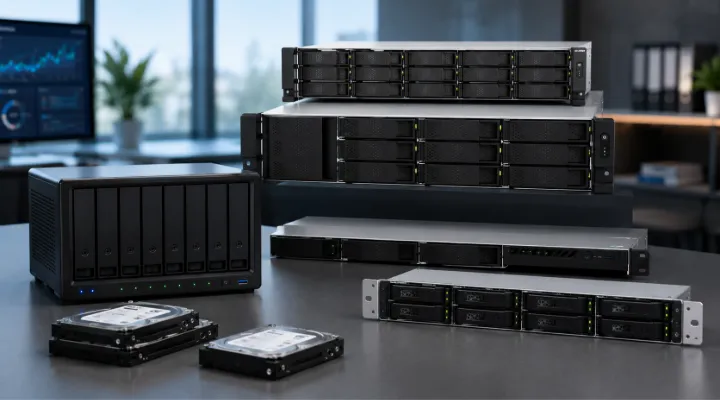
Data has become one of the most valuable assets for businesses of all sizes. Whether it is customer information, project files, surveillance footage, virtual machine data, or business applications, organizations need reliable and scalable storage solutions to keep operations running smoothly. Traditional storage methods often struggle to keep up with growing data demands, making Network Attached Storage (NAS) an increasingly popular choice.
QNAP is a globally recognized leader in NAS technology, offering a wide range of NAS enclosures designed for home users, small businesses, enterprises, creative professionals, and data centers. QNAP NAS enclosures provide secure, centralized storage while delivering advanced features such as data protection, virtualization support, cloud integration, and high-speed networking.
For businesses looking to build efficient storage infrastructure, QNAP NAS enclosures offer a powerful combination of flexibility, performance, and scalability. Through ICTECH Distribution, organizations can access a variety of QNAP storage solutions to meet their evolving data management requirements.
This guide explores QNAP NAS enclosures, their features, benefits, use cases, and how they help businesses create reliable storage environments.
What Is a QNAP NAS Enclosure?
A QNAP NAS enclosure is a dedicated storage device that connects to a network, allowing multiple users and devices to access shared files and applications from a centralized location.
Unlike external hard drives connected to a single computer, NAS systems operate independently and can serve entire teams, departments, or organizations.
A QNAP NAS enclosure typically includes:
- Drive bays for HDDs or SSDs
- Network connectivity ports
- Storage management software
- Data protection features
- Backup and recovery tools
- Remote access capabilities
Businesses can install storage drives according to their capacity and performance requirements.
Why Businesses Choose QNAP NAS Enclosures
Centralized Data Storage
Managing files across multiple devices can become challenging and inefficient.
QNAP NAS enclosures allow organizations to:
- Store files in one location
- Improve collaboration
- Reduce duplicate data
- Simplify file management
Employees can access the latest files without confusion or version conflicts.
Scalability for Growing Businesses
Data requirements continue to increase as organizations expand.
QNAP NAS systems support scalable storage through:
- Additional drive bays
- Expansion units
- Storage pools
- Flexible RAID configurations
This allows businesses to start small and expand capacity when needed.
Enhanced Data Protection
Data loss can result in financial losses and operational disruptions.
QNAP NAS enclosures provide multiple layers of protection:
- RAID support
- Snapshots
- Backup scheduling
- Replication
- Cloud backups
- Disaster recovery options
These features help ensure business continuity.
Types of QNAP NAS Enclosures
Desktop NAS Enclosures
Desktop NAS systems are compact and ideal for small offices and workgroups.
Typical features include:
- 2-bay to 8-bay configurations
- Easy deployment
- Quiet operation
- Cost-effective storage
Ideal For
- Small businesses
- Home offices
- Creative professionals
- Retail stores
Practical Example
A graphic design agency can use a desktop NAS to store project files, images, videos, and client documents in a centralized location accessible by the entire team.
Rackmount NAS Enclosures
Rackmount NAS systems are designed for enterprise environments and server rooms.
Benefits include:
- Higher storage density
- Enterprise-grade performance
- Redundant power options
- Advanced networking capabilities
Ideal For
- Data centers
- Large enterprises
- Educational institutions
- Government organizations
Practical Example
A university can deploy rackmount NAS systems to manage student records, learning resources, research data, and administrative files.
All-Flash NAS Enclosures
All-flash NAS systems use SSDs exclusively for maximum performance.
Advantages include:
- Extremely fast data access
- Low latency
- Higher IOPS
- Better virtualization support
Suitable For
- Virtualization
- Database applications
- Video production
- AI workloads
Hybrid NAS Enclosures
Hybrid NAS systems combine HDDs and SSDs.
This approach provides:
- High capacity
- Cost efficiency
- Improved performance
- SSD caching capabilities
Businesses gain the best balance between speed and storage capacity.
Key Features of QNAP NAS Enclosures
Multiple Drive Bay Options
QNAP offers NAS enclosures in various configurations:
- 2-bay
- 4-bay
- 6-bay
- 8-bay
- 12-bay
- 16-bay and larger
Organizations can select a solution based on current and future storage needs.
RAID Support
RAID technology enhances both performance and data protection.
Common RAID options include:
- RAID 0
- RAID 1
- RAID 5
- RAID 6
- RAID 10
Benefits include:
- Data redundancy
- Improved reliability
- Better performance
- Reduced downtime
High-Speed Networking
Modern businesses require fast data transfers.
Many QNAP NAS enclosures support:
- 2.5GbE networking
- 5GbE networking
- 10GbE networking
- Link aggregation
- PCIe expansion
This enables faster collaboration and reduced waiting times.
SSD Caching
SSD caching improves performance by storing frequently accessed data on faster drives.
Benefits include:
- Faster file access
- Improved application responsiveness
- Better virtual machine performance
This feature is especially valuable for businesses handling large workloads.
QNAP Operating System and Software Ecosystem
QTS Operating System
QTS is the operating system powering many QNAP NAS systems.
It provides an intuitive interface for:
- Storage management
- User administration
- Backup configuration
- Security settings
- Monitoring and reporting
Even organizations with limited IT resources can easily manage their NAS environment.
Hybrid Backup Sync
Backup is essential for every business.
Hybrid Backup Sync allows users to:
- Back up files locally
- Replicate data remotely
- Synchronize with cloud platforms
- Automate backup processes
Supported cloud platforms include:
- Google Drive
- Microsoft OneDrive
- Amazon S3
- Dropbox
Snapshot Protection
Snapshots capture system states at specific points in time.
Benefits include:
- Protection against ransomware
- Rapid recovery
- Reduced downtime
- Easier data restoration
Businesses can quickly restore files that were accidentally deleted or modified.
QNAP NAS Enclosures for Virtualization
Supporting Modern IT Infrastructure
Virtualization is widely used to improve efficiency and resource utilization.
QNAP NAS solutions support:
- VMware
- Microsoft Hyper-V
- Citrix environments
- Container applications
Advantages
- Centralized storage
- Faster VM deployment
- Better workload management
- Improved performance
Organizations can consolidate infrastructure while maintaining flexibility.
QNAP NAS for Surveillance Storage
Reliable Video Surveillance Management
Many businesses use NAS systems for security camera recordings.
QNAP surveillance solutions offer:
- Large storage capacities
- Continuous recording support
- Video management software
- Multi-camera compatibility
Example
A retail chain can use a QNAP NAS enclosure to store footage from dozens of surveillance cameras while maintaining easy access to recordings when needed.
Benefits for Different Industries
Small and Medium Businesses
SMBs benefit from:
- Affordable storage
- Easy management
- Data protection
- Scalability
Creative Professionals
Video editors and content creators require high-speed storage.
QNAP NAS provides:
- Fast file access
- Large capacities
- Collaboration tools
- Multimedia support
Education
Educational institutions can use QNAP NAS systems for:
- Learning materials
- Research projects
- Student records
- File sharing
Healthcare
Healthcare organizations require secure storage for:
- Medical records
- Imaging files
- Compliance requirements
- Backup systems
Enterprise Organizations
Large businesses benefit from:
- Centralized storage
- Virtualization support
- High availability
- Disaster recovery solutions
How ICTECH Distribution Supports Businesses
Choosing the right NAS enclosure depends on workload requirements, capacity planning, and future growth expectations.
ICTECH Distribution helps businesses, resellers, and system integrators access genuine QNAP storage solutions tailored to their specific needs.
Through ICTECH Distribution, customers can obtain:
- QNAP NAS enclosures
- Enterprise storage solutions
- Expansion units
- Networking hardware
- Storage accessories
- Professional IT procurement support
Serving customers across the UAE, Africa, and international markets, ICTECH Distribution provides access to reliable storage technologies from leading global brands.
Future Trends in NAS Storage
The NAS market continues to evolve as businesses generate larger volumes of data.
Future developments include:
- Greater AI integration
- Faster networking technologies
- Enhanced cybersecurity protection
- Improved cloud connectivity
- More efficient storage management
QNAP continues to innovate with advanced hardware and software designed to support future business requirements.
Conclusion
QNAP NAS enclosures offer businesses a flexible, secure, and scalable approach to data storage. Whether supporting small teams, enterprise workloads, surveillance systems, virtualization environments, or creative professionals, QNAP provides solutions designed to meet a wide range of requirements.
With features such as RAID protection, snapshot technology, high-speed networking, cloud integration, and centralized management, QNAP NAS systems help organizations improve productivity while safeguarding valuable data.
Businesses looking to modernize their storage infrastructure can benefit from the versatility and reliability of QNAP NAS enclosures. With support from ICTECH Distribution, organizations can access trusted QNAP solutions that support long-term growth and operational efficiency.
Frequently Asked Questions (FAQs)
1. What is a QNAP NAS enclosure?
A QNAP NAS enclosure is a network-connected storage device that allows multiple users to store, access, manage, and protect data from a centralized location.
2. How many drive bays are available in QNAP NAS systems?
QNAP offers NAS enclosures with various configurations, including 2-bay, 4-bay, 6-bay, 8-bay, 12-bay, and larger enterprise models.
3. Can QNAP NAS systems be used for virtualization?
Yes. Many QNAP NAS models support VMware, Microsoft Hyper-V, Citrix, containers, and virtual machine storage environments.
4. Are QNAP NAS enclosures suitable for surveillance storage?
Yes. QNAP NAS solutions are commonly used for storing surveillance footage and supporting multiple IP cameras with centralized management.
5. How does QNAP protect data from loss?
QNAP provides RAID protection, snapshots, backup solutions, cloud synchronization, replication, and disaster recovery features to safeguard business data.
