
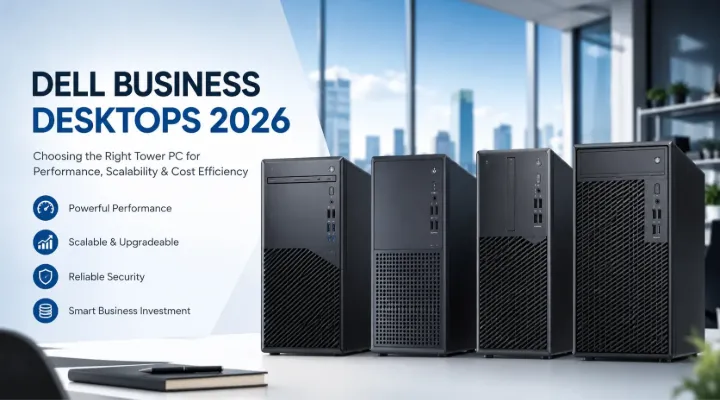
Modern businesses need computing solutions that are reliable, secure, and capable of handling everyday workloads without interruption. While laptops continue to gain popularity, desktop towers remain the preferred choice for many organizations because of their superior upgradeability, long operational life, and excellent value for money.
Dell has long been a trusted name in the business computing sector, offering desktops that combine performance, durability, and enterprise-grade security. Whether you are setting up a new office, expanding your workforce, or upgrading aging systems, Dell business desktops provide a practical and future-ready solution.
At ICTECH Distribution, businesses across the UAE and Africa can source a wide range of Dell desktop solutions, including the latest Dell Pro Tower and OptiPlex series, backed by competitive pricing and reliable supply.
Why Businesses Still Prefer Desktop Towers
Although mobile computing has transformed workplaces, desktops continue to dominate many professional environments. Industries such as finance, education, healthcare, engineering, government, and customer service often rely on desktop systems because they offer several advantages.
Better Performance Per Dollar
Desktop processors generally maintain higher sustained performance due to improved cooling systems. This allows employees to work efficiently with multiple applications, large spreadsheets, databases, and productivity software.
Easy Upgradability
Unlike many laptops, tower desktops can easily be upgraded with:
- Additional RAM
- Larger SSDs or HDDs
- Dedicated graphics cards
- Expansion cards
- Enhanced networking options
This flexibility helps businesses extend the lifespan of their investment.
Improved Reliability
Business desktops are designed for continuous daily operation. Their larger chassis allows better airflow, reducing thermal stress and improving long-term stability.
Lower Total Cost of Ownership
Because components can be upgraded individually, organizations do not need to replace entire systems every few years, reducing overall IT costs.
Dell Pro Tower QCT1250
One of the newest additions to Dell's business desktop lineup is the Dell Pro Tower QCT1250.
Example configuration:
Dell Desktop Pro Tower QCT1250
- Intel Core i5-14500 Processor
- 8GB DDR5 Memory
- 512GB SSD
- DOS or Ubuntu options
- Built-in Wi-Fi
- Expandable tower chassis
The Intel Core i5-14500 features a hybrid architecture with Performance and Efficient cores, making it an excellent choice for multitasking business users.
Ideal For
- Office productivity
- Accounting departments
- ERP software
- CRM applications
- Data entry operations
- Educational institutions
The inclusion of modern DDR5 memory support helps improve responsiveness while offering future upgrade opportunities.
Dell OptiPlex 7020 MT
The Dell OptiPlex family has built a reputation as one of the most dependable business desktop platforms available today.
Featured model:
Dell OptiPlex 7020 MT
- Intel Core i5-12500
- 8GB RAM
- 512GB SSD
- Mid Tower design
Although powered by a 12th Generation Intel processor, the OptiPlex 7020 remains highly capable for most office workloads.
Key Advantages
Enterprise Security
Dell integrates multiple layers of protection including:
- TPM security
- BIOS protection
- Secure Boot
- Firmware verification
These features help businesses reduce security risks.
Easy Fleet Management
IT administrators appreciate the standardized hardware configurations that simplify deployment and maintenance across large organizations.
Expandable Platform
The mid-tower chassis allows installation of:
- Additional storage drives
- More RAM
- Graphics cards
- PCIe expansion devices
Dell Desktop Tower ECT1250
The Dell ECT1250 series offers flexibility with multiple processor configurations.
Available models include:
Dell Desktop Tower ECT1250 Core i3-14100
Configuration:
- Intel Core i3-14100
- 8GB RAM
- 512GB SSD
- Ubuntu Operating System
This model is perfect for:
- Reception desks
- Basic office work
- Retail environments
- Schools
- Customer support stations
The latest Core i3 processors deliver excellent everyday performance while keeping costs low.
Dell Desktop Tower ECT1250 Core i7-14700
Configuration:
- Intel Core i7-14700
- 8GB RAM
- 512GB SSD
- Ubuntu OS
The Core i7-14700 brings significantly more processing power, making it suitable for demanding workloads.
Ideal applications include:
- Software development
- Data analytics
- Virtualization
- CAD applications
- Content creation
- Business intelligence platforms
Organizations expecting future growth often prefer the i7 model because it provides additional performance headroom.
Intel Core i3 vs i5 vs i7: Which One Should You Choose?
Intel Core i3
Best suited for:
- Web browsing
- Microsoft Office
- POS systems
- Basic administration
Advantages:
- Lower cost
- Energy efficient
- Excellent for standard office tasks
Intel Core i5
Best suited for:
- Heavy multitasking
- Accounting software
- CRM systems
- ERP applications
- Business collaboration tools
Advantages:
- Balanced price and performance
- Better multitasking capability
- Ideal for most businesses
Intel Core i7
Best suited for:
- Professional software
- Large databases
- Video editing
- Engineering applications
- Virtual machines
Advantages:
- Higher core counts
- Better parallel processing
- Greater long-term value
Why SSD Storage Matters
All the Dell desktop models listed come with 512GB SSD storage.
Compared to traditional hard drives, SSDs provide:
Faster Boot Times
Systems typically start within seconds.
Quicker File Access
Applications launch almost instantly, reducing employee waiting time.
Better Reliability
With no moving parts, SSDs are less prone to mechanical failure.
Lower Power Consumption
This contributes to reduced operating costs across large desktop deployments.
Ubuntu and DOS Options for Business
Several of these Dell desktop models are supplied with Ubuntu Linux or DOS.
Many organizations choose these configurations because they:
- Lower acquisition costs
- Allow custom operating system deployment
- Support Linux-based development environments
- Integrate easily with enterprise imaging solutions
Businesses that require Windows can install their preferred licensed version during deployment.
Upgrade Potential and Scalability
One of the strongest reasons to invest in tower desktops is future expansion.
Common upgrades include:
RAM Expansion
Most businesses begin with 8GB and later expand to:
- 16GB
- 32GB
- 64GB
depending on workload requirements.
Additional Storage
Extra SSDs or hard drives can be installed for:
- File servers
- Backup storage
- Large project files
Graphics Cards
Businesses involved in design or engineering can install dedicated GPUs for enhanced graphics performance.
Networking Cards
Additional networking options can support specialized enterprise environments.
Best Use Cases for Dell Business Desktops
Small Businesses
Affordable and reliable systems that handle everyday office work efficiently.
Educational Institutions
Ideal for classrooms, computer labs, and administration offices.
Healthcare Facilities
Reliable performance for patient records, scheduling systems, and office applications.
Government Organizations
Enterprise security and easy centralized management make Dell desktops a trusted choice.
Financial Services
Perfect for running accounting software, banking platforms, and secure client management systems.
Call Centers
Stable operation and easy maintenance reduce downtime and support costs.
Why Dell Remains a Global Business Leader
Dell's business desktop ecosystem is built around several key principles:
Consistency
Organizations can deploy standardized hardware across departments.
Reliability
Extensive testing ensures systems perform consistently under daily workloads.
Security
Modern hardware-level security features help protect sensitive business information.
Long Product Lifecycles
Businesses can maintain the same platform for years, simplifying IT management.
Global Support Network
Dell's worldwide presence provides confidence for multinational organizations.
Why Buy Dell Business Desktops from ICTECH Distribution?
ICTECH Distribution is a trusted B2B IT hardware distributor serving customers across the UAE and Africa.
Businesses choose ICTECH Distribution because of:
- Access to the latest Dell desktop models
- Competitive wholesale pricing
- Bulk order fulfillment
- Fast regional distribution
- Professional pre-sales assistance
- Support for resellers, system integrators, and corporate buyers
Whether you need a handful of systems for a growing startup or hundreds of desktops for an enterprise rollout, ICTECH Distribution can provide the right Dell business computing solution.
Final Thoughts
Choosing the right business desktop is about balancing performance, cost, scalability, and long-term reliability. Dell's Pro Tower QCT1250, OptiPlex 7020 MT, and ECT1250 series offer options suitable for virtually every business environment.
The Core i3 models provide excellent value for basic office operations, while the Core i5 configurations deliver the ideal balance of performance and affordability for most organizations. Businesses with demanding applications can benefit from the additional power offered by the Core i7-14700 platform.
Combined with SSD storage, modern Intel processors, expandable tower designs, and Dell's proven enterprise engineering, these desktops represent a smart investment for businesses preparing for the future.
Organizations across the UAE and Africa looking for genuine Dell business desktops can rely on ICTECH Distribution for quality products, competitive pricing, and dependable supply.
Frequently Asked Questions (Q&A)
1. Which Dell desktop is best for general office work?
The Dell Pro Tower QCT1250 with the Intel Core i5-14500 is an excellent choice for most office environments, offering a great balance of performance and value.
2. Is the Dell OptiPlex 7020 suitable for enterprise deployments?
Yes. The OptiPlex 7020 is designed for business environments and includes enterprise-grade security and management features.
3. Can these Dell desktops be upgraded later?
Absolutely. Most tower models support additional RAM, storage drives, graphics cards, and expansion cards.
4. Why do some Dell desktops come with Ubuntu or DOS instead of Windows?
Ubuntu and DOS configurations help reduce initial costs and allow businesses to deploy their preferred operating system based on their IT requirements.
5. Where can businesses in the UAE and Africa purchase Dell business desktops in bulk?
Businesses can source genuine Dell business desktops through ICTECH Distribution, which specializes in supplying IT hardware solutions to resellers, system integrators, and enterprise customers.
