
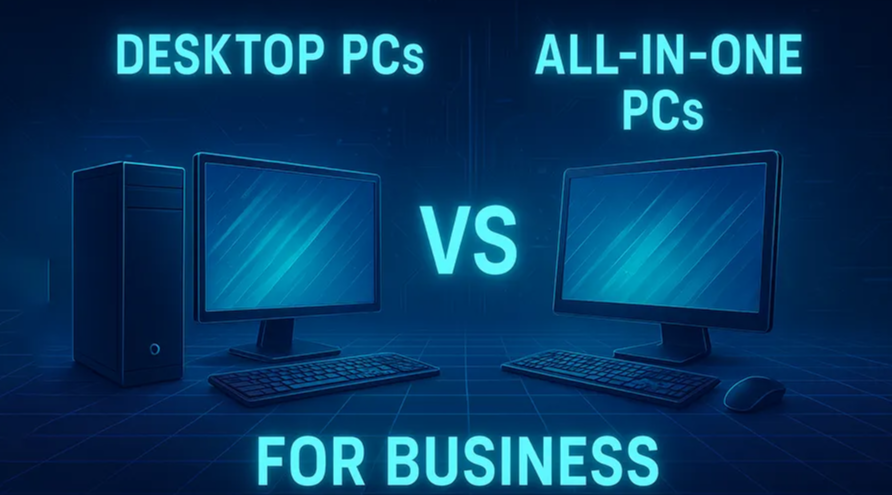
When it comes to setting up technology for your business, one of the most common dilemmas is deciding between traditional desktop PCs and modern all-in-one (AIO) computers. Both options have their own strengths and limitations, and the right choice depends heavily on your company’s needs, office environment, and long-term growth plans.
At ICTECH Distribution, a trusted distributor of IT hardware and solutions, businesses frequently seek guidance on which system delivers better value. In this blog, we’ll break down the pros and cons of both desktops and AIOs to help you make an informed decision.
What is a Desktop PC?
A desktop PC is the traditional tower-based computer that connects to a separate monitor, keyboard, and mouse. It offers modularity, meaning components can be upgraded or replaced individually. This makes desktops particularly popular in corporate environments where flexibility, long-term performance, and customization are essential.
What is an All-in-One (AIO) PC?
An AIO integrates the computer’s core components directly into the monitor. This eliminates the need for a bulky tower and reduces cable clutter, creating a sleek, space-saving solution. AIOs appeal to businesses looking for clean, modern workstations with minimal setup and maintenance effort.
Advantages of Desktop PCs for Business
- Performance Flexibility
Desktop PCs can accommodate powerful processors, dedicated graphics cards, and larger amounts of RAM. This makes them ideal for businesses running demanding applications such as data analytics, design software, or engineering tools.
- Upgradability
One of the biggest advantages is the ability to upgrade individual components. Need more storage? Swap in a new SSD. Need faster performance? Upgrade the RAM or GPU. This ensures longevity and scalability for growing businesses.
- Better Cooling & Durability
Desktops typically have better airflow and cooling, reducing wear and tear on components. This reliability is key for organizations that need machines to run long hours without downtime.
- Cost-Effective Repairs
If a part fails in a desktop, you can replace just that component rather than the entire unit. Over time, this reduces maintenance costs.
Advantages of All-in-One PCs for Business
- Space-Saving Design
AIOs consolidate the monitor and system into one sleek unit. For offices with limited space, they provide a clean and clutter-free setup.
- Aesthetics & Modern Appeal
Many businesses, especially customer-facing ones like retail counters, banks, or reception areas, prefer the modern look of AIOs to create a professional impression.
- Simplified Setup
Fewer cables and peripherals mean AIOs can be installed quickly. IT teams benefit from reduced time spent on workstation setup.
- Energy Efficiency
Many AIOs are designed with energy-saving components, which can lower power consumption compared to high-performance desktops.
Challenges of Desktop PCs
- Space Requirement: Desktops need more desk and floor space due to the separate tower, monitor, and peripherals.
- Portability: They are bulkier and harder to relocate if office layouts change frequently.
Challenges of All-in-One PCs
- Limited Upgradability: Most AIOs have fixed components. If you want more storage or RAM, your options may be very limited.
- Repair Costs: If the display or motherboard fails, you might have to replace the entire unit.
- Performance Limitations: While AIOs are great for everyday business tasks, they usually can’t match the raw power of a well-built desktop.
Which is Better for Your Business?
- Choose Desktops if:
- You need high performance for tasks like video editing, software development, or 3D design.
- Long-term scalability and easy upgrades are a priority.
- You want a cost-effective system for repairs and replacements.
- Choose AIOs if:
- Space optimization is critical in your office.
- Your employees mainly handle standard business tasks such as emails, spreadsheets, and video calls.
- You value aesthetics and a modern, clean workspace.
At ICTECH Distribution, we often recommend desktops for enterprises with long-term IT roadmaps and AIOs for businesses focusing on customer-facing roles or compact office environments.
5 Common Questions About Desktop PCs vs AIOs for Business
1. Which is more cost-effective in the long run: desktops or AIOs?
Answer: Desktops usually offer better long-term value because they can be upgraded and repaired more easily. AIOs may require full replacement if a major component fails.
2. Are AIOs powerful enough for professional software?
Answer: For everyday business tasks, yes. But for resource-intensive software like CAD, video rendering, or heavy databases, desktops are the better choice.
3. Which is easier for IT teams to maintain?
Answer: Desktops are easier to maintain due to their modular design. Components can be replaced individually, reducing downtime. AIOs, while simpler to deploy, are harder to service when something goes wrong.
4. Do AIOs support dual monitors?
Answer: Many modern AIOs support external monitors via HDMI or DisplayPort, but desktops generally offer more flexibility with multiple display outputs.
5. How does energy consumption compare between the two?
Answer: AIOs tend to consume less power, thanks to integrated, energy-efficient designs. Desktops can use more power, especially if equipped with high-performance components, but this tradeoff often comes with greater performance.
Conclusion
The choice between desktop PCs and AIOs ultimately depends on your business goals, office environment, and IT budget. Desktops provide scalability, performance, and easier maintenance, making them the backbone of enterprises requiring robust computing. AIOs, on the other hand, shine in customer-facing roles and modern offices that prioritize design and simplicity.
At ICTECH Distribution, we help businesses find the right technology mix by understanding their unique requirements. Whether you need desktops for performance-driven departments or AIOs for sleek, space-saving workstations, ICTECH ensures you get reliable and cost-effective solutions tailored to your business needs.
