
Backup & Recovery Products
About 14 products found for Backup & Recovery
- Workload Limit: Protects up to 10 workloads total
- Supported Platforms: VMware vSphere, Hyper-V, Proxmox VE, Nutanix AHV; physical Windows/Linux servers/workstations via Veeam Agents.
- Backup Methods: Forever forward incremental, forward/reverse incremental backups with changed block tracking (CBT); active/synthetic full backups
- Replication: VM replication for disaster recovery, creating bootable onsite/offsite copies powered on via native hypervisor tools
- User Limits: Supports up to 10 Exchange Online/OneDrive for Business users; 10 Microsoft Teams; 1 TB total SharePoint Online data
- Protected Services: Backs up Exchange Online mailboxes, SharePoint Online sites/lists, OneDrive for Business files, Microsoft Teams chats/channels/files
- Recovery Options: Granular item-level restores (emails, files, sites); full object recovery; powerful eDiscovery search for compliance needs
- Deployment: Installs on Windows Server 2012 R2+ (64-bit); requires 4 GB RAM minimum, 3 GB disk space plus logs; proxy for backups optional

- User Limit: Protects up to 50 Salesforce users at no cost; ideal for small organizations using Enterprise or Unlimited Salesforce editions
- Backup Frequency: High-frequency backups as often as every 5 minutes per object, with flexible scheduling down to the object level for low RPOs
- Deployment Flexibility: Runs anywhere—on-premises, AWS, Azure, or other clouds; multi-org management from a single console.
- Security Features: Client-side encryption
- Monitoring Scope: Covers up to 10 workloads
- Core Features: Real-time alarms for proactive alerts
- Remediation Actions: One-click fixes like removing orphaned snapshots or adding VMs to backup jobs; process monitoring
- Reporting: Comprehensive dashboards for performance, capacity, and SLA compliance; no email customization or advanced report features.
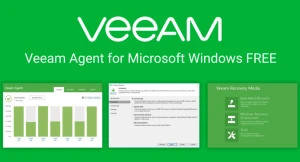
- Backup Types: Supports entire computer image backups, volume-level backups, and file-level backups with options for full, incremental, and differential chains
- Recovery Options: Bare-metal recovery to same/different hardware, granular file restores, and bootable WinPE recovery media creation for disaster scenarios.
- Deployment: Installs directly on Windows 10/11, Server 2016–2025 (64-bit); no central server needed, but integrates with Veeam Backup & Replication for management.
- Scheduling and Automation: Configurable backup schedules, pre/post-job scripts, and entire user profile backups to avoid missing data.
- Backup Capabilities: Entire computer (with auto-exclude of unnecessary files), volume-level block backups, file-level with masks/folders
- Recovery Options: Bare-metal restore to same/different hardware, volume-level for failed drives/partitions
- Kernel and Distro Support: Linux kernels 2.6.32+ using default distribution kernels; distributed as RPM/DEB packages for broad compatibility including old installations.
- Deployment and Interface: Simple installation via console UI or veeamconfig CLI; standalone or managed by Veeam Backup & Replication; supports snapshotless mode for mounted filesystems
- Supported macOS Versions: Compatible with macOS 11 Big Sur through macOS 15 Sequoia
- Backup Capabilities: File-level and volume-level backups of user data/folders; APFS snapshots for consistent backups; supports incremental chains to local disks, network shares, or object storage
- Recovery Options: Granular file restores, full volume recovery; wizard-driven interface for easy restoration; achieves 3-2-1 rule compliance with offsite targets.
- Deployment: Standalone .pkg installer or managed via Veeam Backup & Replication/Jamf Pro; requires full disk access permission in System Settings for complete protection.

- Version Compatibility: Supports Veeam Backup for Google Cloud v7.0.0.47 with Veeam Backup & Replication (VBR) v13.0.1.180; plug-in v13.7.0.281 on Ubuntu 22.04 LTS backup
- Hardware for Plug-in: x86-64 CPU, 8 GB RAM minimum (plus 1 GB per concurrent task), 500 MB disk for installation; requires .NET Core Runtime 8.0+ and ASP.NET Core 8.0+.
- Proxy Requirements: 2+ vCPU cores (recommended 4+), 2 GB RAM + 1 GB per task, 750 MB disk (Windows) or 400 MB (Linux); 1 Gbps network for optimal performance.
- Backup Appliance: 6 vCPUs, 6 GB RAM, 100 GB disk; handles up to 4 concurrent tasks (add 1 vCPU/1 GB RAM per extra task).
- Coverage: VMware/Hyper-V/Nutanix/Proxmox/KubeVirt VMs; agents for Windows/Linux; AWS-native backups; immutable storage; ransomware protection.
- Performance: Scales via proxies (2+ cores CPU, 2+ GB RAM/task); backup server (6+ cores, 6+ GB RAM, 100 GB disk).
- Backup Server: 6+ cores CPU, 6+ GB RAM base (+1 core/1 GB per task); 176 GB disk (10 GB database/catalog per 1,000 VMs).
- Proxies/Repos: 2-4+ cores CPU, 2+ GB RAM/task; WAN accelerators need 2 cores/4 GB min, 20 GB disk

- Backup Types: Native API policy-based image/file-level backups; immutable S3 storage (Standard, Glacier Flex/Deep Archive)
- Recovery: Full instance restore, file-level (FAT/NTFS/ext4/XFS/Btrfs), VPC config protection free.
- Requirements: t3.medium+ EC2 (x86_64), outbound AWS access; no VBR management needed
- Coverage: EC2, RDS, EFS, FSx, DynamoDB, Redshift; image/file-level backups; VPC config protection.

- Backup Capabilities: Host-level backups for VMs; agent-based for physical/cloud machines; granular file/application recovery via Veeam Explorers.
- Replication: VM replication for low RTO disaster recovery; bootable onsite/offsite copies. ?
- Cloud Support: Direct restore/migration to AWS, Azure; NAS backup up to 250 GB per license
- Limits: Max 10 sockets/instances total; no GFS/tape/scale-out repo; VeeamZIP unlimited.
- Unified Protection: Secures Kubernetes apps, KubeVirt VMs, and workloads via consistent policies; supports multi-cluster management with RBAC/OIDC and FIPS compliance.
- Mobility Features: Enables seamless workload movement between on-premises, cloud, and edge; integrates CSI storage, Kanister Blueprints for databases, and GitOps/Helm installs.
- Resilience Tools: Provides immutable air-gapped backups, ransomware defense, rapid file restores from PersistentVolumeClaims via SFTP, and cyber recovery
- :
- Veeam Intelligence (conversational AI): Built?in assistant that answers questions in natural language about job health, risks, performance, and recommended actions.
- Predictive / early?warning insights: Machine?learning?driven early?warning signs, risk prediction, and compliance?gap detection before jobs fail.
- Recovery?focused insights: Identifies the safest, cleanest restore points and models “blast?radius” of detected threats to guide recovery paths.
- Data sources: Backup job logs, performance metrics, storage usage, and security scans (including Recon Scanner 3.0 in Veeam Data Platform v13).
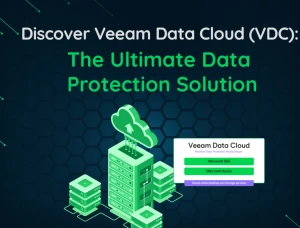
- Virtual: VMware vSphere, Microsoft Hyper?V, Nutanix AHV
- Physical: Windows / Linux servers, workstations
- Cloud: AWS, Azure, Google Cloud (VMs, disks, cloud?native snapshots).
- SaaS / apps: Microsoft 365, Salesforce, Microsoft Entra ID, Azure workloads. Backup and recovery capabilities
Showing 1-14 of 14 results.
