
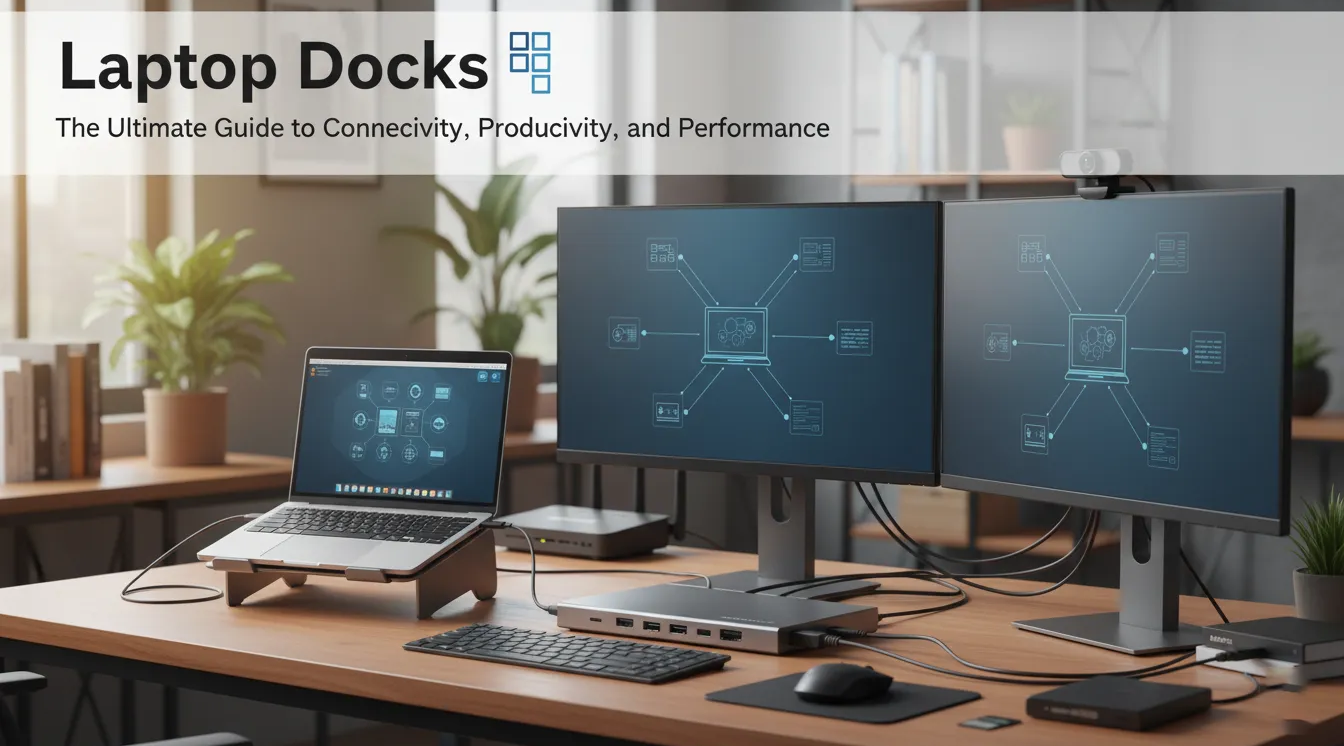
Laptop Docks: The Ultimate Guide to Connectivity, Productivity, and Performance
In today’s hybrid work environment, laptops have become our go-to productivity machines — portable, powerful, and essential for both business and personal use. However, as sleek and compact as laptops have become, they often come with a trade-off: limited ports and connectivity options. That’s where laptop docks (or docking stations) come in.
A laptop dock transforms your portable device into a full-fledged workstation, enabling you to connect multiple monitors, peripherals, and networks seamlessly. Whether you’re a business professional, IT manager, or creative designer, a docking station can make your workflow smoother and more efficient.
At ICTECH Distribution, a leading IT products distributor in the UAE and Africa, you can find a wide range of high-quality laptop docks from trusted brands—perfect for businesses looking to enhance their workforce productivity.
What Is a Laptop Dock?
A laptop dock, or docking station, is an external device that allows you to expand the connectivity of your laptop. By connecting through USB-C, Thunderbolt, or proprietary ports, a dock gives you access to multiple peripherals such as monitors, keyboards, mice, external storage, and wired internet—all through a single connection.
Think of it as a bridge between portability and productivity. When at your desk, you simply plug in one cable, and your laptop instantly transforms into a desktop workstation.
Uses of Laptop Docks
Laptop docks serve several important purposes, including:
- Multi-Display Setup – Connect two or more external monitors to increase your screen real estate, which is ideal for multitasking, video editing, or financial data analysis.
- Peripheral Connectivity – Attach multiple USB devices such as printers, scanners, external drives, and keyboards—all without repeatedly plugging and unplugging.
- Stable Internet Access – Many docks offer Gigabit Ethernet ports for faster and more stable wired connections, especially useful in corporate settings.
- Charging Capabilities – Modern docks can charge your laptop while connected, eliminating the need for a separate charger.
- Workspace Organization – A docking station reduces clutter by allowing all your devices to connect through one central hub.
Types of Laptop Docks
There are several types of docks available, depending on your needs and device compatibility:
- USB-C Docks – Common for modern laptops; offer charging, data transfer, and display output in one connection.
- Thunderbolt Docks – High-performance docks that support faster data speeds (up to 40Gbps) and multiple 4K displays.
- Proprietary Docks – Designed specifically for certain laptop brands or business models, such as HP, Dell, or Lenovo.
- Portable Docks – Compact and travel-friendly, ideal for on-the-go professionals who need essential ports without bulk.
Pros of Using a Laptop Dock
1. Enhanced Productivity
With the ability to connect multiple screens and devices, you can work more efficiently and comfortably—especially for tasks requiring constant switching between applications.
2. Streamlined Connectivity
No need to plug and unplug devices each time you move your laptop. One cable gives you instant access to your entire workstation setup.
3. Better Cable Management
A docking station minimizes desk clutter, making your workspace more organized and professional.
4. Improved Ergonomics
With multiple displays and external keyboards, you can position your setup for better posture and comfort.
5. Device Charging
Many docks provide Power Delivery (PD), ensuring your laptop and peripherals stay charged while you work.
Cons of Using a Laptop Dock
1. Cost
High-quality docks—especially Thunderbolt models—can be expensive compared to basic USB hubs.
2. Compatibility Issues
Not all docks work seamlessly with every laptop, particularly across brands or older systems.
3. Port Limitations
Some budget docks may not support dual displays or high-speed data transfer, so choosing the right model is crucial.
4. Power Limitations
Cheaper docks may provide limited charging wattage, which might not fully support power-hungry laptops.
5. Heat and Size
Certain docks, especially full-featured ones, can become warm and occupy space on your desk.
How to Choose the Right Laptop Dock
Selecting the right dock depends on your work style, laptop model, and connectivity needs. Here are some key factors to consider:
-
Port Compatibility
Check your laptop’s ports—USB-C, Thunderbolt 3/4, or proprietary connectors. The dock must match the interface for full functionality. -
Display Requirements
If you need dual 4K displays, ensure the dock supports that resolution and refresh rate. -
Power Delivery (PD)
For charging convenience, look for docks with at least 65W to 100W PD, depending on your laptop’s power needs. -
Peripheral Needs
Count how many devices you plan to connect—USB-A ports for legacy devices, HDMI/DisplayPort for monitors, and Ethernet for wired internet. -
Brand and Support
Stick to reliable brands like Dell, Lenovo, HP, and Kensington. At ICTECH Distribution, you can source original, warranty-backed laptop docks suitable for enterprise environments.
Why Businesses Should Use Docking Stations
In corporate environments, efficiency is key. Docking stations allow employees to quickly connect and disconnect from their desks without hassle, making them ideal for hybrid offices. IT administrators also benefit from easier setup and cable management.
For large deployments, ICTECH Distribution provides wholesale and B2B pricing, ensuring businesses can equip their teams with reliable docking solutions that support productivity across departments.
Summary
A laptop dock bridges the gap between portability and full-scale productivity. Whether you’re a professional who needs multiple monitors, an IT buyer equipping office setups, or a remote worker seeking organization, a docking station simplifies your life.
With ICTECH Distribution, businesses across the UAE and Africa can access a wide range of trusted docking stations tailored for modern workflows.
5 Common Questions About Laptop Docks
Q1. Can I use any dock with any laptop?
Not always. Compatibility depends on your laptop’s port type (USB-C, Thunderbolt, or proprietary). Always check specifications before purchasing.
Q2. What is the difference between a USB-C dock and a Thunderbolt dock?
Thunderbolt docks offer faster data transfer speeds (up to 40Gbps) and support higher-resolution displays, while USB-C docks are more affordable and suitable for general use.
Q3. Do docking stations charge laptops?
Yes, most modern docks provide Power Delivery (PD) up to 100W, allowing them to charge your laptop while connected.
Q4. How many monitors can I connect through a dock?
It depends on the dock type. USB-C docks usually support one or two displays, while Thunderbolt docks can support up to three or even four monitors in some cases.
Q5. Is a laptop dock worth it for home or office use?
Absolutely. For anyone who uses their laptop as a primary computer, a docking station enhances comfort, efficiency, and workspace organization—making it a smart investment.
