
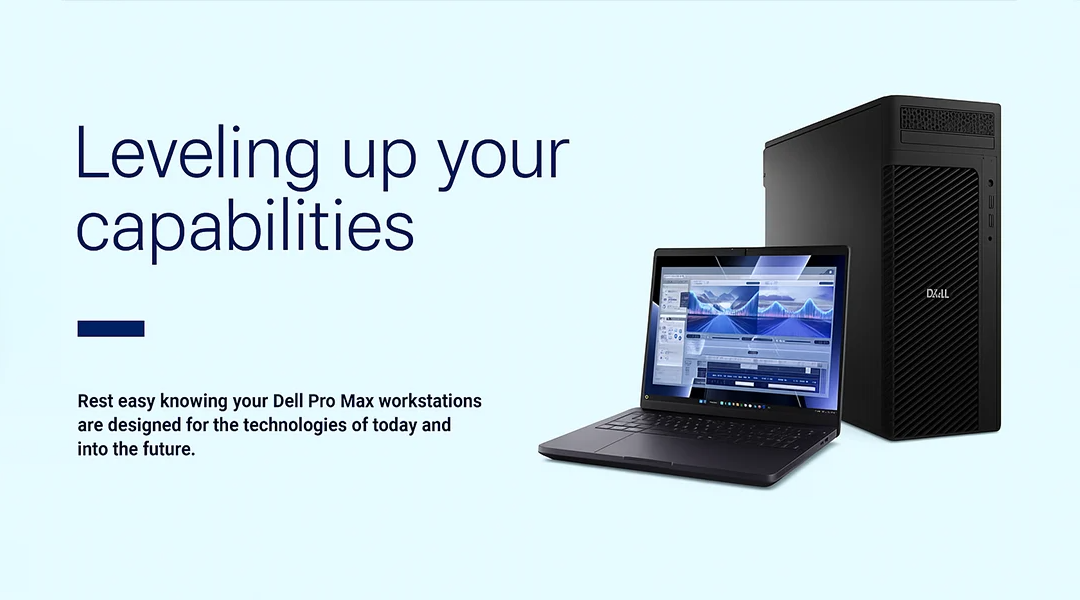
Meet the Dell Pro Max Family: AI-Powered Workstations Built for the Future
The future of computing isn’t just fast — it’s intelligent. That’s exactly what the Dell Pro Max family is designed for. Whether you're editing 8K video, running heavy CAD simulations, or building AI models, Dell Pro Max workstations bring desktop-class performance to your desk — and your backpack.
Launched as a fresh rebranding and upgrade from the legendary Dell Precision line, Dell Pro Max devices come with cutting-edge processors, AI inferencing capabilities, massive RAM, and jaw-dropping graphics options. If you're looking to future-proof your workflow, these machines are built for it.
The New Lineup at a Glance
Here’s a quick look at the diverse Dell Pro Max family so you can choose what fits your professional needs best:
1. Dell Pro Max 14 & 16
Perfect for power users on the go, these are lightweight yet powerful AI-enabled laptops.
- Processors: Intel Core Ultra 7/9 or AMD Ryzen AI 9
- GPU: Up to NVIDIA RTX Pro 2000 (Blackwell)
- RAM: Up to 64GB LPDDR5x
- Weight: Starts at just 1.79 kg
These models are ideal for creators, designers, and business analysts working in hybrid setups.
2. Dell Pro Max 16 Plus & 18 Plus
If you need maximum performance in a portable machine, this is your beast.
- GPU: Up to RTX Pro 5000 Blackwell with 24GB VRAM
- RAM: Up to 256GB CAMM2 memory
- Storage: Up to 16TB with RAID
- Display: Stunning OLED UHD+, up to 18” QHD+, 120Hz
Perfect for AI developers, data scientists, engineers, VR creators, and anyone pushing large datasets or simulations.
3. Dell Pro Max Slim
Compact and cost-effective, this 8L desktop workstation is a hidden gem for mainstream users.
- CPU: Supports up to 125W CPUs
- RAM: Up to 128GB DDR5
- Use cases: Office setups, creative work, small teams needing serious power in small spaces.
4. Dell Pro Max Micro
A 2.9L ultra-compact workstation that doesn’t compromise on performance.
- Can be mounted behind a monitor or rack-mounted
- Great for tight workspaces, retail, or edge computing environments.
5. Dell Pro Max Tower T2
This is where the magic happens for hardcore users.
- CPU: Up to Intel 125W Core Ultra running at 250W sustained
- GPU: First tower to support NVIDIA Blackwell 600W GPU
- RAM: Up to 256GB DDR5
- PSU: Upgraded 1500W power supply
Ideal for deep learning, 3D animation, VFX, architecture, and data center workflows.
Game-Changing Features That Set Pro Max Apart
- AI PC Ready: Equipped with NPUs and optimized for AI inferencing, ML, and automation workflows.
- Next-Gen Cooling: Vapor chamber cooling, DOO fans, and advanced thermal design keep it silent and cool.
- Unmatched Graphics: Professional RTX GPUs from NVIDIA and AMD power through render-heavy tasks.
- Storage & RAM: Go beyond limits — up to 256GB CAMM2 memory and 16TB SSD storage with RAID.
Use Cases: Built for Professionals Across Every Industry
- Media & Entertainment: Edit, render, animate, and export 4K/8K content with ease.
- Engineering & Design: CAD, CAM, CAE, and simulation tools run buttery smooth.
- Finance & Data Science: Real-time analytics, big data processing, and modeling without lag.
- Healthcare & Life Sciences: Imaging, EMR systems, and diagnostic tools perform reliably.
- AI & ML: Train models, run inferencing, and handle massive datasets locally.
FAQs: Everything You Want to Know
1. Is Dell Pro Max better than Dell Precision?
Dell Pro Max is the next generation of Precision. It’s not just a rebrand — it’s more powerful, AI-ready, and built with newer thermal, graphics, and modular designs.
2. Can I upgrade RAM and GPU in Dell Pro Max systems?
Yes. Especially in Tower T2, Slim, and Plus models, which are built with future expansion in mind.
3. Are these laptops good for VR and AR development?
Absolutely. Models like the Pro Max 16 Plus and 18 Plus are Ready for VR and support high-end graphics for immersive applications.
4. What’s CAMM2 memory?
CAMM2 (Compression Attached Memory Module) is a new memory standard Dell uses for better performance and more capacity in a thinner form factor.
5. How do I choose the right model?
Match your workflow with your power needs. For example, media creators can go for the 14 or 16 Premium, while engineers and AI professionals should look at the 16/18 Plus or Tower T2.
