
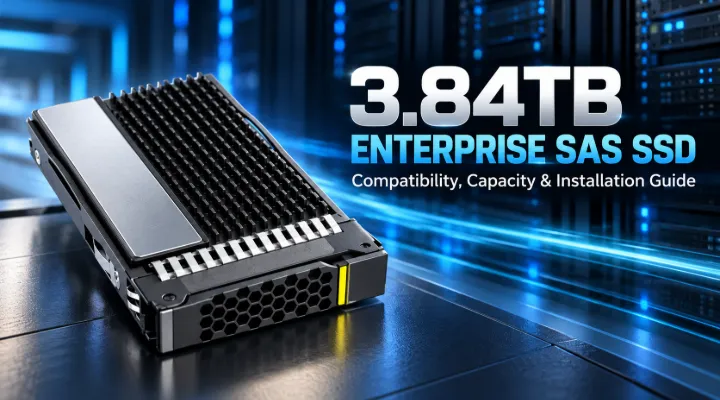
An enterprise storage drive should be purchased as a supported system component, not selected only by its capacity and connector. The Huawei D2020-SAS3.84T-CF is the 3.84 TB capacity-optimised SAS SSD item associated with the supplied OceanStor Dorado 2020 configuration. ICTECH Distribution also lists it as a separate component, making it relevant to expansion planning and replacement enquiries as well as the original storage purchase.
This guide explains what the product identifiers tell you, which details still need confirmation and how to prepare a useful enquiry. A drive that looks physically suitable can still be unsupported because of its firmware, qualification or system requirements. The safest basis for ordering is a compatibility check against the exact array, installed software and intended role, followed by a documented installation and verification process.
Identify the component precisely
The supplied notes identify model D2020-SAS3.84T-CF with 3.84 TB capacity and a 2.5-inch form factor. They describe an enterprise SAS SSD, with a 12 Gbps SAS interface in the supplied configuration. Keep the complete identifier in purchasing records, along with the supplier's part description and any required assembly details. Small differences in component names can matter when a storage system qualifies particular drive units.
Avoid replacing the model code with a generic description such as a 4 TB server SSD. That shorthand loses information about capacity, interface and intended system use. Ask the supplier to confirm the exact deliverable, including whether the required carrier or associated components are included. A precise purchase order helps the receiving team check that the delivered item matches the approved configuration.
Understand capacity and interface separately
The 3.84 TB figure describes the advertised decimal storage capacity. It does not describe the amount of usable protected application space gained when the drive joins a pool. The 12 Gbps interface rating describes a connection characteristic, not an application throughput guarantee. These numbers answer different questions and should not be combined into a simple claim about how much faster a business application will run.
Observed performance depends on the workload, array resources, protection layout and host connectivity. An additional drive may contribute capacity or resources within a supported pool, but the effect must be evaluated for that design. Use system-specific sizing and measurement when performance is part of the purchasing objective. Keep the distinction clear between a component specification and an outcome for an entire application stack.
Confirm the exact array compatibility
Provide the array model, serial information through the appropriate support channel, installed release and current drive inventory when requesting compatibility confirmation. The product information in the supplied database refers to software version V700R001C01 and later for this component. That statement should be checked against the current model-specific support information rather than treated as an unconditional promise for every later configuration.
Ask whether firmware, carrier, enclosure or population restrictions apply. If the system has several pools or expansion enclosures, identify where the drive is intended to be installed. A compatibility answer is most useful when it names the exact target environment and role. Retain the written confirmation with the change record so future administrators understand why the component was selected and which assumptions were used.
Distinguish a replacement from an expansion
A replacement restores an existing component role after a fault or planned component change. An expansion adds resources to a supported configuration. The procedures and resulting capacity can differ. Replacing a failed drive with an approved equivalent does not necessarily increase deployable storage, even if someone sees unused space during the process. The immediate goal is to restore the array to its intended healthy state.
For expansion, ask how many drives are required, where they can be installed and how the pool will incorporate them. A supported design may have population rules or capacity increments that are not obvious from the number of empty bays. Clarify whether redistribution or other background activity is expected and how completion will be verified. Include the operational impact in the plan rather than treating expansion as a purely physical task.
Calculate the raw contribution accurately
One advertised 3.84 TB drive contributes 3.84 trillion bytes of raw capacity. Twelve such drives give 46.08 TB before protection and reservations, as in the supplied Dorado 2020 configuration. This arithmetic is useful for inventory checks and comparing drive quantities. It should not be used as a direct promise that each added drive will create an equal amount of immediately usable application space.
The actual increase depends on the supported protection layout, pool arrangement and reserved resources. Ask for a before-and-after capacity statement showing raw installed capacity, protected usable capacity and recommended operating headroom. If recovery points or temporary copies consume the same pool, account for them as well. The purchasing objective should be an agreed deployable outcome, supported by the configuration design and later verified in the management interface.
Review SSD endurance through workload requirements
Enterprise SSD selection should consider write workload and service expectations in addition to capacity. Ask for the endurance and warranty conditions applicable to the exact supplied component. Do not infer a drive's write endurance from the SAS interface speed or a general description such as enterprise grade. Different workloads can generate very different write volumes even when they store the same amount of live data.
Use available workload measurements and drive health indicators to support the discussion. Databases, virtual desktop environments and backup tasks may create different patterns of changes and temporary writes. Review what the array reports and which thresholds the operations team should monitor. The aim is to match the approved component to the expected use and maintain visibility into its health throughout operation.
Plan the installation with the support procedure
Before handling a drive, confirm the exact slot and component identity using the array's supported management and identification procedures. A mistaken removal can create an additional fault in a system that is already degraded. Check the array health and the current protection state before starting. Follow the relevant replacement or expansion instructions rather than applying a generic server-drive procedure to a storage array.
Assign responsibility for the physical work, monitoring and final verification. Record the starting inventory and retain identifiers needed for support or return processing. If a maintenance window or support-assisted procedure is required, arrange it before the component arrives. Preparation reduces the chance that a technically correct part remains unused because the team lacks an approved process or the information needed to complete the change.
Monitor the system after the change
Physical insertion is only one stage of the task. Check that the array recognises the component correctly, reports the expected health and completes any required background activity. For replacement, verify that the intended protection state is restored. For expansion, verify that the planned additional resources are available through the supported configuration steps. Keep the management evidence with the change record.
Also observe host and application behaviour where the change could affect active workloads. Review alerts rather than assuming they will clear without attention. If the result differs from the approved design, resolve the discrepancy before closing the task. A completed component change should leave the operations team with an accurate inventory, a healthy system and a clear account of any follow-up action still required.
Include support and lifecycle details in procurement
Ask whether the component is covered under the existing array service arrangement or needs a separate entitlement. Confirm replacement handling, location coverage and any applicable warranty conditions. The base system's stated support period should not be assumed to answer every question about a separately purchased drive. Clarify the relationship in the quotation so finance and operations understand the ongoing commitment.
Also consider lead times and approved spares as part of the service design. Holding a spare may or may not suit the organisation's support model, but the decision should be deliberate. An expansion forecast can help avoid urgent purchases when capacity thresholds are reached. Keep the compatibility review current if the array software or enclosure configuration changes between initial planning and the eventual order.
Send a complete component enquiry
For a D2020-SAS3.84T-CF enquiry, provide the quantity, intended use, target array configuration, installed software release and current drive layout. State whether the requirement is urgent fault replacement, planned expansion or preparation for a future project. Include the required capacity outcome if adding space is the goal. This information lets ICTECH Distribution respond with a component and support scope that can be reviewed against the real requirement.
Use the main Dorado 2020 product page to establish the storage context and the HyperCDP licence page where protection requirements influence sizing. Request written confirmation of the exact SSD assembly and compatibility before purchase. A well-prepared enquiry turns a model-code search into a supported system decision, reducing ambiguity for procurement, installation engineers and the administrators who will maintain the storage after the change.
Frequently asked questions
What is D2020-SAS3.84T-CF?
It is the 3.84 TB capacity-optimised enterprise SAS SSD component in the supplied Dorado 2020 product information. Confirm the exact approved assembly for the target array.
Can it be treated as an ordinary consumer SSD?
No. It is presented as a storage-array component requiring compatible hardware and software. Physical size and interface alone do not establish suitability for another device.
Will one added drive provide 3.84 TB of usable space?
Not necessarily. Protected usable capacity depends on the array layout, supported expansion rules and reservations. Request the resulting capacity for the proposed configuration.
Does 12 Gbps describe guaranteed application speed?
No. It describes the specified SAS interface rate. Workload behaviour and the rest of the system determine observed application performance.
What information is needed to confirm compatibility?
Provide the exact array model, installed software, current drive layout, intended slot or enclosure and replacement or expansion purpose through the appropriate enquiry channel.
Product details and enquiries
Huawei OceanStor Dorado 2020 storage system | LIC-D2020-CDP-S HyperCDP licence | D2020-SAS3.84T-CF enterprise SSD
Contact ICTECH Distribution with your capacity, host connectivity, compatibility and recovery requirements for a configuration-specific enquiry.
Configuration reference: supplied ICTECH Distribution product information and bill-of-material notes. Exact inclusions are subject to the final quotation and compatibility review.
