
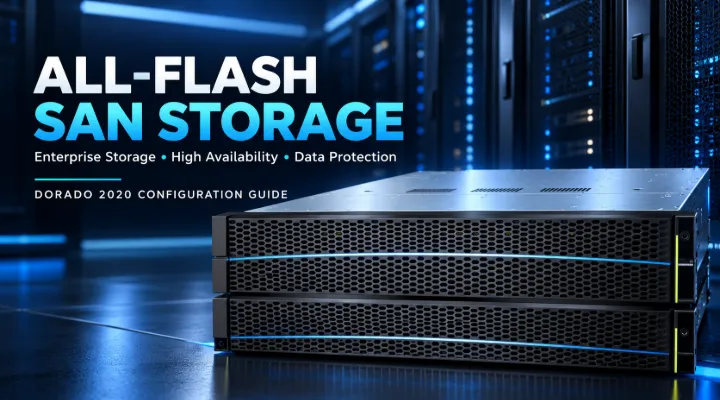
Choosing enterprise storage starts with understanding the configuration that will actually arrive at your data centre. A model name identifies a platform, but the installed drives, controller resources, interface modules, software licences and service coverage determine what a particular system can deliver. The Huawei OceanStor Dorado 2020 configuration outlined here gives buyers a practical starting point for discussing shared all-flash storage with ICTECH Distribution. It combines a compact enclosure with enterprise SAS SSDs and connectivity options for servers that access shared block storage.
This guide follows the supplied configuration rather than treating every optional platform capability as an included feature. That distinction matters when comparing quotations. Two offers can use the same product name while including different drives, Fibre Channel boards, optics or protection licences. Build your comparison around an itemised bill of materials and an agreed deployment design, then check the system against the applications it must support.
A compact enclosure with room to plan
The supplied system uses a 2U rackmount enclosure with 25 bays for 2.5-inch SAS SSDs. Rack height is useful for space planning, but it is only one part of installation readiness. Check cabinet depth, rail compatibility, cable clearance, airflow and the route used to move equipment into the room. Leave access for replacing components without disturbing neighbouring systems. A small enclosure still needs an appropriate power and cooling environment.
Twelve installed drives occupy fewer than the available bays. The remaining physical positions can support an expansion discussion, but empty bays do not automatically mean any drive can be inserted later. Supported models, firmware, pool layouts and configuration limits still apply. Ask for an expansion plan that identifies the parts and operational steps needed at each expected growth stage.
Understand the dual-controller resources
The configuration specifies dual active-active controllers with 64 GB of dual-controller cache. Treat that cache figure as the stated combined configuration, rather than assuming each controller has an additional 64 GB. Controllers handle host requests, storage services and communication with the drives. Their role is different from the role of the SSDs, which hold persistent business data. Cache capacity is consequently not an addition to usable drive capacity.
Availability depends on the complete path from an application to its data. Two controllers can provide alternative storage paths, but hosts must discover and use those paths correctly. Design the server connections, switches and multipathing software together. Include a controlled failover test in acceptance so the team observes application behaviour when a supported component or path is taken out of service.
Twelve enterprise SSDs and raw capacity
The supplied drive set comprises twelve 3.84 TB enterprise SAS SSDs, giving 46.08 TB of raw decimal capacity. This is the sum of the advertised drive capacities before protection overhead and system reservations. It is not the amount of application data you should promise to business owners. Pool configuration, RAID protection, metadata, recovery points and operating headroom all influence the usable space available for live workloads.
The SAS interface rating describes the connection between components; it does not guarantee the throughput of an application. Workload characteristics, request sizes, write patterns, host paths and controller activity all affect observed performance. Ask for validation based on representative workloads instead of converting a port speed into a promised number of transactions. Include normal demand and busy periods in that exercise.
Match connectivity to your server environment
The supplied bill of materials lists four 1 GbE iSCSI ports and two 10 GbE SFP+ iSCSI ports per controller. Across two controllers, that is eight 1 GbE ports and four 10 GbE ports. It also lists two four-port 16 Gbps Fibre Channel host boards, one per controller. Those boards provide eight configured FC ports across the pair when installed as specified. Keep these totals separate from any maximum supported platform figures.
iSCSI uses an Ethernet infrastructure, while Fibre Channel requires compatible SAN equipment and host adapters. Choose the connection method around the existing environment and the workload requirements. Confirm the exact optics, cable types, switch features and host support included in the design. Having both protocol options in a quotation does not remove the need for a tested topology and clear ownership of the connected infrastructure.
Select protection around business requirements
The platform lists RAID 5, RAID 6, RAID 10 and RAID-TP among its supported protection options. These choices address different balances of capacity efficiency, write behaviour and drive-failure tolerance. A supported RAID label is only the beginning: the actual pool design determines how protection is implemented. Obtain the proposed layout and resulting usable capacity from the configuration team rather than relying on a generic online calculator.
RAID protects against defined drive failures within the storage design. It does not reverse an authorised deletion, prevent compromised credentials from being used or replace a separate recovery copy. Decide how the array will work with snapshots, independent backups and application recovery procedures. Storage protection should fit the business recovery objectives instead of being selected solely by the amount of space it leaves available.
Review software and licensing line by line
The supplied product notes refer to DeviceManager, UltraPath and DME IQ, together with features such as SmartThin, SmartQoS, SmartErase, SmartMigration and HyperSnap. Ask which tools and capabilities are included, which require licences and which depend on a supported software release. Management access, host multipathing and recovery features have different purposes, so listing their names together does not demonstrate that the entire deployment is ready.
The separate LIC-D2020-CDP-S HyperCDP item deserves its own review. Confirm its entitlement, activation process, covered system and stated software upgrade support term. A software support period should not be confused with a guarantee of recovery outcomes or assumed to define the lifetime of every hardware component. Retain the licence documentation alongside the final system inventory so future administrators can verify what was purchased.
Plan growth and operational ownership
Capacity planning should include current allocated space, real consumption, expected annual growth and retained recovery data. Also account for temporary duplication during migrations and testing. Storage that appears comfortably sized for production can become constrained when administrators keep old volumes while building replacements. Set alert thresholds and identify who must approve expansion before free space becomes a service issue.
The supplied notes describe compatible SAS expansion options, including a 2U enclosure with 25 bays. Confirm enclosure models, cables, support limits and drive requirements for the intended system release. The design should state who monitors the array, who reviews alerts and who can authorise configuration changes. Operational ownership is as important as a specification sheet when the system becomes shared infrastructure for several teams.
Prepare a useful acceptance test
Before installation, document the applications, hosts and interfaces that will use the system. Record expected workload characteristics and the current baseline where possible. Acceptance should check that hosts see the intended volumes, paths recover as designed, monitoring reaches the right people and backups can restore usable application data. Keep test conditions explicit so results can be compared after future changes.
Also verify component inventory, installed software versions, support registration and administrator access. The supplied configuration mentions three-year warranty support; confirm the actual service scope, location coverage and response arrangements in the final quotation. A warranty term alone does not describe installation assistance or incident response. A written handover gives operations staff a practical reference when they need help months after deployment.
Build a configuration request that gets a useful answer
Send ICTECH Distribution a short description of the workloads, host operating systems, preferred connection method and required usable capacity. Include growth expectations and recovery objectives, along with the existing switch and rack environment. This allows the proposed Dorado 2020 configuration to be checked against a real use case. Request an itemised quotation with drives, boards, transceivers, software, expansion provisions and service coverage shown separately.
The best purchasing decision is a configuration that meets a documented requirement and can be supported by the people operating it. Use the product specification as a starting point, then close the gaps through design review and acceptance testing. For linked product details, see the Huawei OceanStor Dorado 2020 listing and the associated HyperCDP licence and enterprise SSD pages at ICTECH Distribution.
Frequently asked questions
Is 46.08 TB the usable capacity?
No. It is twelve times 3.84 TB in decimal units, before RAID, metadata, reservations and operating headroom. Request the usable figure for the proposed layout.
Does 64 GB cache mean 64 GB per controller?
The supplied description specifies 64 GB of dual-controller cache. Confirm the allocation in the final configuration rather than doubling that figure.
Are Fibre Channel ports included in every Dorado 2020?
The configuration discussed here includes two four-port 16 Gbps FC boards. Other quotations may differ, so check the installed modules and optics.
Can I add any 2.5-inch SAS SSD?
No. The enclosure requires supported storage-array components. Match the drive model, firmware and system compatibility before ordering additional units.
How can ICTECH Distribution help with configuration?
Provide your workload, connectivity, capacity and recovery requirements through the enquiry page. Ask for confirmation of the exact hardware, software and service scope before purchase.
Product details and enquiries
Huawei OceanStor Dorado 2020 storage system | LIC-D2020-CDP-S HyperCDP licence | D2020-SAS3.84T-CF enterprise SSD
Contact ICTECH Distribution with your capacity, host connectivity, compatibility and recovery requirements for a configuration-specific enquiry.
Configuration reference: supplied ICTECH Distribution product information and bill-of-material notes. Exact inclusions are subject to the final quotation and compatibility review.
