
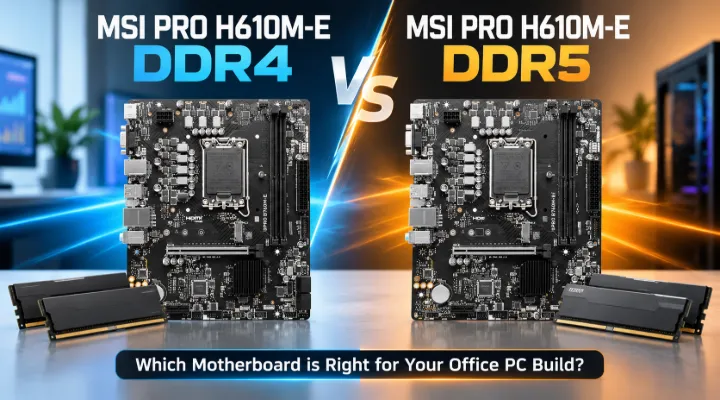
Two motherboards with similar names can lead to very different bills of materials when they use different memory generations. ICTECH recently added both the MSI PRO H610M-E DDR4 and DDR5 variants to its catalogue. For an office PC build, the useful comparison is not simply whether DDR5 is newer. It is whether each complete configuration fits the workload, supported processor, available memory and upgrade plan. This guide explains the purchasing checks a system integrator or business IT team should make before choosing between the variants. It does not invent benchmark results or assume that changing the memory generation automatically improves every office task.
Keep the two product references separate
ICTECH lists the DDR4 board under 911-7D48-062 and the DDR5 board under 911-7D48-075. MSI provides separate specification pages for PRO H610M-E DDR4 and PRO H610M-E. Keep the memory generation and full product reference on the quotation and purchase order. Both belong to an Intel H610, LGA1700 desktop platform context, but they should not be treated as interchangeable components. A supplier substitution needs a review of the complete build. This matters for bulk orders because a naming shortcut can send the wrong board into an assembly process that already has memory and other components allocated.
Confirm the memory generation first
DDR4 and DDR5 memory are not interchangeable in these boards. Select modules supported by the exact motherboard variant and consult MSI's compatibility information. Record the installed capacity, module quantities and specification in the build sheet. Do not order memory using only a capacity figure such as sixteen gigabytes. The generation and supported arrangement need to match the board. If the business plans to reuse existing memory, identify those modules before choosing the motherboard. A clear memory decision removes one of the most basic sources of assembly errors and gives purchasing a consistent configuration to compare across supplier offers.
Choose around the office workload
List the applications and normal multitasking expected from the completed PC. General office work may place different demands on memory and processing than specialised analysis or content creation. Check vendor requirements for important software. Compare complete candidate systems rather than suggesting that one memory generation decides suitability by itself. An office build should be assessed using the processor, installed memory, storage, operating system and peripherals together. This gives the business a more useful basis for approval than choosing a component because its name sounds more current. The requirement should describe what the PC must do and who will support it after delivery.
Verify the exact processor and BIOS support
Use MSI's supported processor information for the motherboard you select. A shared socket does not remove the need to confirm the specific CPU and any applicable BIOS requirements. Ask the assembler to identify the intended processor and verify the supplied board configuration before assembly. Keep that check in the build record. Avoid assuming an older stock board will accept every processor described in a current family overview without preparation. A confirmed combination makes the purchase more predictable and gives technicians a starting point for troubleshooting. It also prevents a simple office deployment from depending on an unplanned update process after components have arrived.
Check display requirements and graphics
List the monitors and display arrangement required at each desk. MSI documents onboard display connections, but their operation depends on an appropriate processor with integrated graphics. If the build uses a CPU without that capability, assess the need for a separate graphics card. Confirm the intended resolutions and connections against the actual configuration. Include suitable cables and any adapters in the scope. This is useful for office replacements where existing monitors may use older connectors. A motherboard showing a display socket is not enough to establish a complete working display path, so the processor and monitor plan should be reviewed together.
Plan storage using the board specifications
Identify the SSD or hard drives the office build needs and compare their interfaces with the chosen board. MSI's documentation includes the M.2 and SATA arrangements for these products. Check supported drive types and physical dimensions rather than assuming every NVMe drive will operate at its maximum published speed. The board's interface can be a limiting part of the connection. Keep the storage model, capacity and installation location in the build sheet. If the business plans future expansion, confirm how many connections remain available after the initial assembly. A documented storage plan helps the buyer compare complete systems and gives technicians a repeatable assembly process.
Match the chassis and power arrangement
Confirm that the selected case supports the board's form factor and has the needed mounting positions. Review the power supply, processor cooling and physical clearance for the full configuration. Ask the assembler to verify connections for the case's front ports and controls. Avoid choosing each component independently without checking how it fits the others. A compact office case can be useful, but it should not force unsupported cooling or cable arrangements. Include the case and power supply references in the quotation so the completed PC can be reviewed as a system rather than as a collection of individually plausible parts.
Confirm operating system readiness
Review the completed configuration against the operating system requirements and the organisation's deployment process. Identify necessary firmware settings, drivers and licensing arrangements with the responsible technician. Do not assume a motherboard purchase includes an operating system or a prepared business image. If your office uses a standard setup, test it on a representative build before repeating the configuration. Record the approved settings and installation steps. This helps avoid a situation in which hardware assembly is complete but the PC cannot be handed over because account preparation, application installation or operating system compatibility was left outside the project plan.
Compare the whole bill of materials
Request prices for the motherboard, processor, memory, storage, case, power supply and any required graphics or cooling components. Add the operating system and assembly scope where relevant. Compare DDR4 and DDR5 builds against the same office requirement. If existing parts will be reused, list them explicitly and verify their condition and compatibility. A lower motherboard price does not automatically produce the lower complete system cost. Likewise, a newer memory platform may not justify its total cost for every workload. An itemised comparison lets the business see which configuration meets the need and which assumptions explain differences between the offers.
Pilot the assembled office configuration
Build and test one representative system using the proposed components. Verify startup, installed memory, storage detection, display output and network access. Install the normal applications and ask a user to complete typical tasks. Check that the case ports and peripherals work as expected. Record the component references and settings used in the successful build. If performance is a deciding factor, compare the actual task under equivalent conditions rather than relying on an unsupported improvement claim. A pilot gives the integrator evidence for the chosen configuration and provides an assembly reference for a larger order.
Prepare a variant specific quotation request
Send ICTECH the required motherboard variant, full part reference, quantity and delivery destination. Include the intended processor, memory generation, storage and display requirements. If you want both options compared, ask for complete bills of materials that meet the same office workload. Confirm assembly and software responsibilities separately. The MSI PRO H610M-E decision becomes clearer when the board is treated as part of a complete PC plan. A careful brief helps your team choose between DDR4 and DDR5 configurations without confusing product names, overlooking compatibility checks or approving a system that still needs important components before it can enter service.
Maintain one approved assembly record
After selecting a variant, retain the complete successfully tested PC build record rather than only the motherboard invoice. Include component references, BIOS version, memory arrangement and operating system preparation notes. Ask assemblers to record substitutions before using them in later batches. Even a change that appears equivalent can require another compatibility check. For an office fleet, this record helps technicians identify the installed combination and reproduce it when ordering spares or additional systems. It also gives purchasing a clear baseline for future quotations, preventing the original DDR4 or DDR5 decision from being lost as individual components are reordered through separate conversations with different suppliers.
Frequently asked questions
Can DDR4 memory be used in the DDR5 version?
No. Use the memory generation supported by the exact motherboard. Check MSI's specifications and compatibility information before ordering modules.
Does an LGA1700 socket guarantee processor compatibility?
No. Verify the specific processor against MSI's support list and confirm any BIOS requirements with the assembler before approving the build.
Will the motherboard display ports work with every processor?
Onboard display output requires a suitable processor with integrated graphics. Review the actual CPU and monitor arrangement, and add a separate graphics solution if required.
Should an office choose DDR5 automatically?
Compare complete supported systems against the workload and budget. Memory generation alone does not establish application performance, total cost or the best upgrade arrangement.
What should a motherboard quotation request include?
Provide the exact variant and reference, quantity, CPU, memory, storage, chassis and display requirements. State whether you need components only or an itemised complete build.
Related products
- MSI PRO H610M-E DDR4 LGA1700 Motherboard 911-7D48-062
- MSI PRO H610M-E DDR5 Motherboard 911-7D48-075 LGA1700
Technical references
Request a quotation from ICTECH with your product requirements, quantity and delivery country.
