
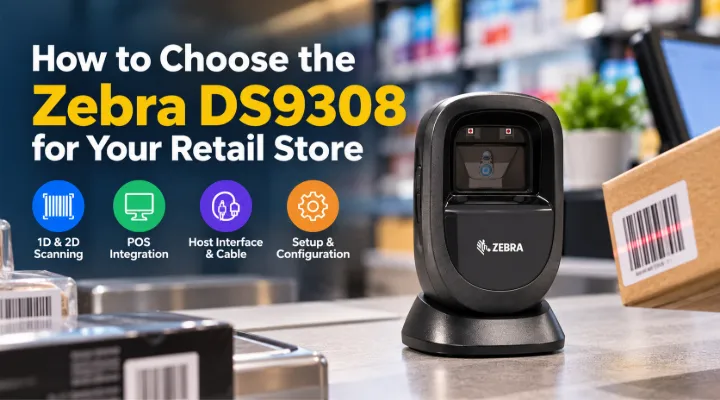
A retail counter scanner should fit the way staff handle products, accept customer codes and use the point of sale application. The Zebra DS9308, recently added to ICTECH's catalogue, is a presentation scanner candidate for that environment. Its hands free format can be assessed where operators present items to a scanner positioned on the counter. The useful purchase decision involves more than barcode support: it includes the host connection, code data, counter layout and everyday exceptions. This guide explains how to plan those checks without inventing measured productivity gains or assuming that a scanner automatically integrates with every retail application used by the business.
Establish the documented product role
Zebra identifies the DS9308 as a corded hands free scanner with 1D and 2D scanning capability. Its product information describes the presentation format and supported configuration choices. Use the exact model reference when requesting a quotation and ask what host cable or other accessories are included. ICTECH's product listing provides a starting point, while the final package must suit your POS equipment. A scanner family may support several interfaces, but that does not mean every cable is supplied with every offer. Keeping the hardware and host connection together gives the purchasing team a clearer basis for comparing complete working packages.
Collect the barcodes your store uses
Gather representative product labels, shelf labels and any customer codes that form part of the workflow. Include examples that staff currently find awkward, such as small, worn or curved labels. Identify which barcode types your POS application expects. If the business uses codes displayed on a customer's device, include that task in the test rather than assuming it is covered by a general product description. Keep actual samples available for the supplier discussion. A realistic collection helps your team evaluate the scanner against everyday work and makes the pilot more useful than a demonstration using one clean code selected for convenience.
Check the POS software's data requirements
Ask the application provider how it receives scanner input and which configuration it expects. Identify whether the code should be passed as keyboard input or through another supported arrangement. Check any required prefixes, suffixes or field behaviour. A scanner reading a barcode does not prove the retail system will use the information correctly. The application needs to interpret the data in the intended transaction. Test a complete sale, return or loyalty action where relevant. This connects the equipment assessment to business operation and helps your team distinguish hardware reading issues from configuration or application problems during deployment.
Select the host interface and cable
Record the model of the POS terminal or computer and its available connections. Review Zebra's documentation for the intended interface and confirm the appropriate cable with the quotation. Identify any separate power requirements for the chosen arrangement. Do not assume a cable from an older scanner will be suitable simply because a connector appears similar. Keep the approved combination in the equipment record. For several stores, standardising the host arrangement can make replacements easier, but document exceptions where terminals differ. A clear cable and interface decision prevents an otherwise suitable scanner from arriving without the connection needed to use it at the counter.
Position the scanner around the operator
Observe how staff move products through the counter area. Identify where the scanner can sit without obstructing the display, payment terminal or customer space. Keep the cable route practical and follow the manufacturer's guidance for positioning. Ask operators to try the arrangement with typical items. A presentation scanner should be assessed with the work pattern it is intended to support, including occasional awkward packages. Avoid choosing a position solely because it looks tidy when the counter is empty. The setup needs to remain useful when products, receipts and customer interactions are all part of the same working area.
Define scanning behaviour deliberately
Decide which code types and application actions should be enabled for the business workflow. Ask the responsible technician to document relevant settings and how they are applied. Consider whether a device configured broadly for many code types could read information the application does not expect. Keep the test tied to the store's real transactions. Zebra provides configuration tools and documentation, but someone still needs to establish the approved setup. A repeatable configuration record is especially useful across several counters. It gives support staff a reference when a replacement scanner is fitted or when an application change requires settings to be reviewed.
Test exceptions as well as ordinary scans
Include labels on curved packaging, larger products that cannot be passed easily across the counter and items with more than one visible code. Ask operators to identify where they need a different handling approach. Test the process for a failed read and confirm that staff can recover without entering an incorrect item. If the scanner is moved from its normal position for some tasks, assess that behaviour using the manufacturer's guidance. The objective is not to prove a claim that every code will scan perfectly. It is to understand the practical workflow and establish which exceptions your team must handle consistently.
Check feedback in the store environment
Ask staff to assess the scanner's success indication while the counter is operating normally. Review whether feedback is noticeable without becoming disruptive in the working area. Confirm how the POS application indicates the corresponding transaction result. A successful scan and a successful application action should be clear enough that operators do not accidentally repeat input. Document the settings used in the pilot. This matters because a quiet demonstration space may not reflect the sound and distraction of a busy retail environment. The acceptance decision should include the store's working conditions rather than relying only on visual inspection of the hardware.
Plan configuration ownership and support
Identify who will configure new scanners, record settings and respond to faults. Keep the device model, connection package and approved setup together. Ask for warranty and service arrangements for the exact supply and destination. Define how a spare scanner will be prepared if a counter depends on uninterrupted operation. Follow manufacturer cleaning and maintenance instructions rather than using an improvised procedure. A support plan turns the purchase into a manageable retail asset. It also helps the business distinguish an application issue, a cable problem and a scanner fault without repeatedly changing settings or replacing equipment without a clear diagnosis.
Pilot with a normal transaction sequence
Use a representative counter and ask staff to complete typical transactions with the collected barcode samples. Include any customer code workflow the business actually uses. Check that data goes into the correct field and that the application handles it as expected. Record awkward items and any changes needed in positioning or settings. If speed is a purchase objective, measure your own process before and after under comparable conditions rather than relying on an invented improvement percentage. A pilot gives the business local evidence for its decision and provides a practical setup guide that can be repeated when deploying more counters.
Prepare a store specific quotation request
Send ICTECH the DS9308 reference, quantity, POS terminal models and connection requirements. Include representative barcode types, intended transactions and delivery destination. Ask for the host cable and supplied accessories to be itemised. Clarify whether the quotation covers hardware only or any agreed setup work. Review the proposal with the application provider before approval. The Zebra DS9308 becomes a useful purchasing candidate when its presentation format is evaluated against the store's actual counter workflow. A prepared brief helps your team choose a complete package, test it meaningfully and support the configuration after it enters everyday retail use.
Measure the right counter outcome
If the business wants to assess the deployment, choose a useful measure before the pilot. It might record how often staff need to reposition an item, use manual barcode entry or ask for assistance with a particular label type. Keep transaction volume and sample conditions comparable when reviewing results. Do not attribute every counter delay to scanning, because payment, application response and customer interaction also affect the process. A defined measure gives the team a practical way to evaluate its own setup and identify improvements without making unsupported claims about the scanner's effect on overall retail productivity across different stores.
Frequently asked questions
What kind of scanner is the Zebra DS9308?
Zebra describes it as a corded hands free presentation scanner with 1D and 2D capability. Confirm the exact supplied configuration and connection package in the quotation.
Will reading a barcode prove compatibility with our POS system?
No. Test how the application receives and interprets the data, including required settings and actual transaction behaviour. Involve your POS software provider.
Should we test customer codes displayed on phones?
Yes, if that is part of your workflow. Include the actual application and representative examples in the pilot instead of assuming every customer code scenario is identical.
Does every scanner package include the required host cable?
Ask the supplier to confirm it. The cable must match the intended host interface, and supported interface options are not the same as supplied accessories.
What should a DS9308 rollout brief include?
Provide quantity, terminal models, interfaces, barcode samples, transaction requirements and destination. Request an itemised package and record the configuration approved during testing.
Related products
Technical references
Request a quotation from ICTECH with your product requirements, quantity and delivery country.
