
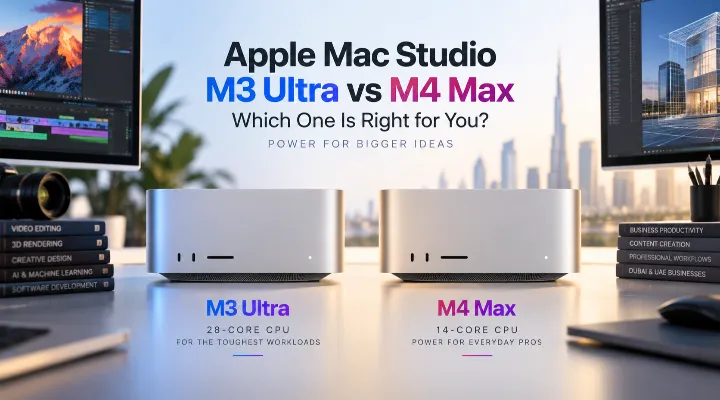
For professionals who need serious desktop performance without the size and complexity of a traditional workstation, Apple Mac Studio has become an attractive choice. The 2025 Mac Studio lineup takes this concept further with powerful Apple silicon options, including the M4 Max and M3 Ultra.
Two configurations that stand out are the Apple Mac Studio M3 Ultra (2025) with a 28-core CPU, model MU973AB/A, and the Apple Mac Studio M4 Max (2025) with a 14-core CPU, model MU963AB/A.
While both are designed for demanding professional workloads, they target somewhat different users. The M4 Max offers excellent performance for everyday professional work, creative applications, software development and content production, while the M3 Ultra is aimed at users who regularly work with extremely demanding projects and need substantially more processing and graphics capability.
For businesses, studios and creative professionals in Dubai and across the UAE, choosing between these two Mac Studio configurations comes down to workload, performance requirements, budget and future needs.
What Is Apple Mac Studio?
Apple Mac Studio is a compact desktop computer designed for professional users. Unlike an iMac, it does not include a built-in display, keyboard or mouse. Instead, it is designed to work with an external monitor and professional accessories.
Its compact desktop design makes it suitable for:
- Video editing studios
- Graphic design teams
- Software development
- 3D and animation work
- Music production
- Photography
- Engineering and technical applications
- Business professionals handling demanding workloads
For a Dubai office, production studio or creative workspace, its relatively small footprint can also be useful where desk space is limited.
The major attraction is Apple's custom silicon architecture. Rather than relying on separate traditional CPU and GPU components, Apple silicon combines multiple processing technologies into a highly integrated system.
Mac Studio M3 Ultra vs M4 Max at a Glance
The two configurations are positioned differently within Apple's professional desktop lineup.
| Feature | Mac Studio M3 Ultra (2025) | Mac Studio M4 Max (2025) |
|---|---|---|
| Model | MU973AB/A | MU963AB/A |
| Apple Silicon | M3 Ultra | M4 Max |
| CPU | 28-core | 14-core |
| Product type | Professional desktop | Professional desktop |
| Display | External display required | External display required |
| Best suited for | Extremely demanding professional workloads | Professional and creative workloads |
| Form factor | Compact desktop | Compact desktop |
The most obvious difference is the processor configuration. The M3 Ultra model has twice the number of CPU cores compared with the 14-core M4 Max configuration.
However, core count alone should not determine your purchase. The M4 Max belongs to a newer chip generation and can deliver excellent performance in workloads that benefit from its newer architecture.
Apple Mac Studio M4 Max (2025)
The Mac Studio M4 Max is an excellent option for professionals who want high-end desktop performance in a compact machine.
Its 14-core CPU configuration makes it particularly interesting for users who need substantial processing power without necessarily requiring the extreme performance tier represented by the M3 Ultra.
Who Should Consider the M4 Max?
The M4 Max is well suited to:
- Professional video editors
- Graphic designers
- Photographers
- Developers
- Business users
- Music producers
- Content creators
- Small creative teams
- Digital marketing agencies
For example, imagine a Dubai-based marketing agency producing social media campaigns, product videos and advertising content. Its designers may use Photoshop and Illustrator while video editors work on high-resolution footage.
For this type of environment, the M4 Max can provide more than enough performance for many workflows.
Video Editing and Content Creation
Modern video production can put significant pressure on a computer. Editors may work with multiple video tracks, high-resolution footage, effects, colour correction and audio simultaneously.
The Mac Studio M4 Max provides a powerful platform for these workloads while maintaining a compact desktop footprint.
A content creator producing YouTube videos, corporate presentations or social media campaigns can connect the Mac Studio to a professional display and build a complete editing workstation around it.
Software Development
The M4 Max is also an attractive option for developers.
A developer may need to run:
- An integrated development environment
- Multiple browser windows
- Databases
- Local development servers
- Containers or virtual environments
- Communication and productivity applications
A powerful desktop allows these applications to run simultaneously without turning the workstation into a bottleneck.
For software development companies in Dubai's technology sector, the compact Mac Studio can also make a practical shared or individual workstation.
Apple Mac Studio M3 Ultra (2025)
The M3 Ultra represents a significantly higher performance tier. With a 28-core CPU configuration, it is designed for users whose workloads can take advantage of very high levels of parallel processing.
This makes it particularly relevant to professional environments where large projects, complex simulations or demanding creative applications are part of the daily workflow.
Who Should Consider the M3 Ultra?
The M3 Ultra is aimed more toward:
- Professional video production teams
- 3D artists
- Animation studios
- Developers working with demanding workloads
- AI and machine-learning professionals
- Engineers and technical professionals
- Researchers
- Large creative projects
- Users working with extremely large media files
If a business regularly spends hours waiting for rendering, exports or complex processing jobs to finish, moving to a higher-performance workstation can have a meaningful effect on productivity.
M3 Ultra vs M4 Max: Understanding the Performance Difference
One of the easiest mistakes when comparing these two machines is assuming that the newer M4 Max must automatically be the more powerful option in every situation.
That is not necessarily the case.
Apple's chip naming hierarchy is important. The M4 Max is a high-performance chip from a newer generation, while the M3 Ultra sits at the Ultra tier and is designed to provide substantially greater overall resources.
The best choice therefore depends on the application.
For Everyday Professional Work
For office applications, web-based systems, presentations, spreadsheets, communication tools and general business workloads, both machines offer far more performance than most users need.
In these situations, the M4 Max is generally the more sensible choice.
For Professional Creative Work
For professional photography, design, video editing and development, the M4 Max is an excellent starting point.
It offers a strong balance between performance and practicality.
However, professionals working with very large projects may benefit from the M3 Ultra's greater processing resources.
For Heavy Rendering and Complex Workloads
This is where the M3 Ultra becomes more compelling.
Consider a 3D visualization company in Dubai producing architectural renders for a luxury property development. Artists may work with detailed scenes containing complex geometry, textures, lighting and effects.
If these workloads can effectively use the additional processing resources, the M3 Ultra can be a better long-term workstation.
Choosing the Right Mac Studio for Your Business
Before purchasing either configuration, consider how your team actually works.
1. Identify Your Main Applications
Make a list of the software your employees use every day.
For example:
- Adobe Creative Cloud
- Final Cut Pro
- DaVinci Resolve
- Xcode
- Blender
- Logic Pro
- Microsoft 365
- Professional engineering applications
Check whether your most important applications can take full advantage of Apple silicon and whether they support the workflows your business requires.
2. Look at Your Project Size
Not all video editing or design workloads are equal.
A freelancer creating short social media videos has very different requirements from a post-production studio handling large, complex projects.
Think about:
- Video resolution
- Number of layers
- Project complexity
- File sizes
- Rendering requirements
- Number of applications running simultaneously
3. Consider Future Requirements
A workstation is often purchased for several years.
If your business expects projects to become more complex, investing in a higher-performance configuration can provide additional headroom.
For example, a small animation studio may currently produce relatively simple scenes but plan to move toward higher-resolution commercial work. Buying enough performance today can reduce the need for an early hardware replacement.
Why Mac Studio Makes Sense for Dubai Businesses
Dubai has a diverse business environment that includes media agencies, architecture firms, technology companies, production houses and creative studios.
For these businesses, workstation requirements can be very different from those of a typical office computer.
Compact Design
Traditional high-performance workstations can take up considerable desk space. Mac Studio provides professional desktop performance in a compact form factor.
This can be useful for modern offices where clean, organised workspaces are a priority.
Professional Connectivity
Mac Studio is designed to connect to external displays and professional peripherals. Businesses can therefore create workstations according to individual requirements.
A designer might use a high-quality colour-accurate monitor, while a developer could use a multi-monitor setup.
Suitable for Creative Teams
Dubai's creative industry includes advertising, film, photography, architecture and digital content production.
A powerful desktop can support these workflows while fitting easily into professional studio environments.
Practical Example: Which Mac Studio Would You Choose?
Imagine two Dubai businesses.
Business A: Digital Marketing Agency
The company has:
- Graphic designers
- Social media managers
- Video editors
- Web developers
Most projects involve graphics, short-form video, website development and marketing materials.
For this business, the Mac Studio M4 Max is likely to provide an excellent balance of performance and value.
Business B: 3D Production Studio
The second company creates:
- Architectural visualisations
- 3D animations
- Commercial video content
- High-resolution renders
Its employees regularly perform demanding rendering and production tasks.
In this scenario, the M3 Ultra can make more sense because the additional processing resources are more likely to be useful.
Don't Forget the Display
One important point when buying Mac Studio is that the computer itself is only part of the workstation.
You will need to select an external display separately.
For creative professionals, consider a monitor with:
- High resolution
- Good colour accuracy
- Suitable brightness
- Wide colour coverage
- Appropriate screen size
- Comfortable viewing for long work sessions
A professional video editor, for example, may have very different display requirements from an accountant or software developer.
Storage Planning Is Also Important
Creative files can become very large very quickly.
A single video project can consume hundreds of gigabytes, while professional photography, 3D assets and production libraries can occupy even more space.
Before purchasing a Mac Studio, think about where your files will live.
A practical setup could include:
- Internal storage for applications and active projects
- External high-speed storage for larger working files
- Network storage for shared projects
- Backup storage for business continuity
For businesses with multiple employees, a network-attached storage system can also make it easier to manage shared project files and backups.
Which Mac Studio Should You Buy?
The decision can be simplified by looking at your workload.
Choose the M4 Max if:
- You want a powerful professional desktop
- Your work includes design and video editing
- You are a software developer
- You run demanding productivity applications
- You operate a small or medium creative team
- You want strong performance without moving to the Ultra tier
Consider the M3 Ultra if:
- Your workload is consistently extremely demanding
- You perform heavy rendering
- You work with complex 3D projects
- You handle large professional media projects
- Your applications can take advantage of high levels of parallel processing
- You want significant performance headroom for demanding future projects
Final Thoughts
The Apple Mac Studio M4 Max and M3 Ultra are both powerful professional desktop solutions, but they are designed with different performance requirements in mind.
The 14-core M4 Max configuration is a compelling choice for many professionals, offering a strong combination of performance, compact design and versatility. It can comfortably suit creative professionals, developers, businesses and content creators.
The 28-core M3 Ultra configuration moves into a more specialised performance category. It makes the most sense for users whose workloads regularly involve intensive rendering, large-scale media production, complex technical tasks or other applications capable of using substantial processing resources.
For UAE businesses, the right decision should not simply be based on which chip has the bigger specification. Consider the software your team uses, the size of your projects, your expected workload over the next few years and your overall workstation budget.
If your work is demanding enough to benefit from the additional performance, the M3 Ultra can be a powerful investment. For many professional users, however, the M4 Max provides an excellent balance of capability and practicality.
If you are unsure which configuration best matches your business requirements, comparing your actual applications and workflows is the best place to start.
Frequently Asked Questions
1. What is the difference between the Mac Studio M3 Ultra and M4 Max?
The main difference is their positioning and processing configuration. The Mac Studio M3 Ultra configuration discussed here features a 28-core CPU, while the M4 Max configuration features a 14-core CPU. The M3 Ultra is aimed at more demanding professional workloads, while the M4 Max is suitable for a broad range of professional and creative applications.
2. Is Mac Studio suitable for video editing?
Yes. Mac Studio is well suited to professional video editing, particularly when paired with a suitable external display and fast storage. The appropriate configuration depends on project resolution, effects, timelines and the applications used.
3. Is the Mac Studio a good choice for graphic designers?
Yes. Graphic designers can use Mac Studio for applications such as professional design, illustration, photo editing and publishing workflows. The M4 Max can be an excellent choice for many designers, while the M3 Ultra is more appropriate for exceptionally demanding workloads.
4. Does Mac Studio include a display?
No. Mac Studio is a desktop computer that is designed to be connected to an external monitor. Buyers can therefore select a display that matches their specific professional requirements.
5. Which Mac Studio is better for a business?
There is no single answer for every business. The M4 Max is a strong choice for general professional and creative workloads, while the M3 Ultra is better suited to businesses running highly demanding production, rendering or technical workloads. Your software and project requirements should determine the final choice.
