
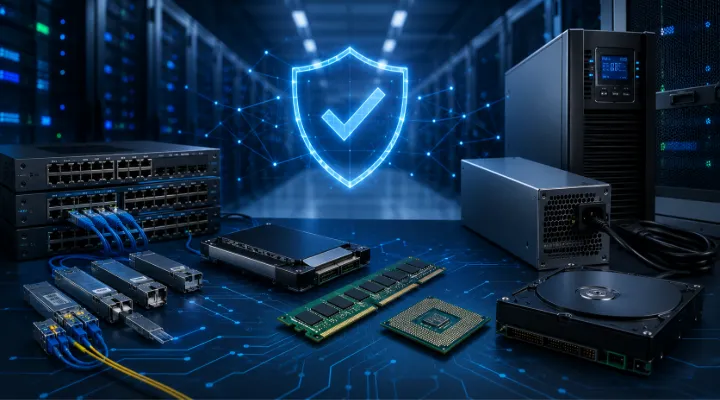
When people think about enterprise IT, they often focus on servers, laptops, cloud platforms, or business software. However, behind every reliable digital operation is a collection of essential hardware components that work quietly in the background to keep systems running smoothly.
From storage drives and memory modules to network switches, power protection systems, optical transceivers, and rack infrastructure, these often-overlooked components form the foundation of business continuity. A single weak link in this hardware ecosystem can lead to network outages, data loss, productivity disruptions, or costly downtime.
As organizations increasingly rely on cloud services, artificial intelligence (AI), hybrid work, and data-driven decision-making, building a dependable IT infrastructure has never been more important. Rather than viewing hardware as individual products, businesses should see them as interconnected parts of a resilient ecosystem.
In this article, we'll explore the hidden hardware that powers modern enterprise IT, explain why each component matters, and discuss how investing in quality infrastructure helps organizations maintain reliability, security, and long-term scalability.
Why Hardware Still Matters in a Cloud-First World
Cloud computing has transformed the way businesses operate, but cloud services still depend on physical infrastructure.
Every cloud application relies on:
- Data centers
- Enterprise networks
- Storage systems
- Servers
- Power infrastructure
- Fiber connectivity
- Cooling systems
Even organizations that have migrated most of their workloads to the cloud still require reliable on-premises hardware for networking, security, user connectivity, and local operations.
Reliable hardware remains the foundation that supports digital transformation.
Enterprise IT Is an Ecosystem
A modern IT environment is much more than a collection of devices. Every component plays a specific role in delivering consistent performance and business continuity.
Key infrastructure components include:
- Servers
- Storage devices
- Network switches
- Routers
- Firewalls
- Wireless access points
- Optical transceivers
- UPS systems
- Rack cabinets
- Structured cabling
- Memory and processors
- Backup systems
When these components work together effectively, businesses experience fewer disruptions and greater operational efficiency.
Storage: Protecting Business Data
Data is one of an organization's most valuable assets.
Reliable storage solutions ensure that critical business information remains available whenever it is needed.
Common enterprise storage devices include:
- Solid State Drives (SSDs)
- Hard Disk Drives (HDDs)
- NVMe SSDs
- Enterprise storage arrays
- Network Attached Storage (NAS)
Why Storage Quality Matters
Choosing enterprise-grade storage helps improve:
- Data reliability
- Read and write performance
- Application responsiveness
- Backup efficiency
- Long-term durability
Practical Example
A financial services company processes thousands of customer transactions every day.
Replacing aging storage with enterprise NVMe SSDs significantly reduces database response times while improving overall customer experience.
Memory: Supporting Fast Performance
Memory (RAM) directly affects system responsiveness.
Insufficient memory often causes:
- Slow applications
- Reduced multitasking
- Increased server latency
- Lower employee productivity
Enterprise environments benefit from ECC (Error-Correcting Code) memory, which detects and corrects memory errors before they impact applications.
Reliable memory improves server stability and minimizes unexpected failures.
Networking Equipment: Keeping Everyone Connected
Business operations depend heavily on reliable network connectivity.
Core networking hardware includes:
- Managed switches
- Enterprise routers
- Wireless access points
- Firewalls
- Load balancers
Modern networking equipment supports:
- High-speed connectivity
- VLAN segmentation
- Quality of Service (QoS)
- Network redundancy
- Remote management
- Security policies
Without reliable networking, even the most powerful servers become inaccessible.
Optical Transceivers: Small Components with a Big Role
Optical transceivers are often overlooked because of their small size, yet they are essential for high-speed fiber communication.
They enable:
- Data center connectivity
- Building-to-building links
- Metro networks
- Long-distance WAN connections
- High-speed server communication
Popular technologies include:
- SFP
- SFP+
- QSFP28
- BIDI
- CWDM
- ER4
Selecting compatible, enterprise-grade transceivers helps ensure stable communication and reduces transmission errors.
Power Protection: Preventing Costly Downtime
Power interruptions remain one of the leading causes of IT outages.
Reliable power infrastructure includes:
- Uninterruptible Power Supplies (UPS)
- Intelligent Power Distribution Units (PDUs)
- Surge protection
- Redundant power supplies
Benefits of UPS Systems
- Continuous operation during power failures
- Safe server shutdown
- Protection against voltage fluctuations
- Reduced hardware damage
Practical Example
During a brief power outage, a UPS allows a company's virtualization servers to continue operating until backup generators start, preventing service interruptions.
Rack Infrastructure: Organizing Enterprise Equipment
Rack cabinets provide more than just physical storage.
A properly designed rack improves:
- Airflow
- Cable management
- Equipment security
- Maintenance efficiency
- Expansion planning
Accessories include:
- Cable managers
- Shelves
- Blank panels
- Cooling accessories
- Power distribution units
Well-organized racks simplify troubleshooting and reduce maintenance time.
Structured Cabling: The Hidden Backbone
Structured cabling supports every network connection within an organization.
Common cabling includes:
- Cat6
- Cat6A
- Cat7
- Fiber optic cables
Best practices include:
- Clear labeling
- Organized cable routing
- Proper bend radius
- Certified installations
- Documentation
Good cabling reduces future maintenance costs and simplifies network expansion.
Backup Hardware: Preparing for the Unexpected
No infrastructure is complete without backup solutions.
Organizations should protect against:
- Hardware failure
- Cyberattacks
- Human error
- Natural disasters
- Accidental deletion
Backup hardware may include:
- NAS systems
- Tape libraries
- External storage
- Replication appliances
Combined with a robust backup strategy, these systems help ensure business continuity and disaster recovery.
Cooling: Maintaining Reliable Performance
Heat is one of the biggest threats to IT hardware.
Excessive temperatures can reduce:
- Hardware lifespan
- Processing performance
- Storage reliability
- Network stability
Data centers and server rooms should implement:
- Efficient airflow
- Environmental monitoring
- Proper rack spacing
- Precision cooling systems
Maintaining optimal temperatures protects valuable IT investments.
Security Appliances: Protecting the Infrastructure
Reliable enterprise IT depends on strong security.
Dedicated hardware appliances help defend against evolving cyber threats.
Examples include:
- Next-generation firewalls
- Secure gateways
- VPN appliances
- Network access control solutions
- Intrusion prevention systems
These devices work alongside software security tools to create a comprehensive defense strategy.
Building Redundancy for Business Continuity
Business continuity depends on eliminating single points of failure.
Organizations should consider redundancy for:
- Power supplies
- Internet connections
- Core switches
- Storage systems
- Fiber links
- Critical servers
Redundancy helps maintain operations even if one component fails.
Planning for Future Growth
Reliable infrastructure should support both current and future requirements.
When purchasing hardware, evaluate:
- Scalability
- Compatibility
- Performance
- Warranty
- Vendor support
- Power efficiency
- Expansion capabilities
- Lifecycle management
Investing in scalable solutions reduces replacement costs over time.
Common Hardware Mistakes Businesses Make
Many organizations focus only on major equipment while overlooking supporting infrastructure.
Common mistakes include:
- Purchasing consumer-grade hardware
- Ignoring power protection
- Underestimating storage growth
- Poor cable management
- Lack of redundancy
- Delaying hardware replacement
- Mixing incompatible components
- Neglecting preventive maintenance
Avoiding these mistakes helps improve system reliability and reduce long-term costs.
Practical Example: A Reliable Enterprise Deployment
A growing manufacturing company expands from 80 to 250 employees over three years.
Instead of upgrading only its servers, the organization invests in:
- Enterprise switches
- High-speed fiber transceivers
- Managed wireless infrastructure
- UPS systems
- Rack cabinets
- Structured cabling
- Enterprise SSD storage
- Backup appliances
As a result, the company experiences:
- Reduced downtime
- Improved application performance
- Faster data backups
- Simplified IT management
- Better support for future expansion
This demonstrates how supporting hardware contributes directly to business continuity.
Why Choose ICTECH Distribution for Enterprise IT Hardware?
Building reliable enterprise infrastructure starts with choosing the right technology partner. ICTECH Distribution offers a comprehensive portfolio of enterprise IT products from leading global manufacturers, helping businesses deploy dependable, scalable, and future-ready solutions.
Benefits of partnering with ICTECH Distribution include:
- Wide selection of enterprise hardware
- Servers, storage, networking, and accessories from trusted brands
- Genuine products with business-focused solutions
- Competitive pricing for organizations of all sizes
- Expert assistance in selecting compatible hardware
- Support for enterprise, education, healthcare, government, and data center projects
- Reliable service for customers across the UAE and international markets
Whether you're upgrading a small office, expanding a data center, or building a resilient enterprise network, ICTECH Distribution provides the hardware solutions needed to support long-term business continuity.
Conclusion
Reliable enterprise IT is built on far more than powerful servers or fast internet connections. It depends on a carefully planned combination of storage, networking, power protection, structured cabling, optical connectivity, backup systems, rack infrastructure, and security appliances working together as a unified ecosystem.
By investing in high-quality hardware and designing with scalability, redundancy, and resilience in mind, organizations can reduce downtime, improve performance, and protect critical business operations. As technology continues to evolve, businesses that prioritize dependable infrastructure today will be better prepared to support tomorrow's applications, users, and growth.
Frequently Asked Questions
1. Why is enterprise hardware important for business continuity?
Enterprise hardware is designed for reliability, durability, and continuous operation. Quality components help minimize downtime, protect data, and ensure business-critical applications remain available.
2. Which hardware components are most important in enterprise IT?
Key components include servers, storage devices, networking equipment, optical transceivers, UPS systems, structured cabling, rack infrastructure, security appliances, and backup solutions.
3. How do UPS systems improve IT reliability?
UPS systems provide backup power during outages, protect equipment from voltage fluctuations, and allow critical systems to continue operating or shut down safely.
4. Why should businesses invest in enterprise-grade networking equipment?
Enterprise networking hardware offers better performance, enhanced security, centralized management, higher reliability, and improved scalability compared to consumer-grade devices.
5. How often should enterprise hardware be reviewed or upgraded?
Organizations should review infrastructure annually and plan upgrades based on business growth, performance needs, security requirements, manufacturer support lifecycles, and evolving technology standards.
